
Install & Activate Free 8K App on FireStick 2026
If you want to stream live TV, sports, movies, and entertainment on your Amazon Firestick, the 8K IPTV app is one of the most popular IPTV player options available today. With a simple setup process and user-friendly interface, you can quickly install the app and start watching your favorite channels in minutes.
What Is the 8K App?
The 8K IPTV app is a powerful IPTV player designed for streaming live TV channels, movies, sports, and on-demand content across multiple devices including Amazon Firestick, Fire TV Cube, Android TV, Smart TVs, and Android smartphones. The app supports Xtream Codes API, and playlist file integration, making it easy for users to connect their IPTV service and start streaming instantly.
Main Features of 8K App
Here are some of the top features that make the 8K IPTV app popular among streaming users:
- Fast and smooth streaming
- Easy playlist integration
- Support for live TV and VOD
- HD, Full HD, and 4K support
- EPG integration
Step 1: Install Downloader App on Firestick
If you haven’t installed the Downloader app on your FireStick yet, please visit this post for a complete step-by-step guide. You’ll learn how to download, install, and set up the app so you can easily install APK files and access additional content on your device.
Step 2: Install 8K App via Downloader
Now that Downloader is installed, you can install the 8K IPTV app.
1. Open the Downloader app and click the search bar.
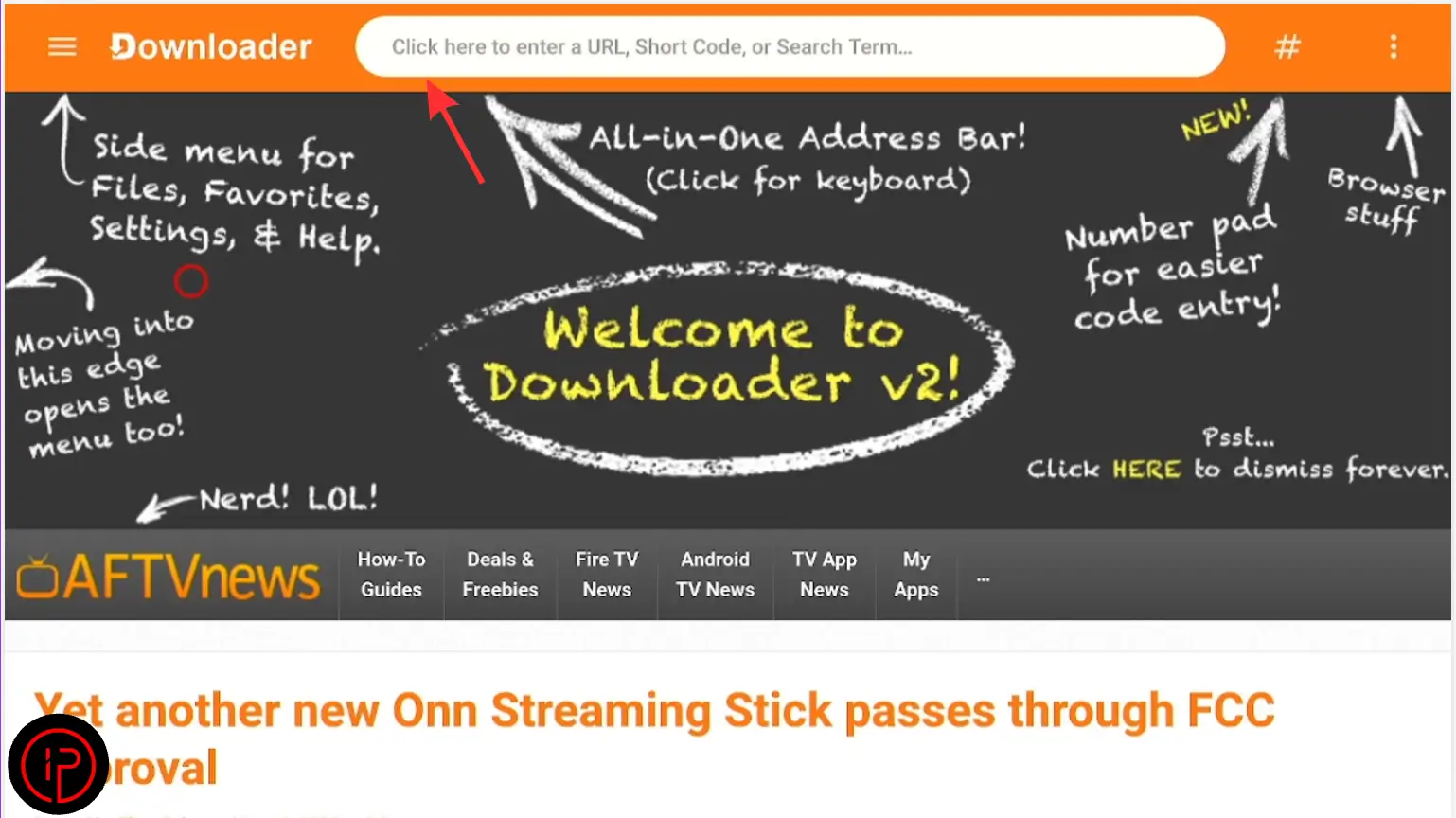
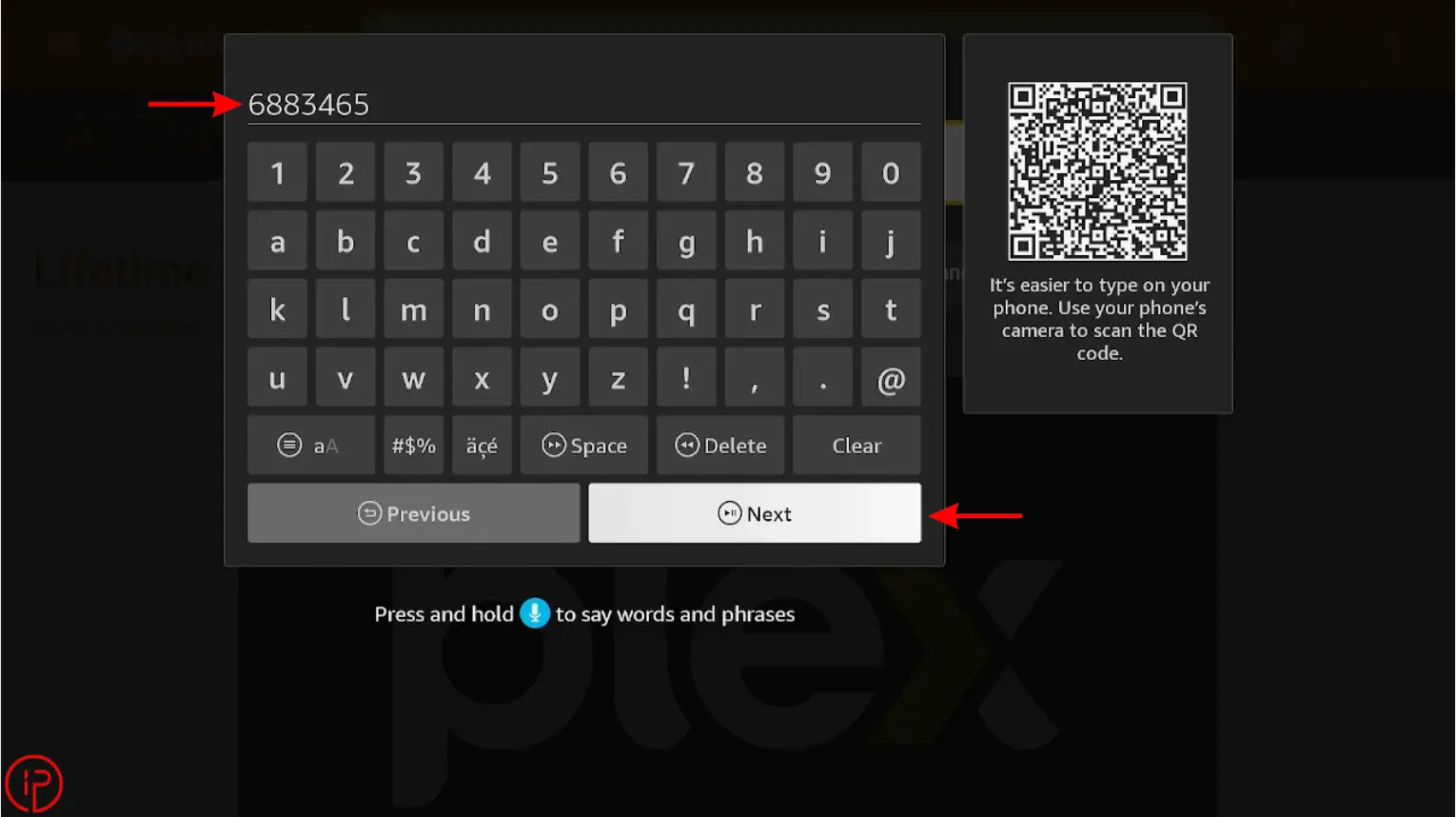
2. Enter the Downloader code 6883465 and press Continue.
3. Wait a few moments for the download to complete.
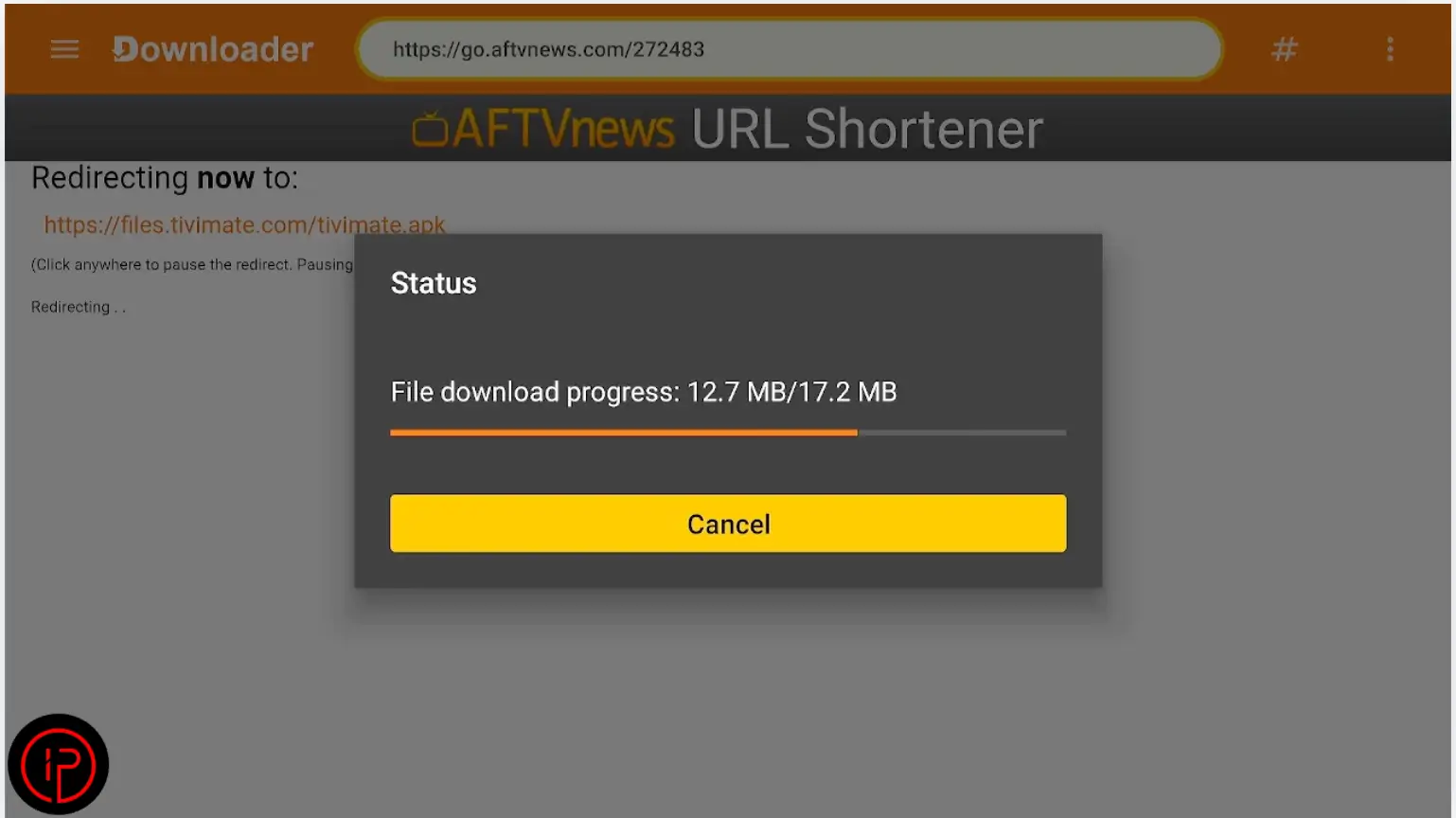
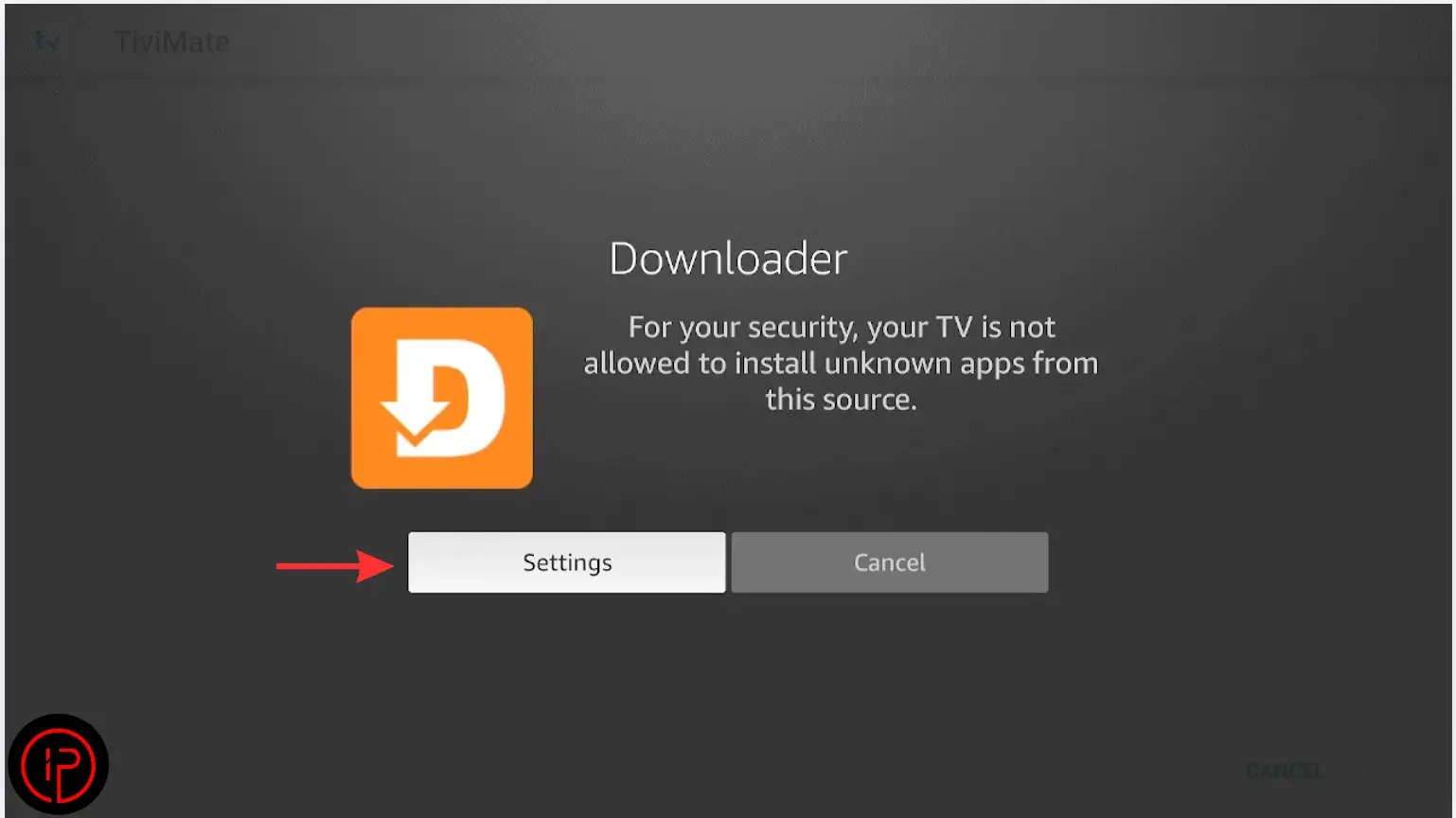
4. Then press Settings.
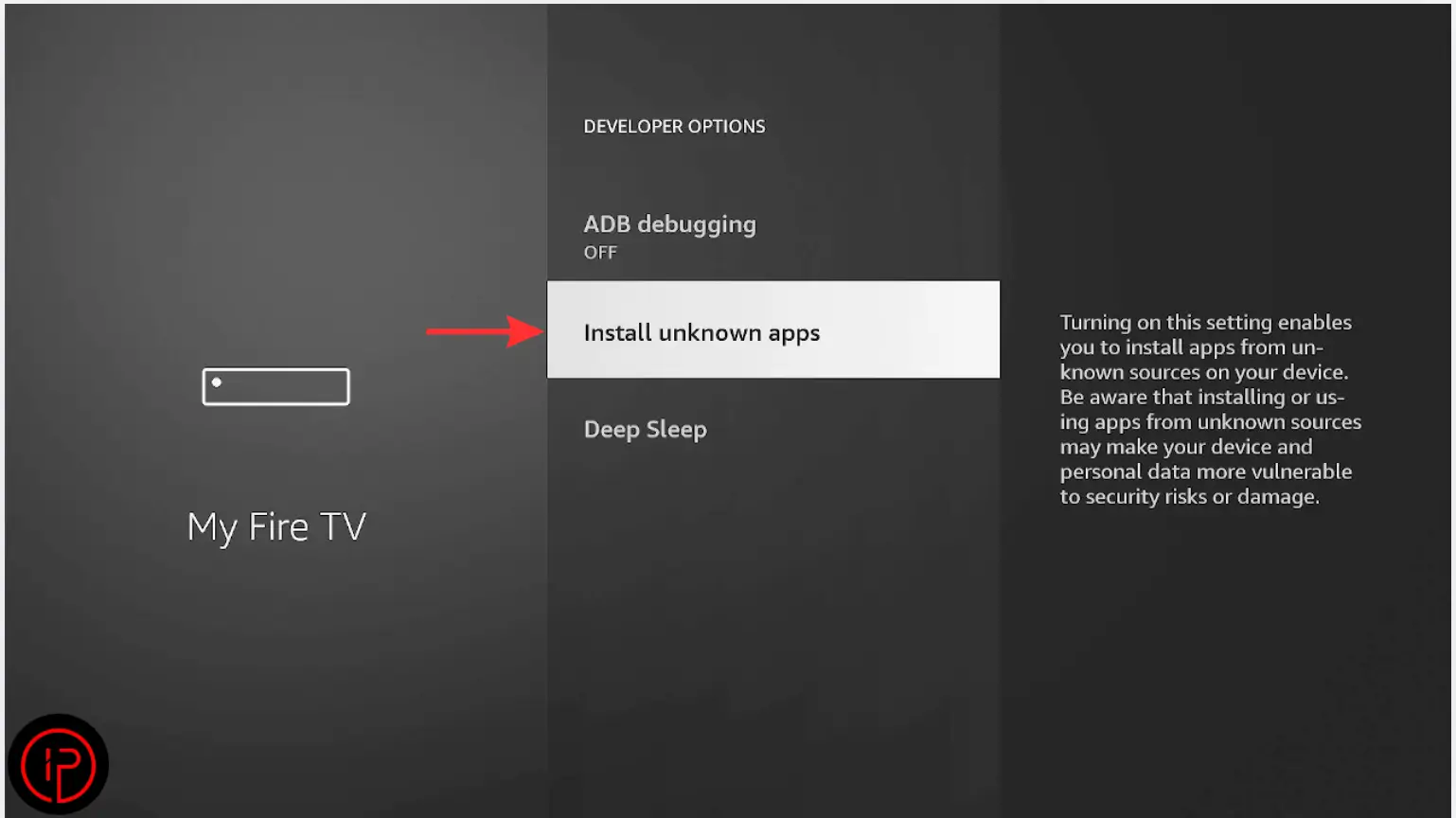
5. Press Install Unknown Apps.
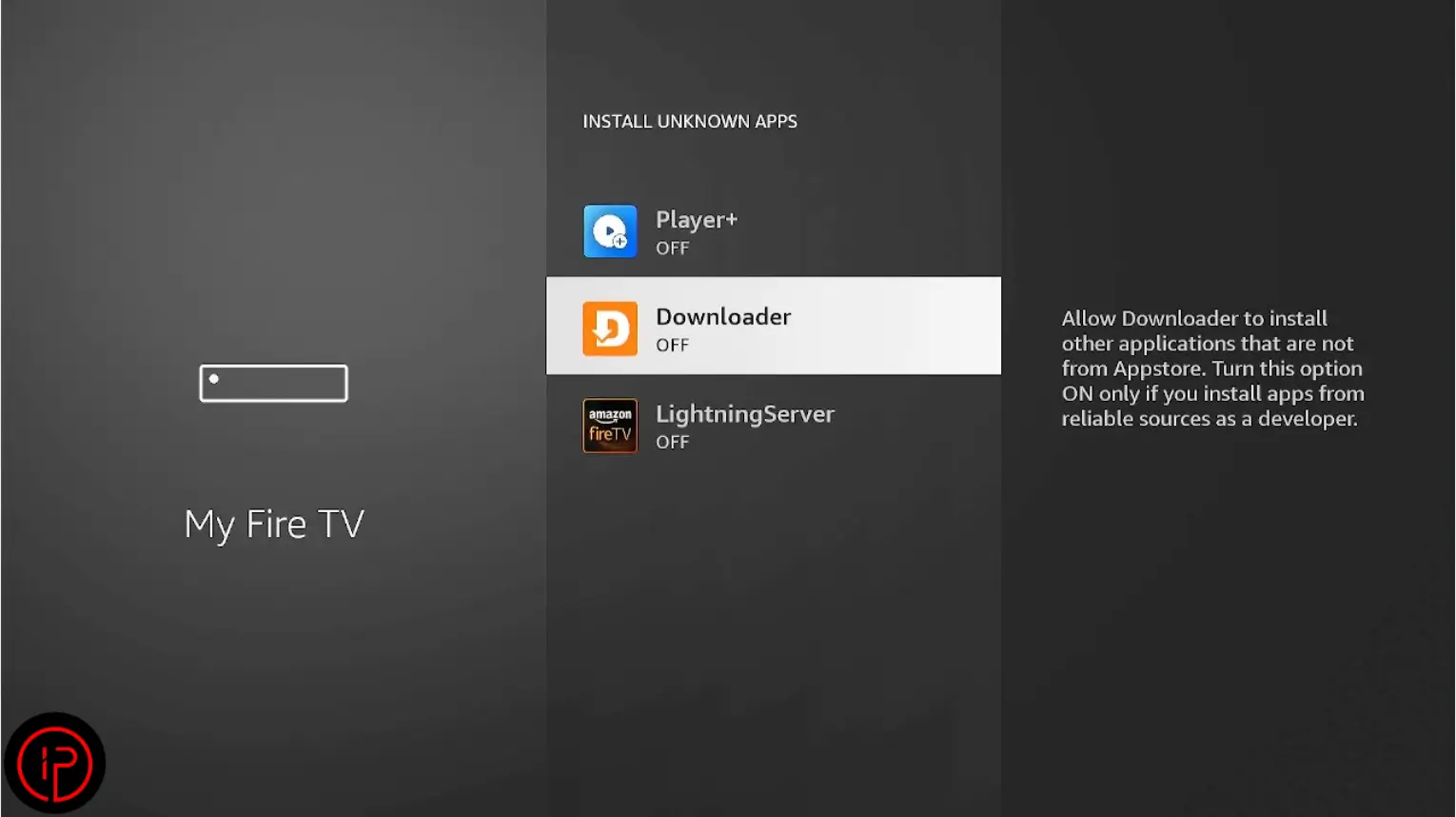
6. Find the Downloader app.
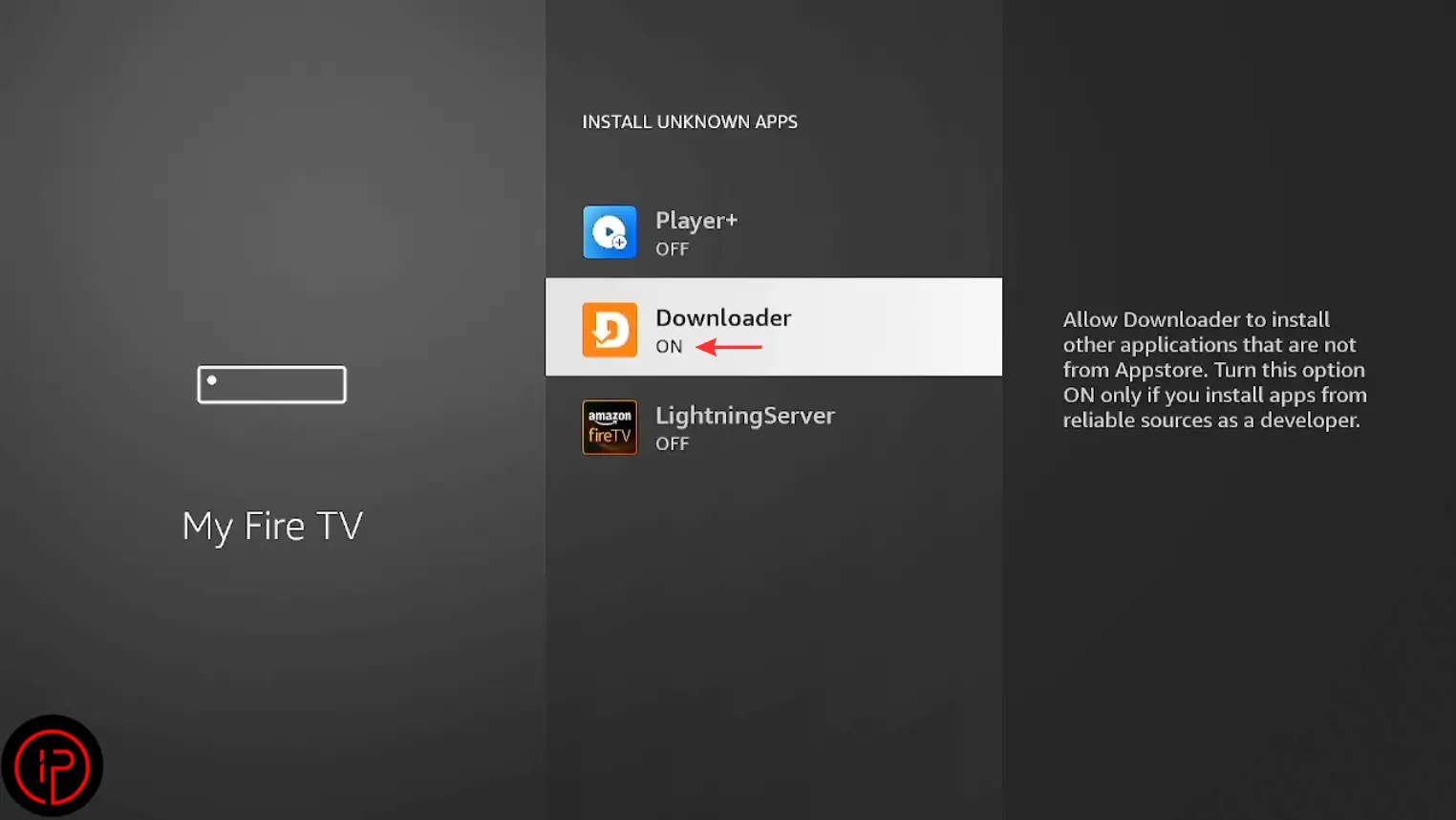
7. Change it from Off to On.
8. Press Install to begin the 8K app installation.
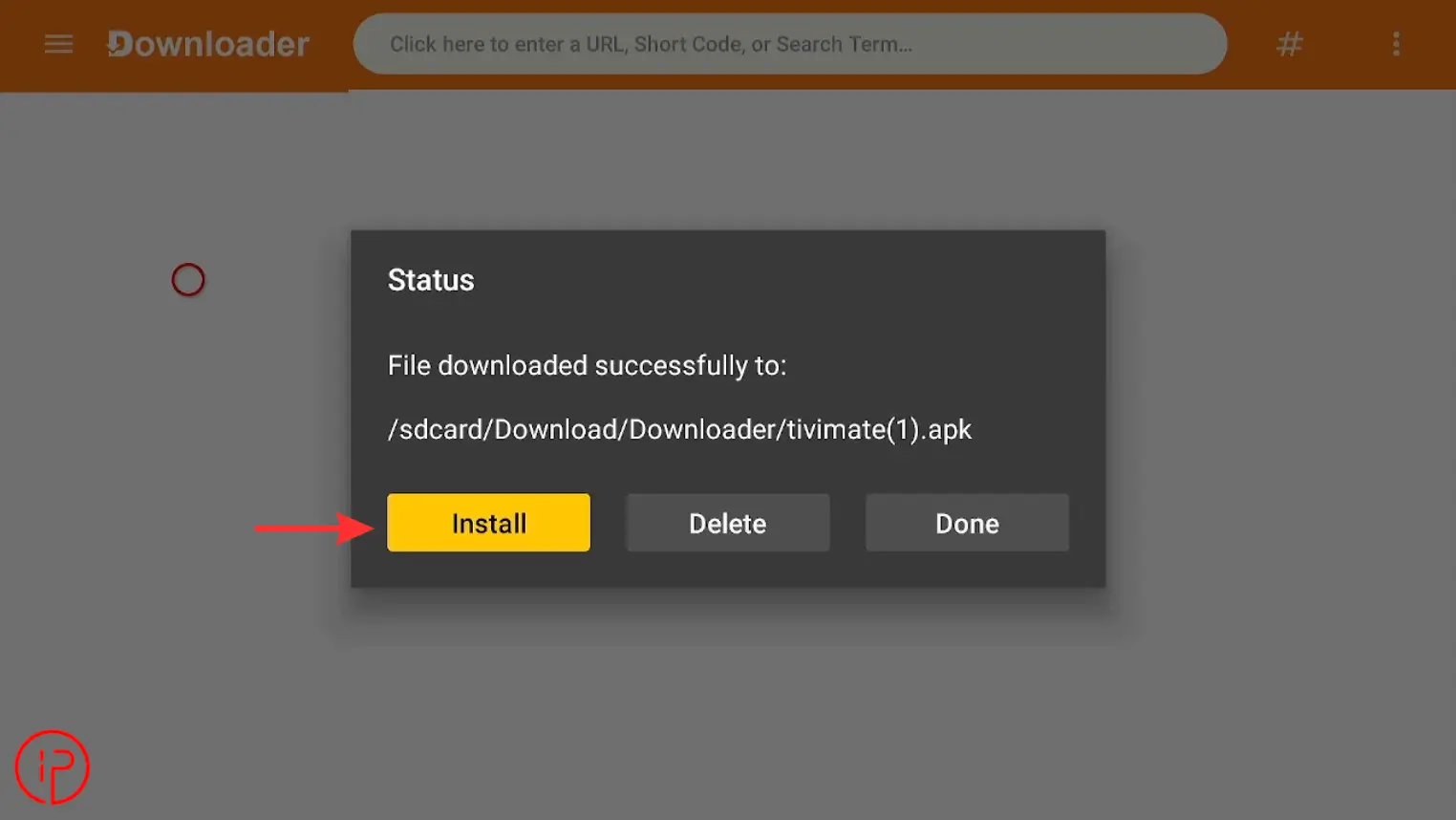
9. Press Install again to continue.
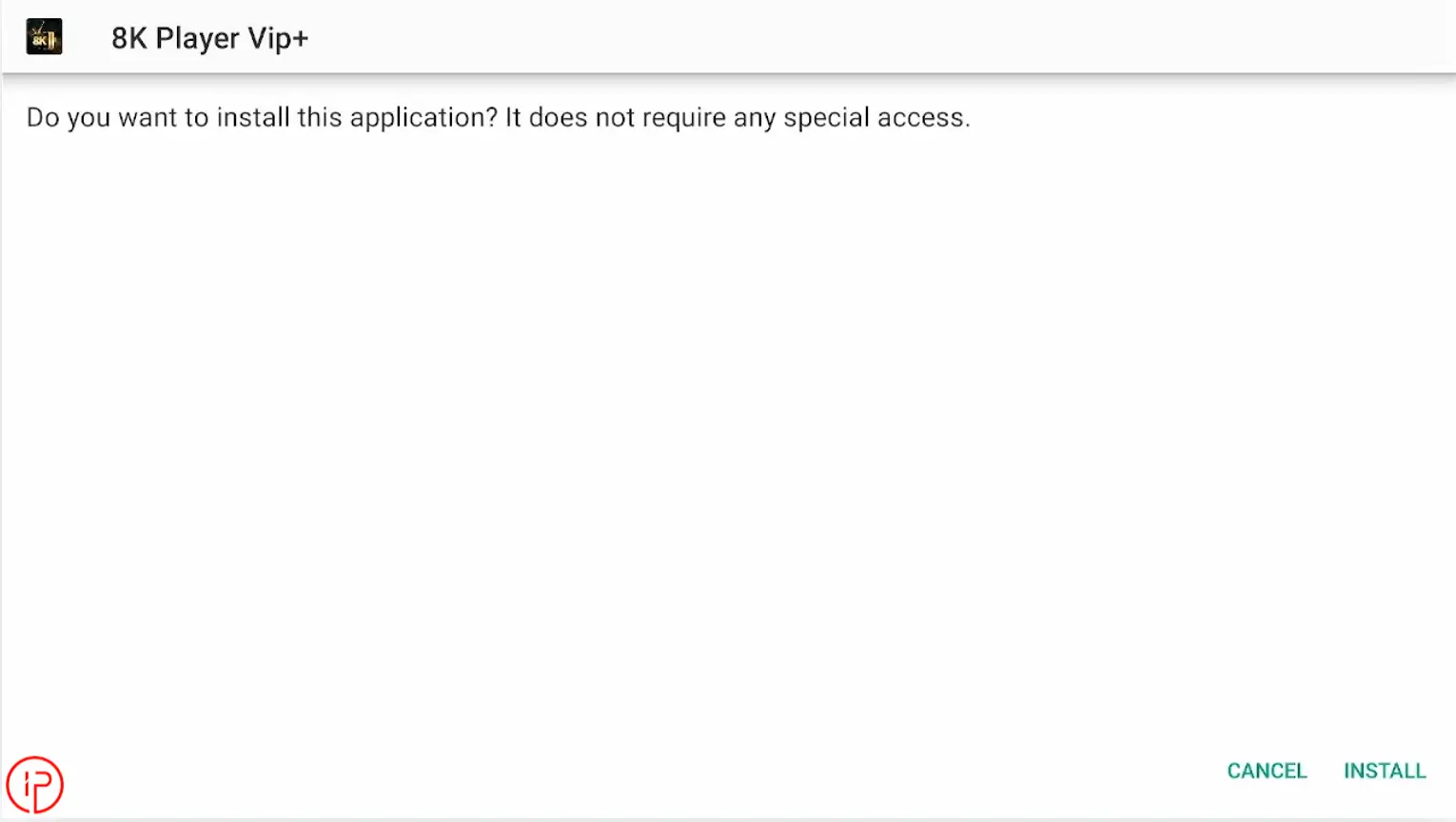
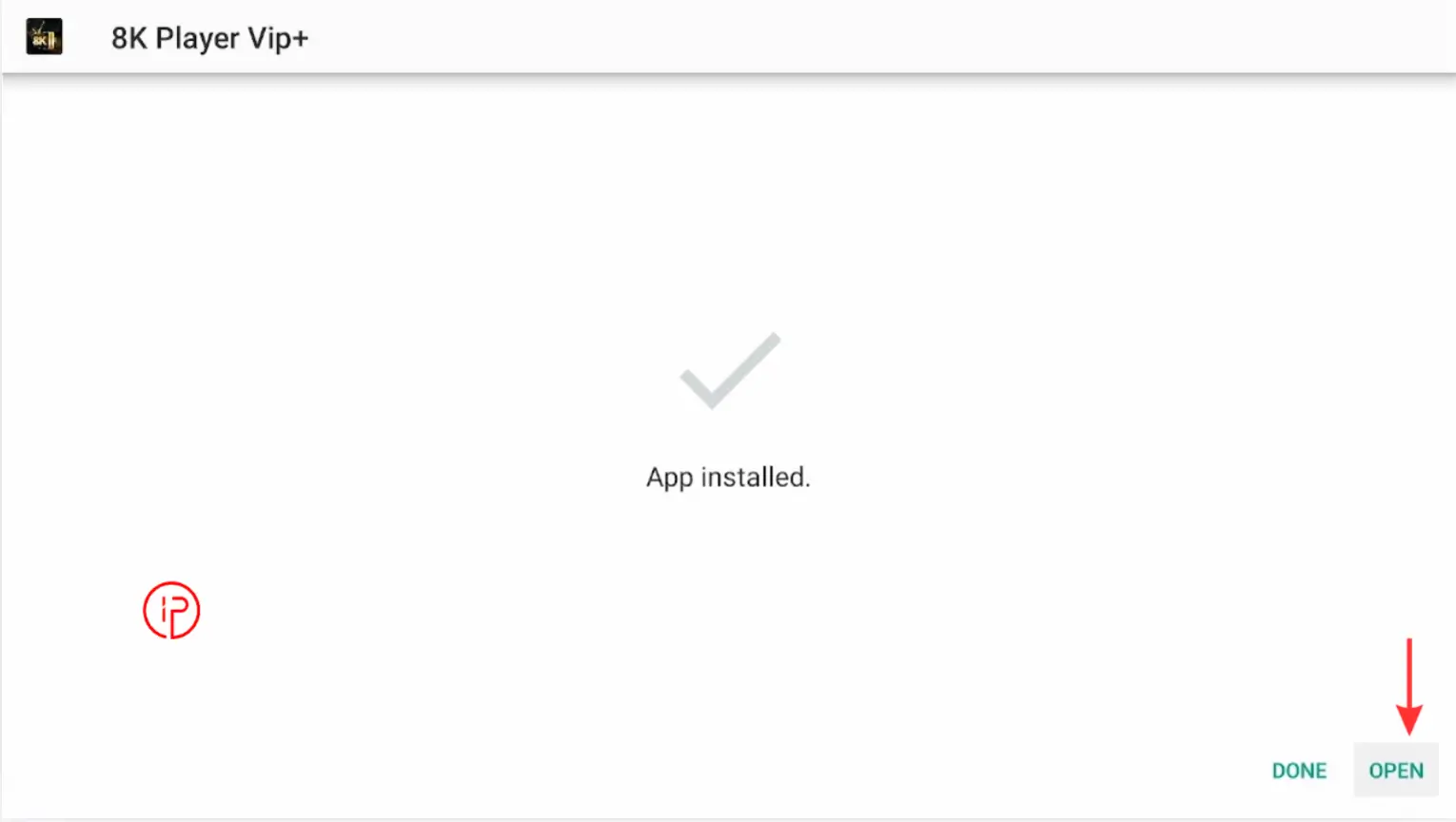
10. Open the App
Step 3: How to Get an 8k IPTV Playlist
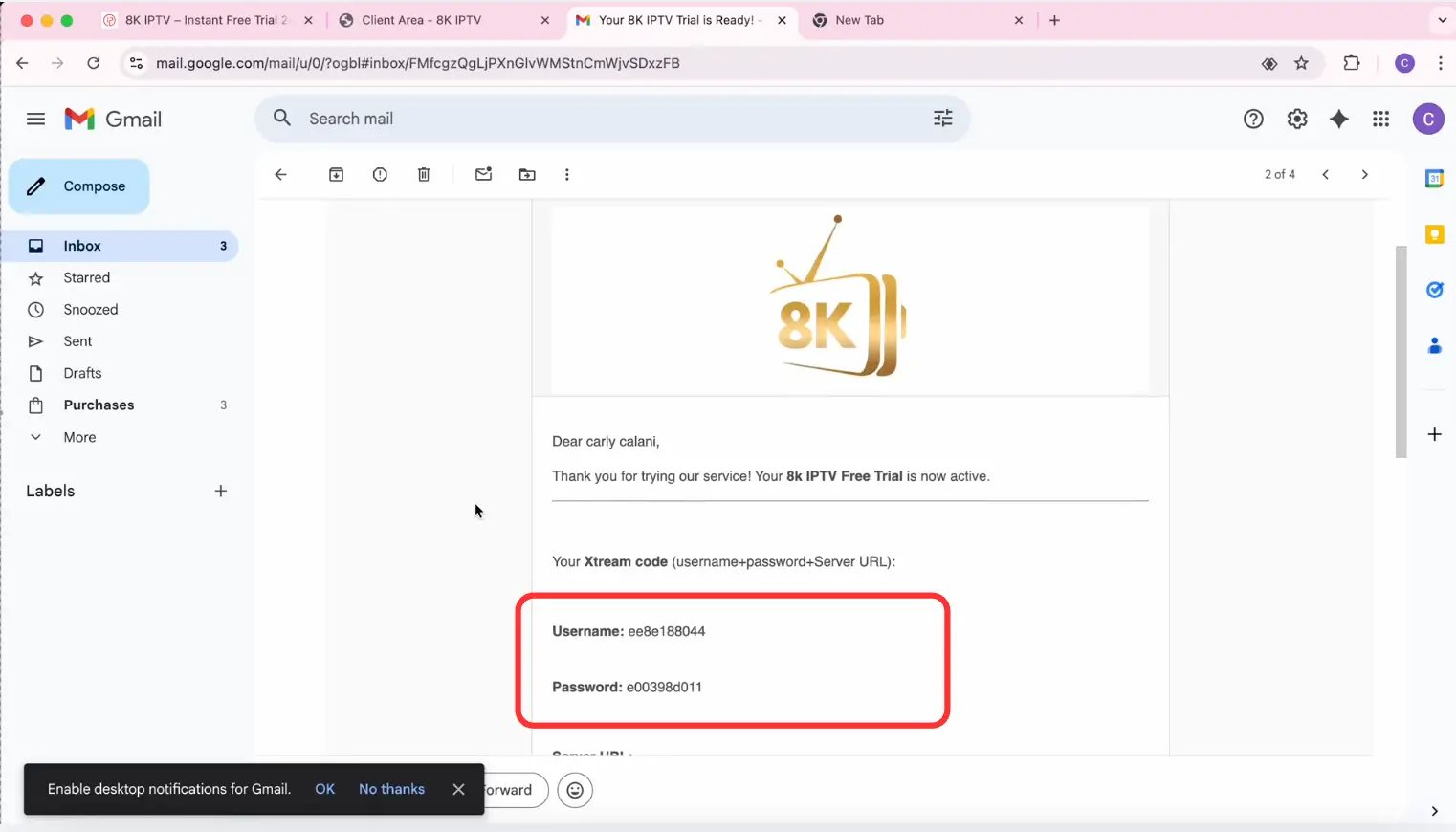
Learn how to get an 8K IPTV playlist instantly with M3U URL, Xtream Codes API, username, and password for the 8K app on FireStick and Android TV.
Step 4: Add Playlist on 8K IPTV App
After receiving your IPTV login details, the final step is adding the playlist to the 8K IPTV app.
1. Open the 8K App app and press the Add Playlist button.
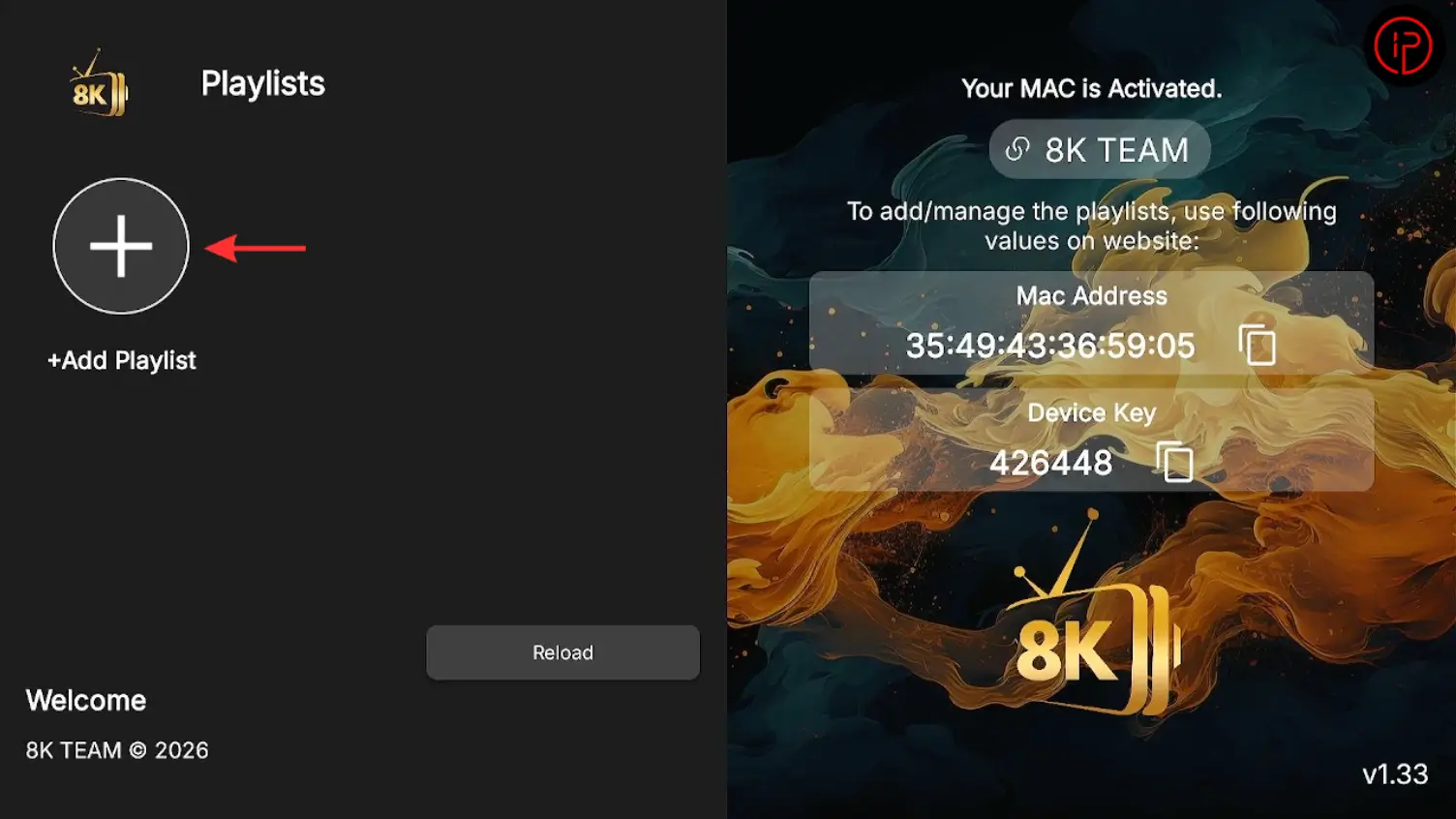
2. Enter playlist name (8kiptv.co), add your username and password, then press Add Playlist.
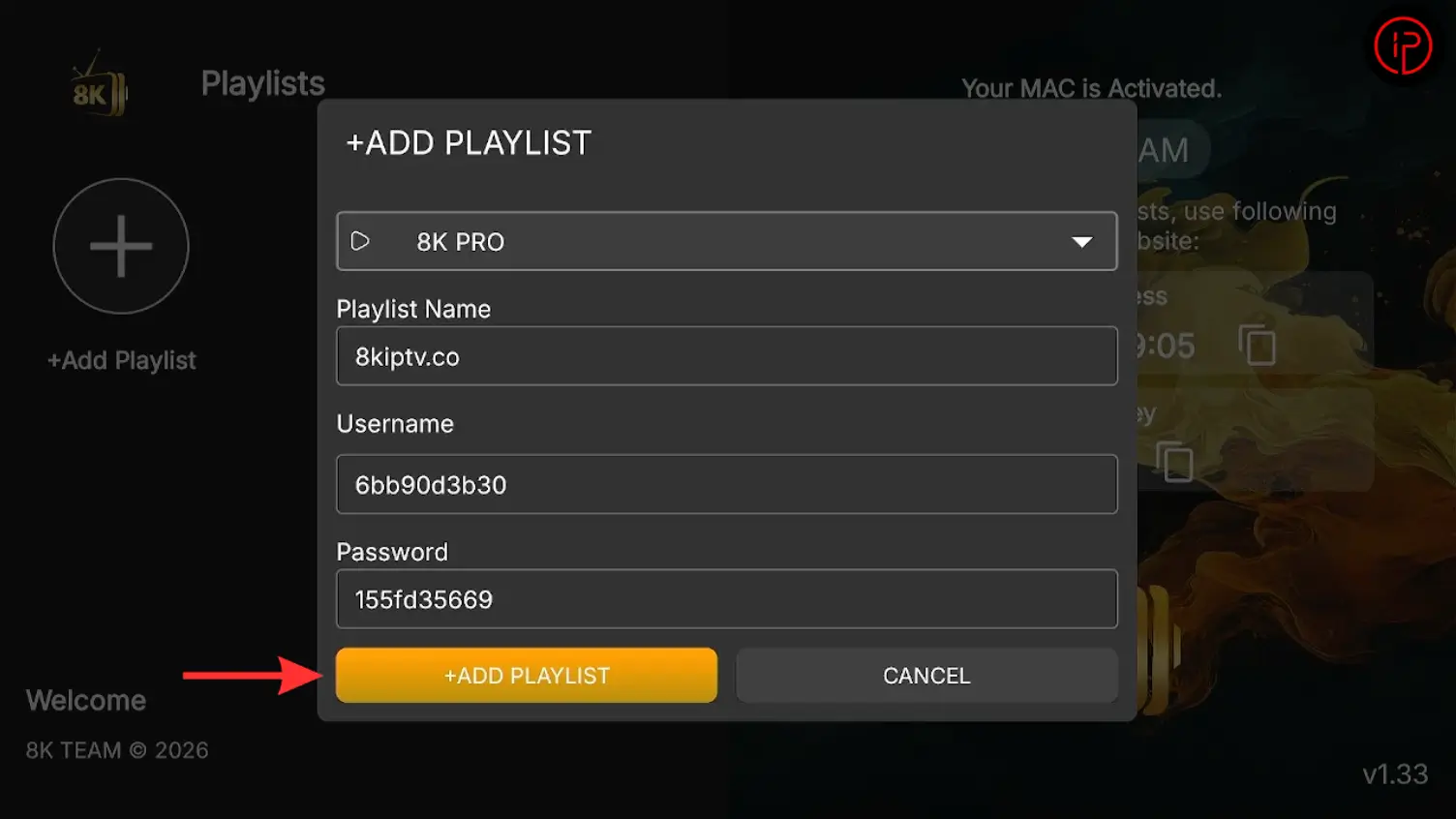
3. Then press connect.
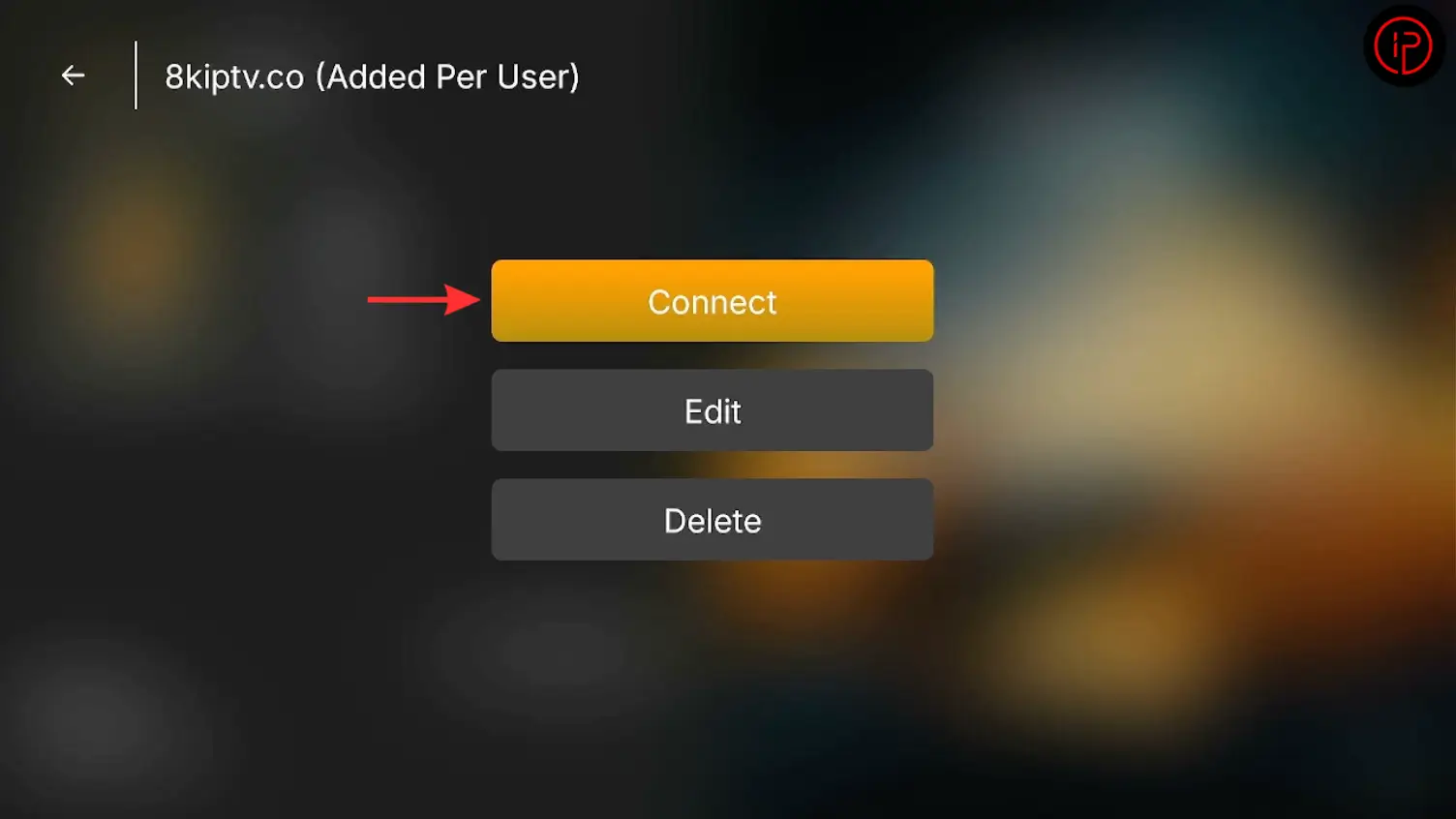
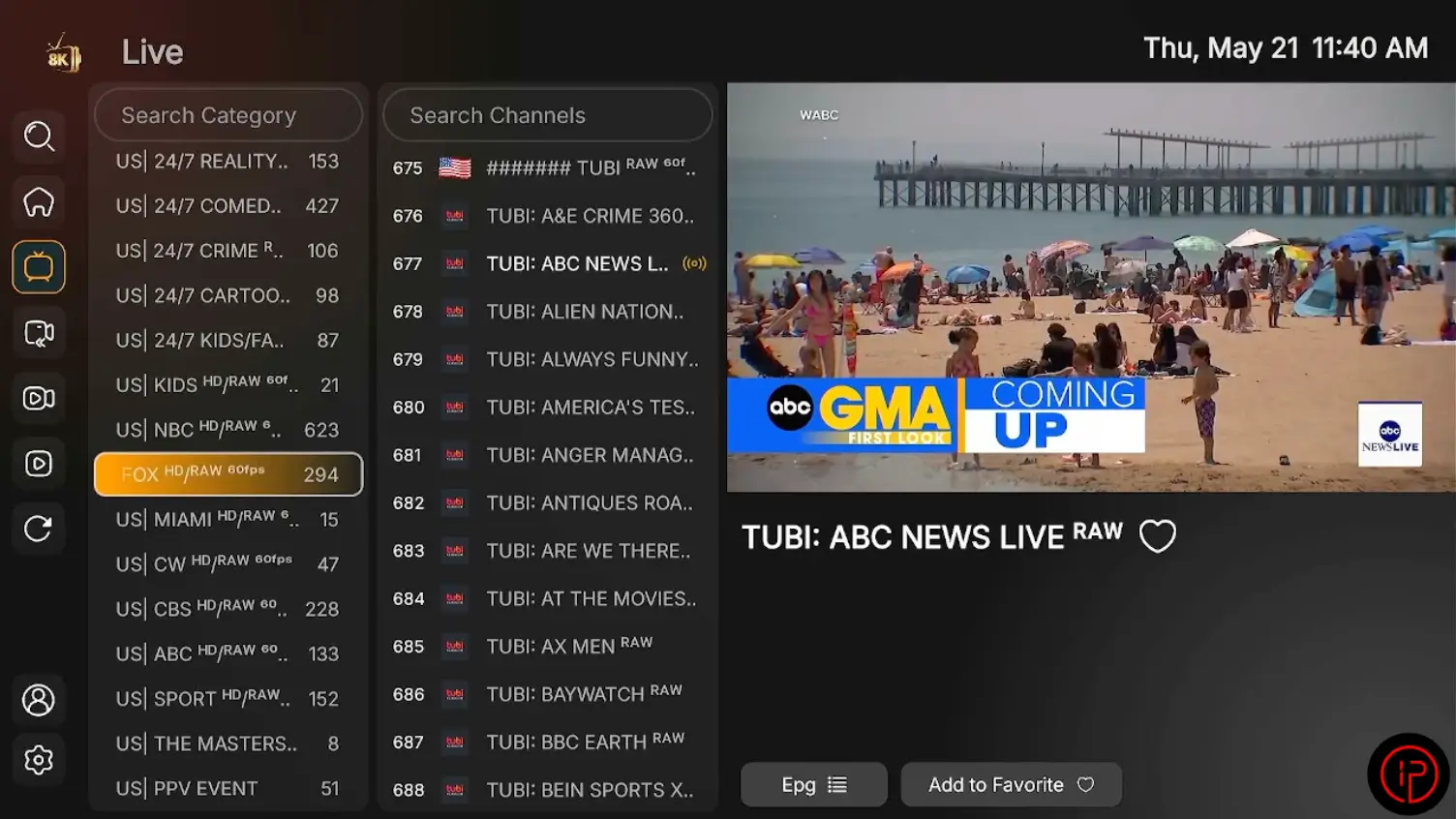
4. Setup is complete! You can now enjoy live TV, movies, and series streaming.
Watch Our Video Tutorials:
Step 1: How to Install Downloader on Firestick
Step 2: How to Install 8K App on Firestick
Step 3: How to Get a Free 8K IPTV Playlist
Step 4: How to Add IPTV Playlist on 8K App
Alternatives to 8K App
The 8K app is a powerful IPTV player designed for FireStick and Android devices, offering smooth streaming, easy playlist integration, and support for live TV, movies, and VOD content.
Ibo Player
Ibo Player is another powerful IPTV player known for its modern design and smooth streaming performance. It supports high-quality live TV streaming, movies, series, and customizable playlists.
IPTV Smarters Pro
TiviMate
TiviMate is another powerful IPTV player known for its modern interface and smooth streaming performance. It supports live TV, movies, series, EPG integration, and customizable playlists, making it one of the top choices for IPTV users on FireStick and Android TV devices.
Learn More
If you want to explore more features, installation guides, updates, and troubleshooting tips, visit the Official Website. You can find detailed tutorials on installing the app on FireStick, adding IPTV playlists, fixing playback issues, and improving your streaming experience for better performance.
Frequently Asked Questions
This IPTV player allows users to stream live TV channels, movies, series, and on-demand content on devices like FireStick, Android TV, Smart TVs, and Android smartphones. It supports playlist integration through M3U URLs and Xtream Codes API for quick and easy streaming setup.
You can get your login details instantly from 8kiptv.co after activating your IPTV subscription. The login information usually includes a username, password, and server URL for playlist setup.
The player may be free to download, and 8kiptv.co offers a 24-hour free trial so users can test the streaming service before subscribing.
Yes, the player works on Android TV devices, FireStick, Smart TVs, Android smartphones, and tablets for flexible IPTV streaming.
A stable internet connection with at least 15 Mbps is recommended for HD streaming, while higher speeds are better for Full HD and 4K content playback.