
Install and Activate IPTV Smarters Pro on Firestick
If you want to watch live TV, movies, and series through a compatible IPTV service on your Amazon Firestick, IPTV Smarters Pro is one of the most popular IPTV player applications available. It provides a user-friendly interface, support for Xtream Codes, M3U playlists, live TV categories, EPG integration, and much more.
In this guide, you’ll learn how to install IPTV Smarters Pro on Firestick and connect it to your IPTV subscription in just four simple steps.
What Is IPTV Smarters Pro?
IPTV Smarters Pro is a popular IPTV player application that allows users to stream live TV channels, movies, TV series, and catch-up content provided by an IPTV service. It acts as a media player and does not provide any channels or content on its own.
Why Use IPTV Smarters Pro on Firestick?
IPTV Smarters Pro is an IPTV player that allows users to access content provided by their IPTV service provider. It does not provide channels or content itself but serves as a media player for IPTV subscriptions.
Key Features
- Multiple user profiles
- Easy-to-use interface
- Supports Xtream Codes API
- Live TV, Movies, and Series sections
- EPG (Electronic Program Guide) suppor
Step 1: Install Downloader App on Firestick
If you haven’t installed the Downloader app on your FireStick yet, check out this guide for detailed step-by-step instructions. It covers how to download, install, and configure the app, making it easy to install APK files and access additional content on your device.
Step 2: Install IPTV Smarters Pro
After installing Downloader, you can install IPTV Smarters Pro.
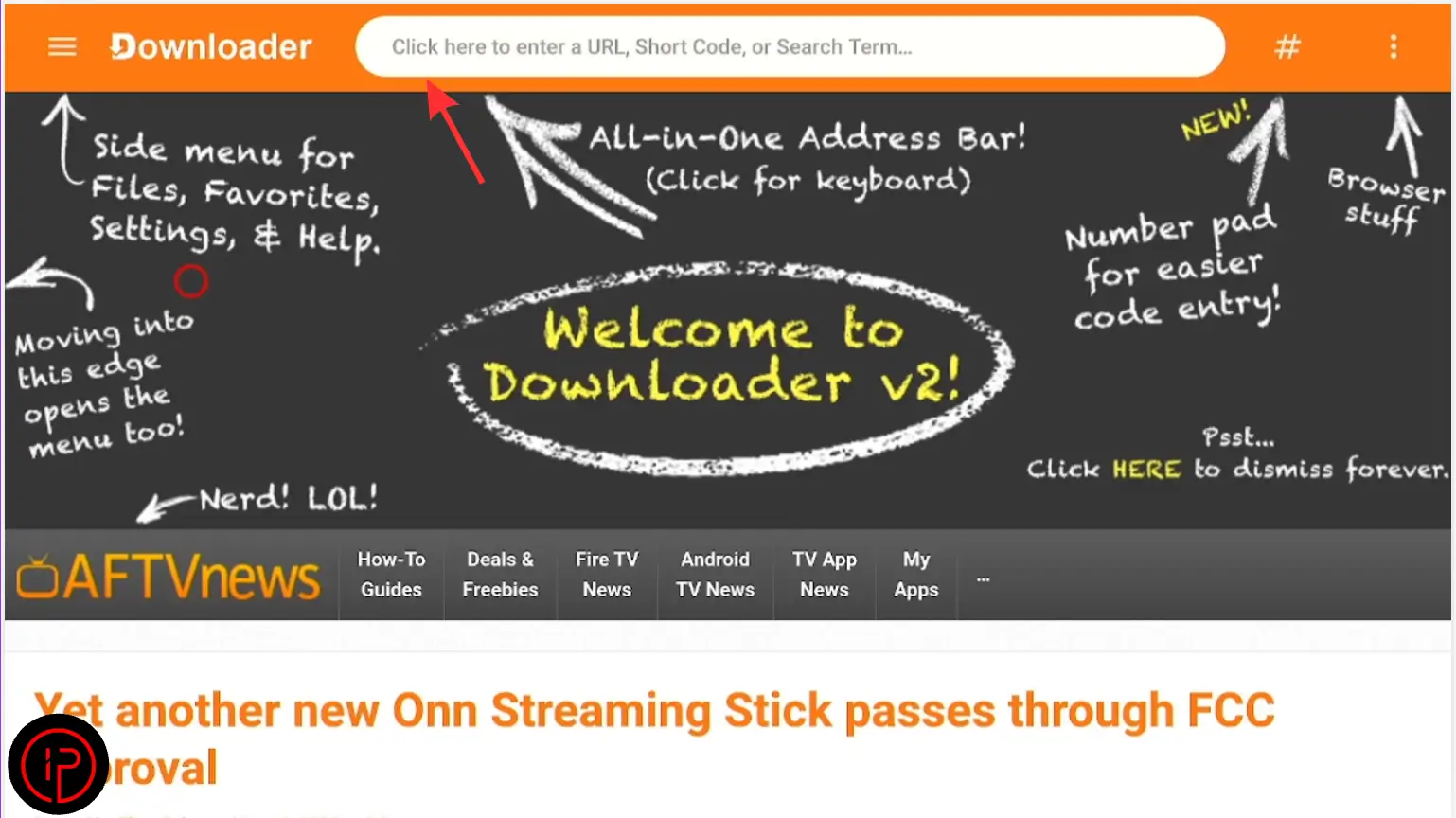
1. Open the Downloader app and click the search bar.
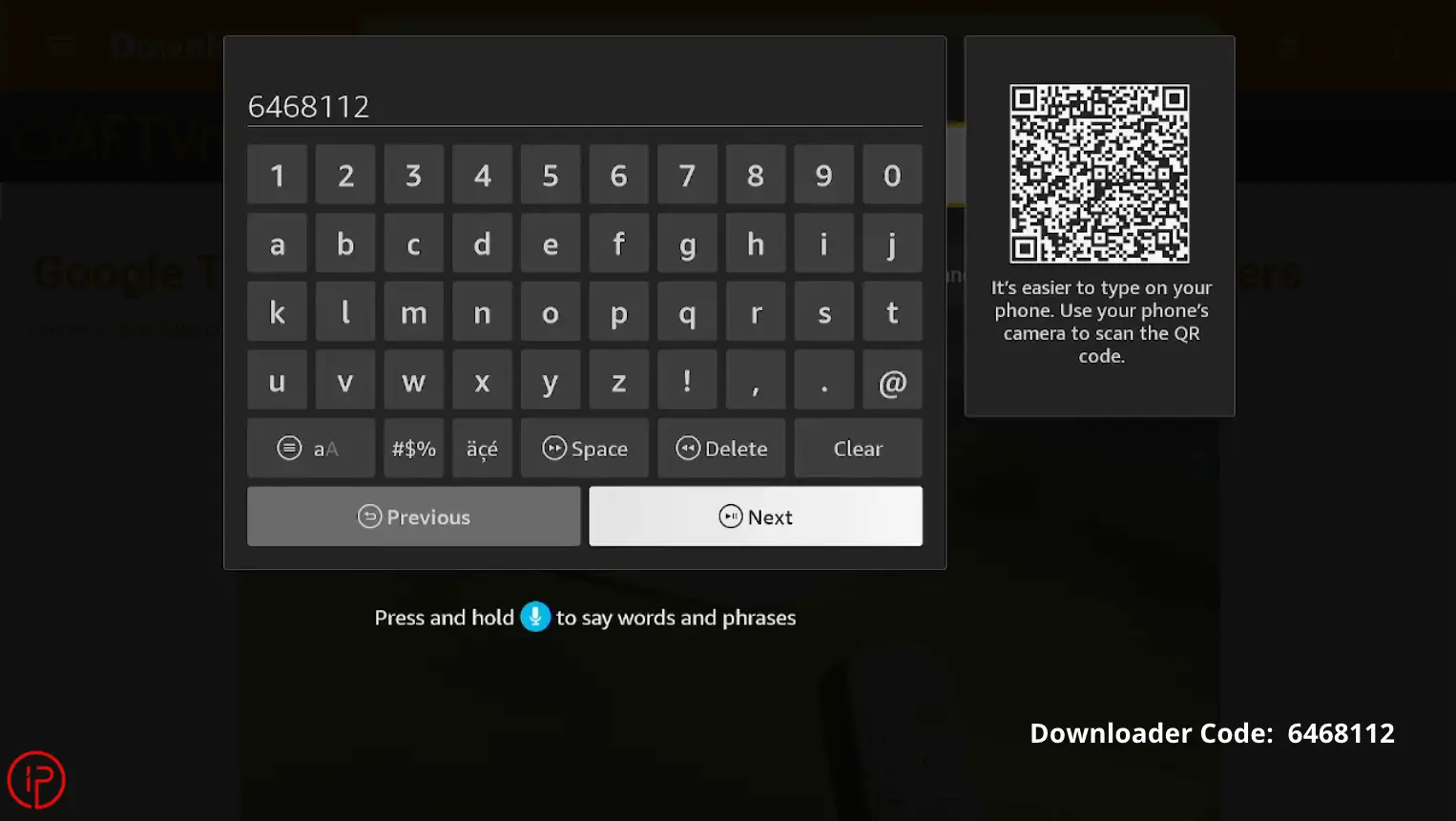
2. Enter the Downloader code 6468112 and press Next.
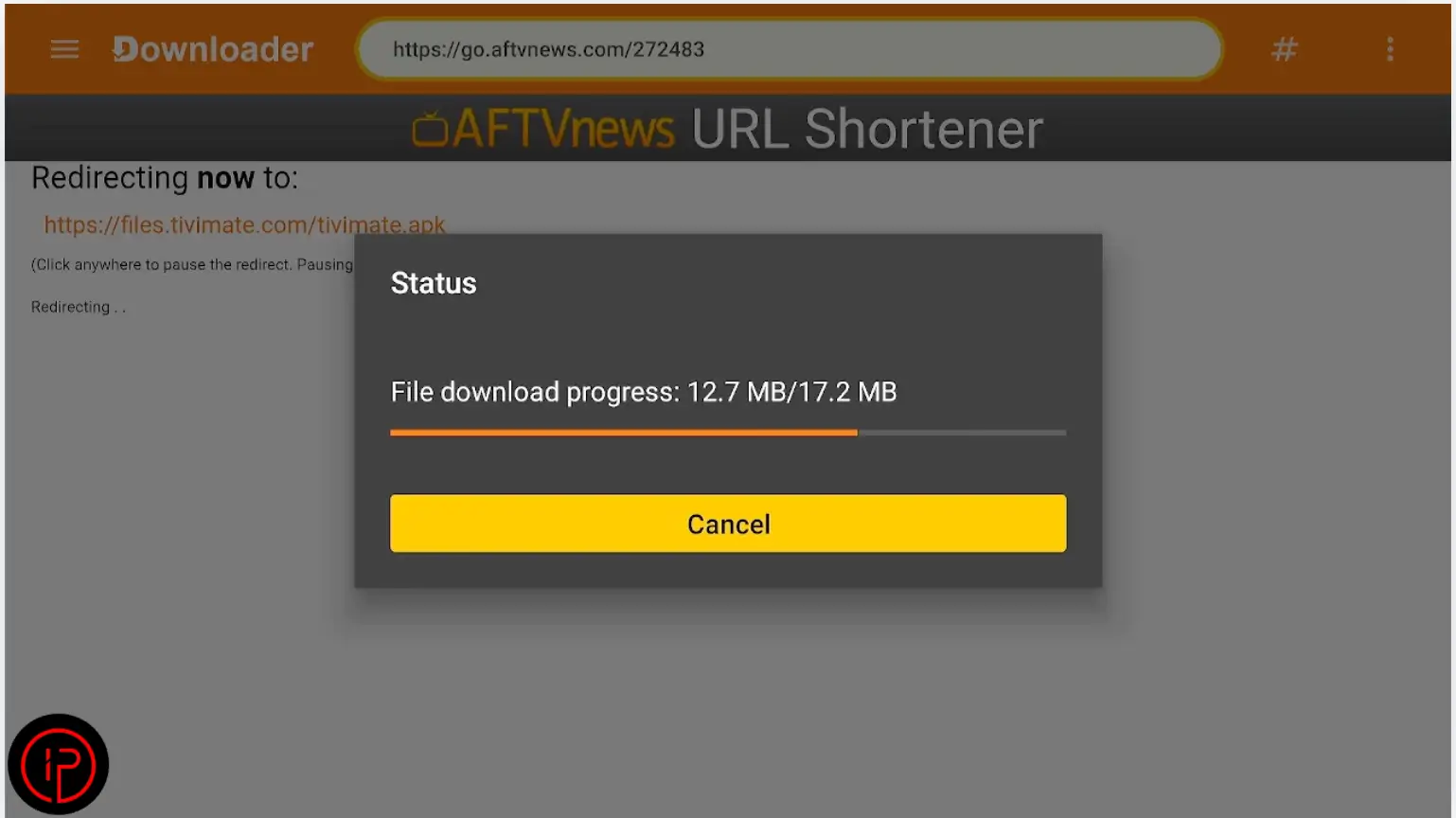
3. Wait a few moments for the download to complete.
4. Then press Settings.
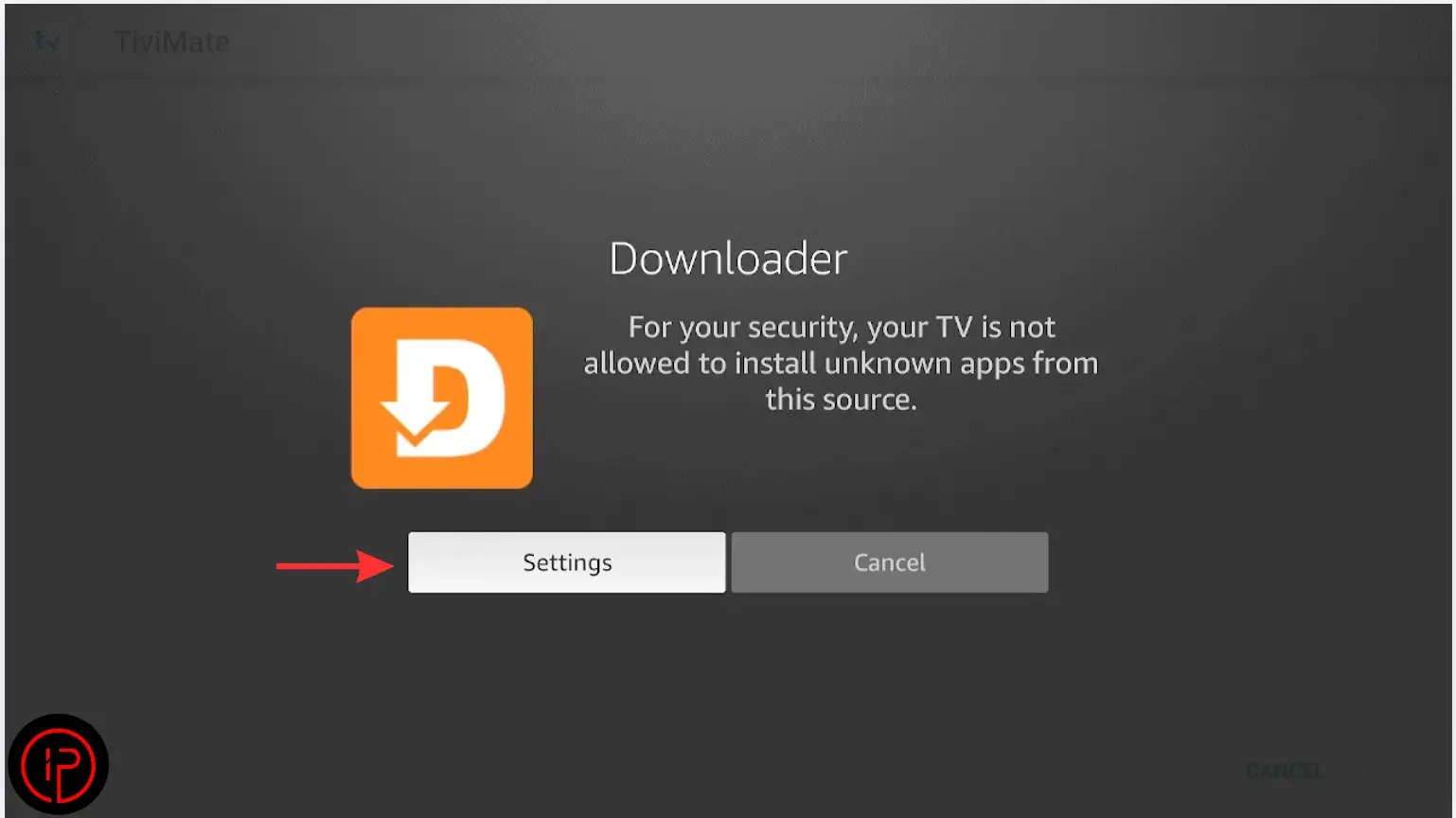
5. Press Install Unknown Apps.
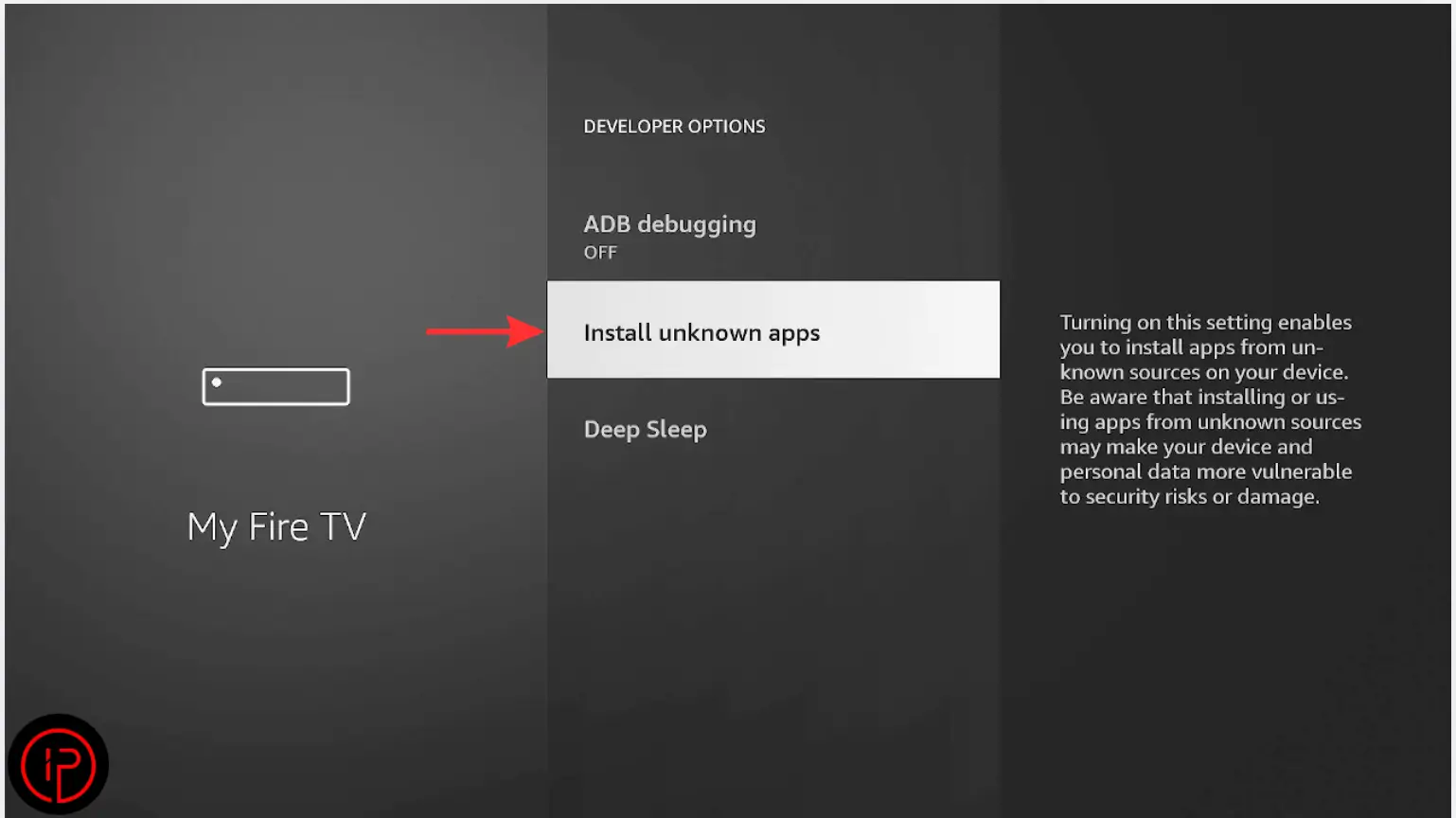
6. Find the Downloader app.
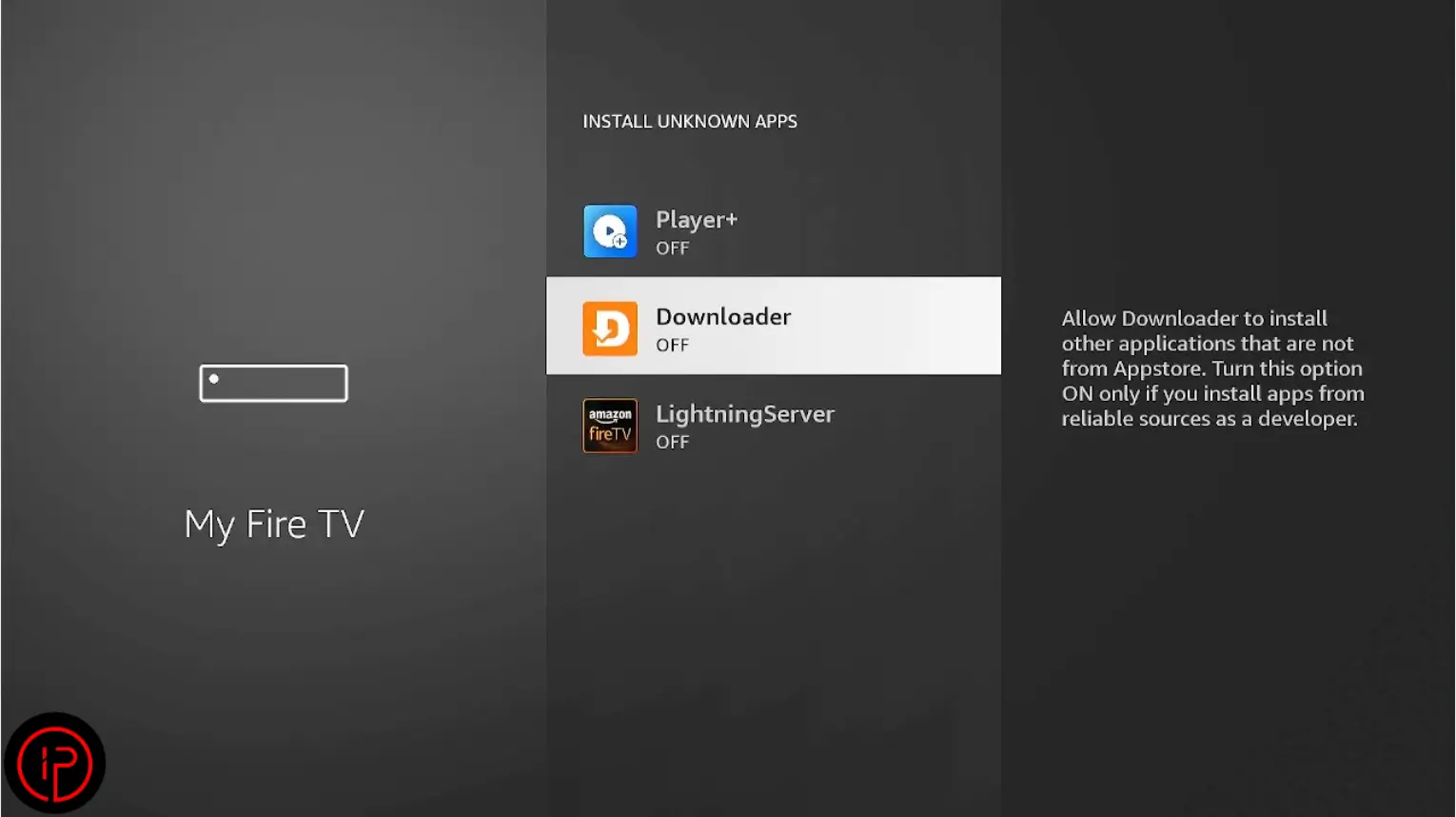
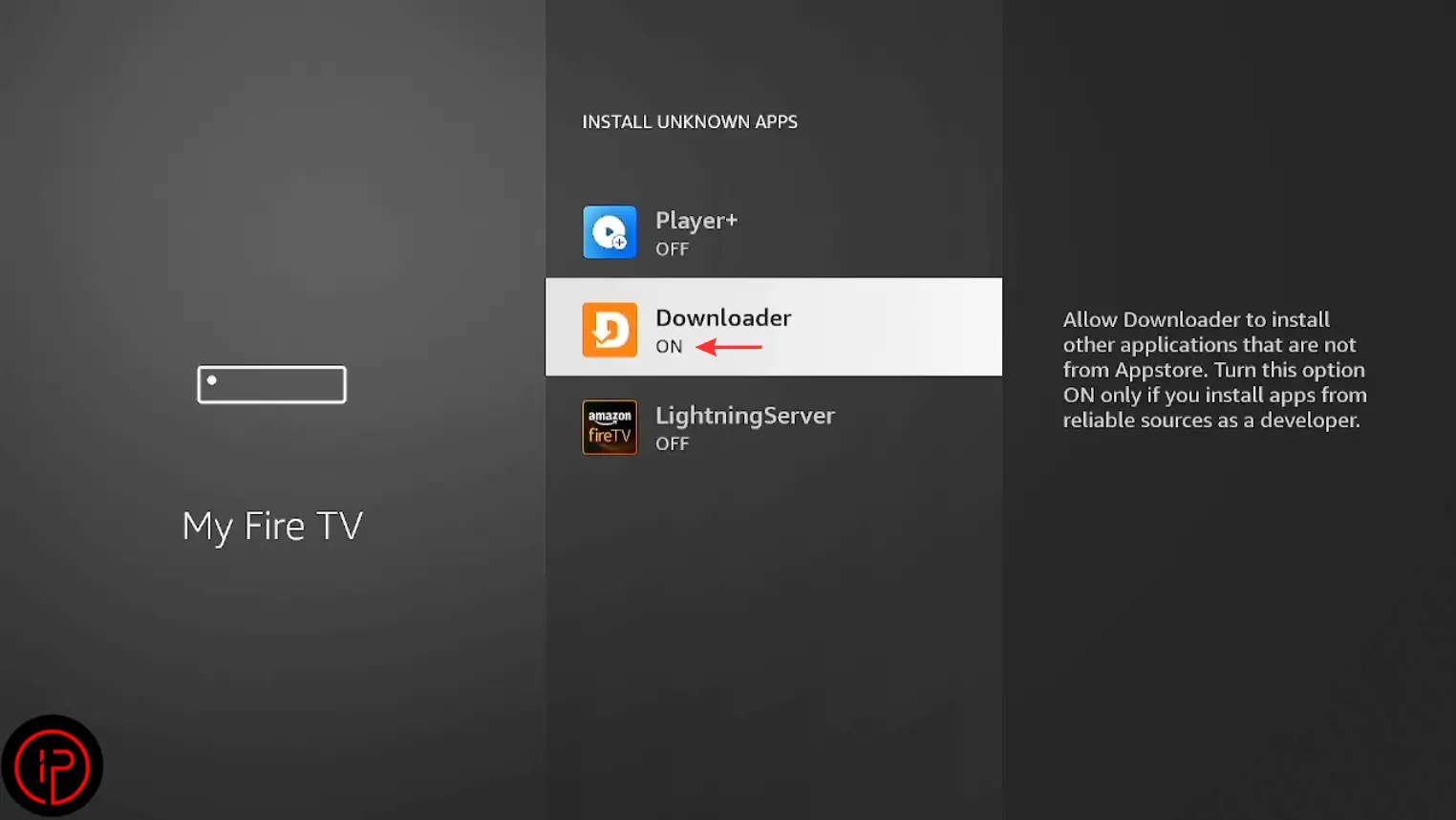
7. Change it from Off to On.
8. Press Install.
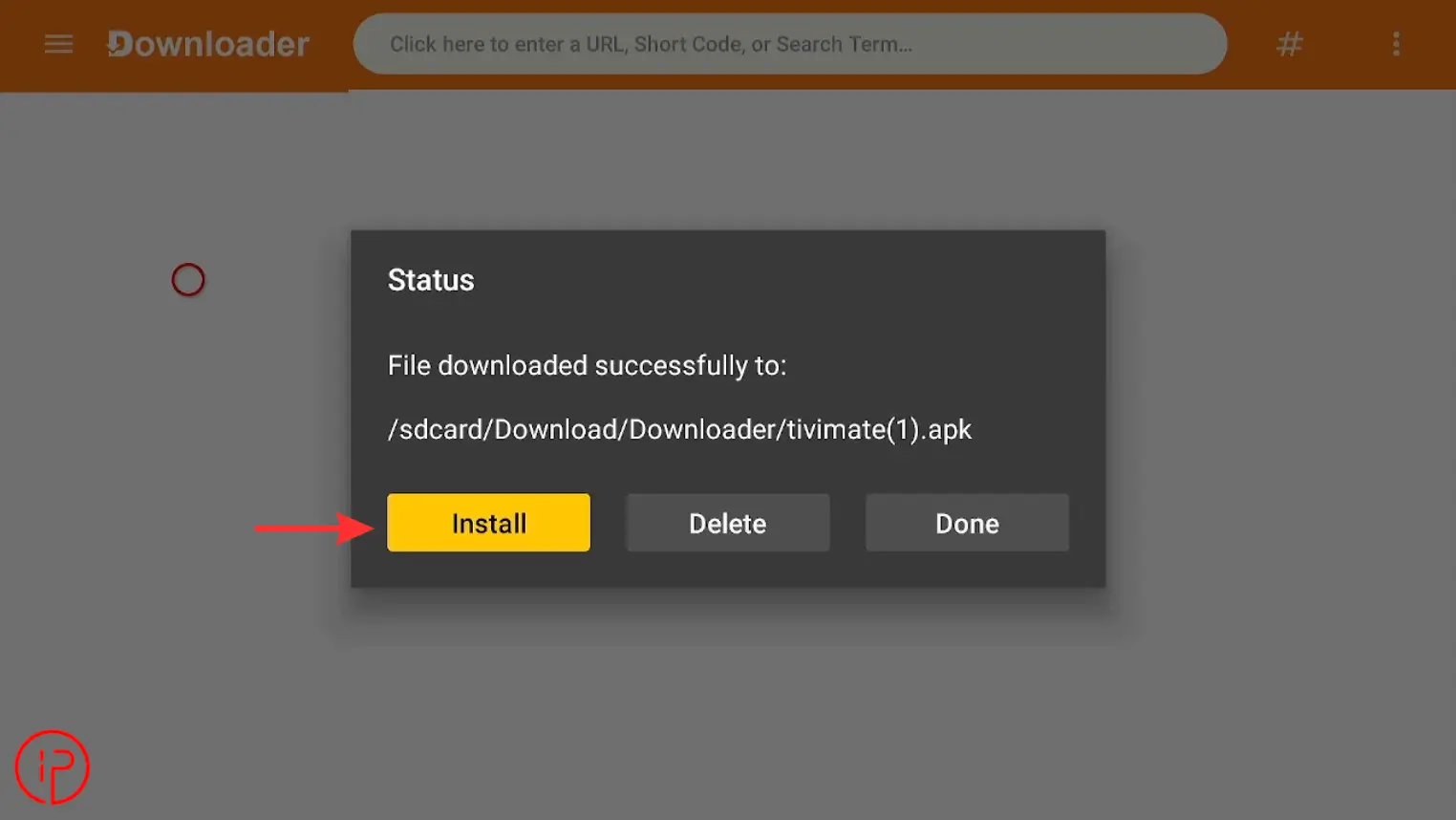
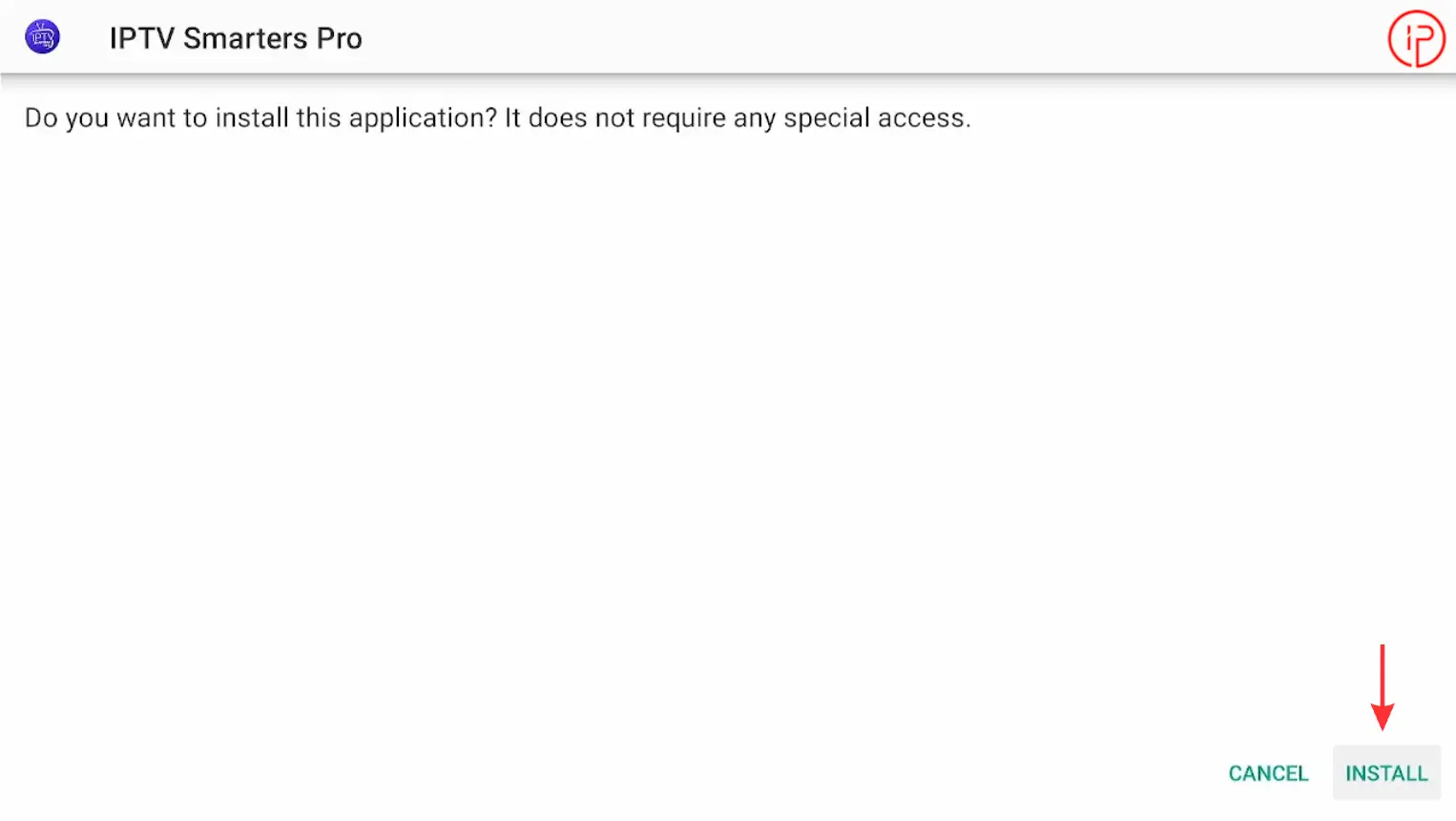
9. Press Install again to continue.
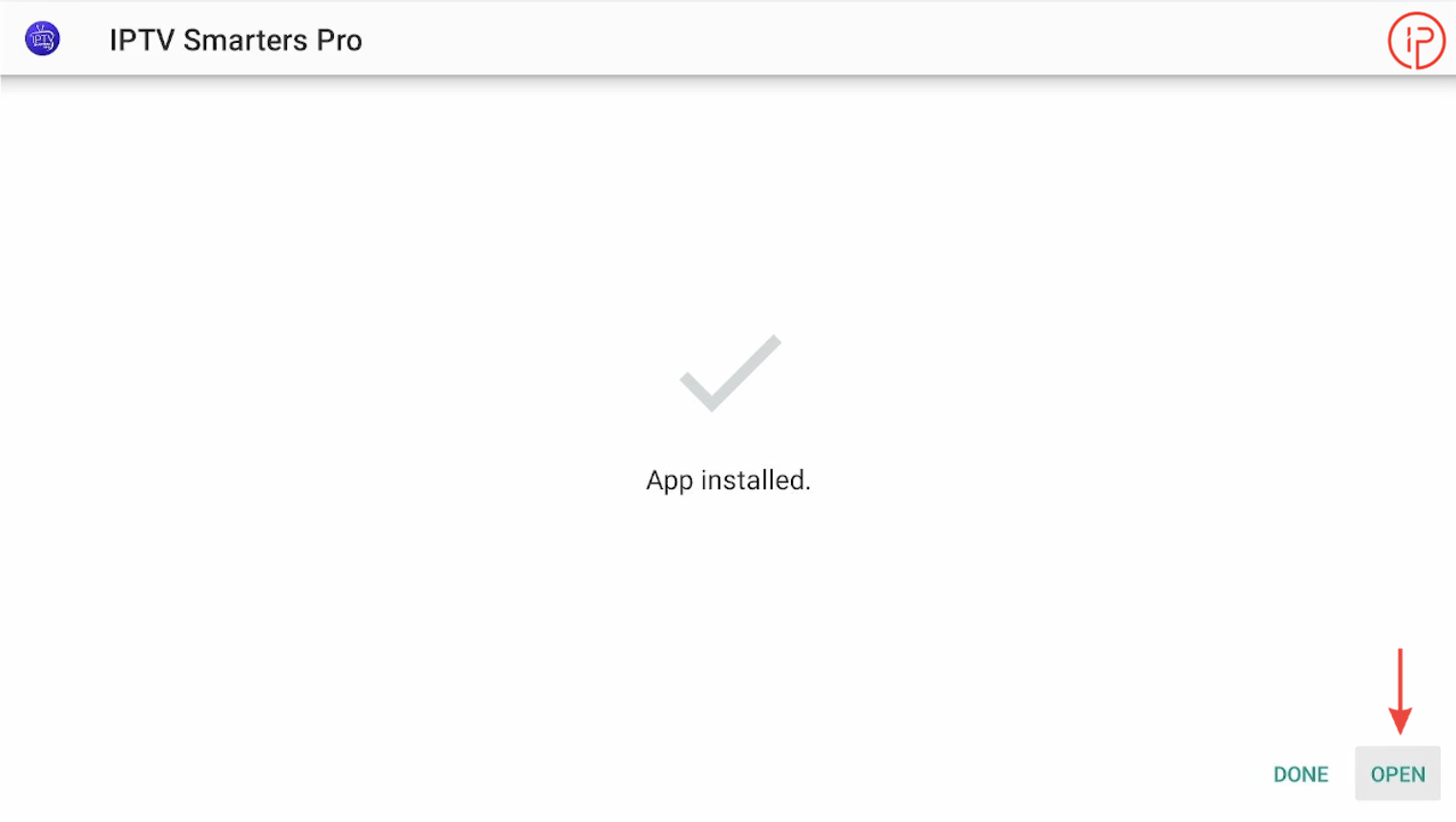
10. Open the App
Step 3: Get Free IPTV Xtream Code Playlist Instantly
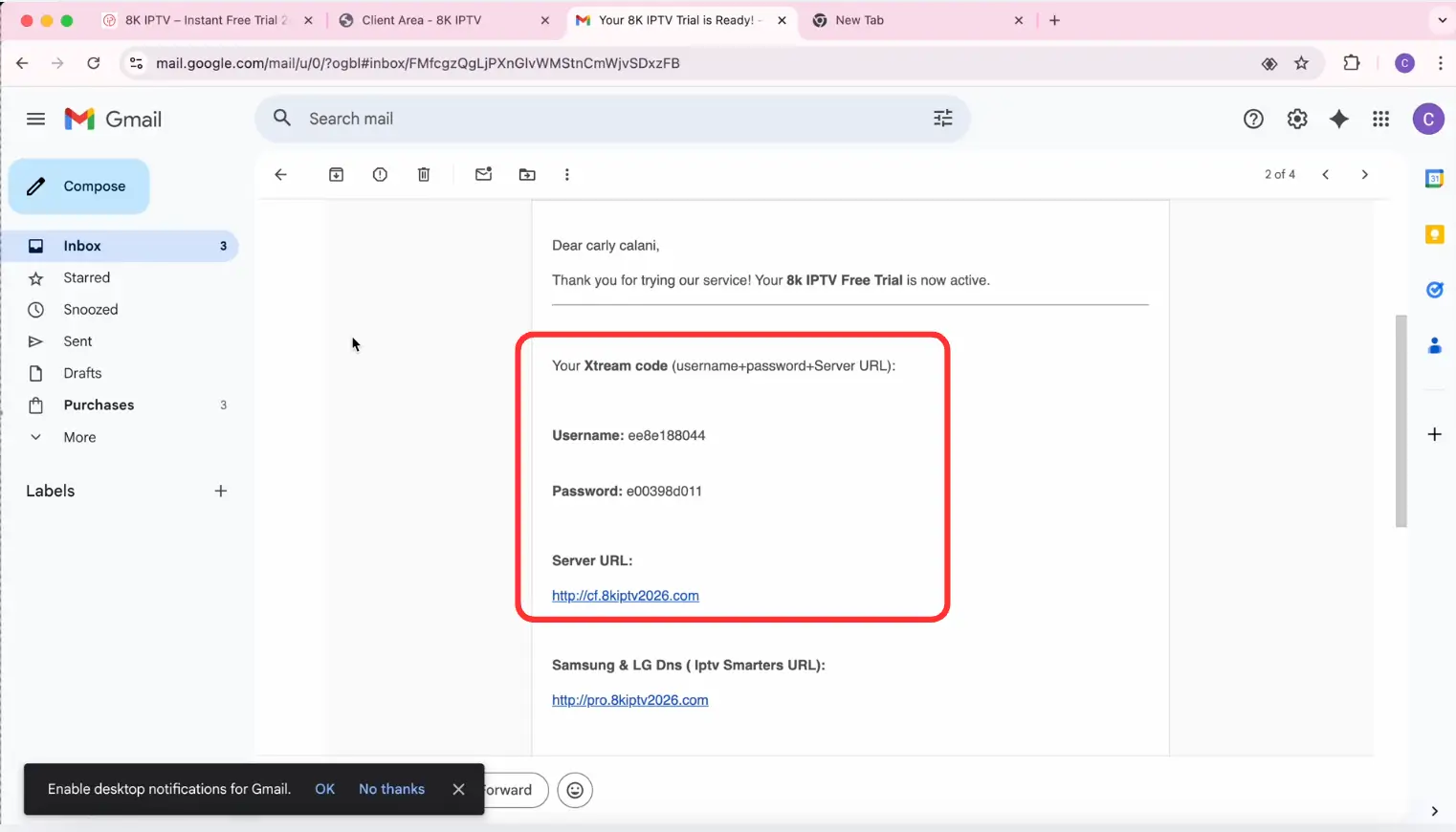
IPTV Smarters Pro is simply a media player and does not include any channels, movies, or TV content. To start streaming, you’ll need an IPTV playlist or Xtream Codes credentials from a reliable IPTV provider. We’ve reviewed and recommended some of the best IPTV providers that offer instant free trials, allowing you to test their service for 24 to 36 hours before subscribing.
Step 4: Add Xtream Code to IPTV Smarters Pro
Now it’s time to connect IPTV Smarters Pro using the Xtream Codes credentials provided by your IPTV Providers.
1. Open iptv smarters pro and choose xtream code.
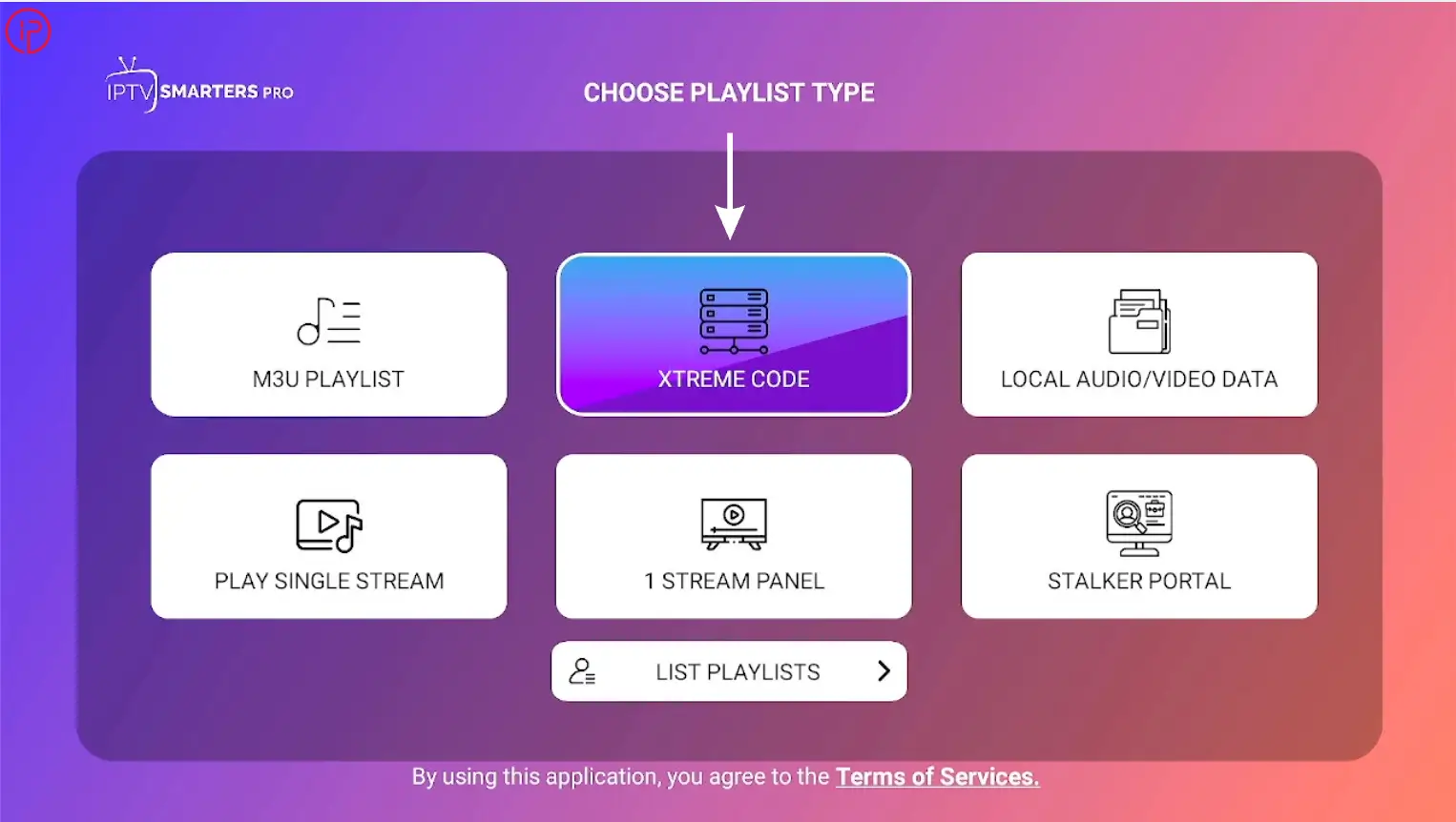
2. Copy the Xtream Code credentials (Username, Password, and Server URL) provided by your IPTV service.
3. Enter your Xtream Code credentials here.
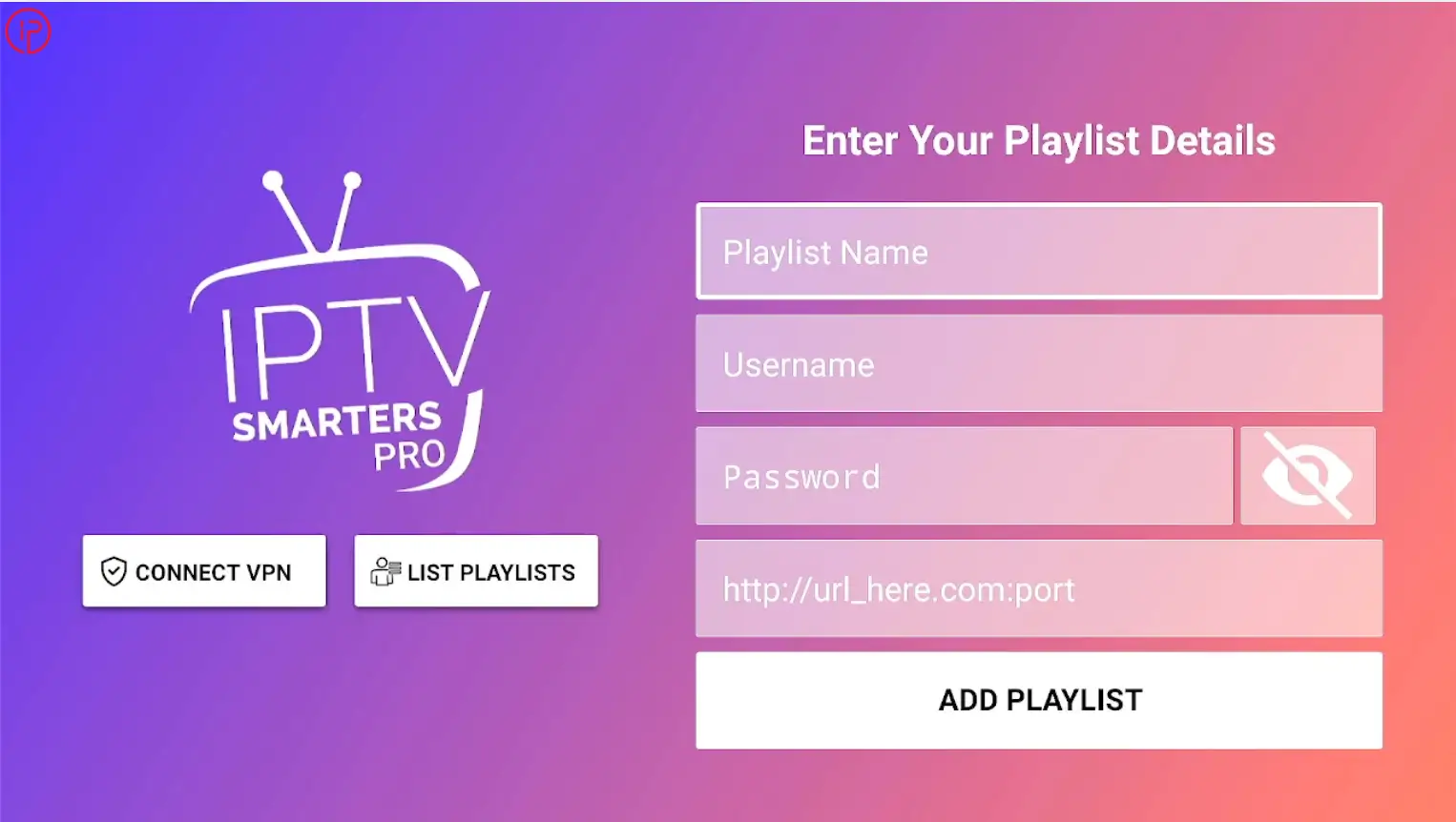
4. After entering your Xtream Codes credentials, click Add Playlist to continue.
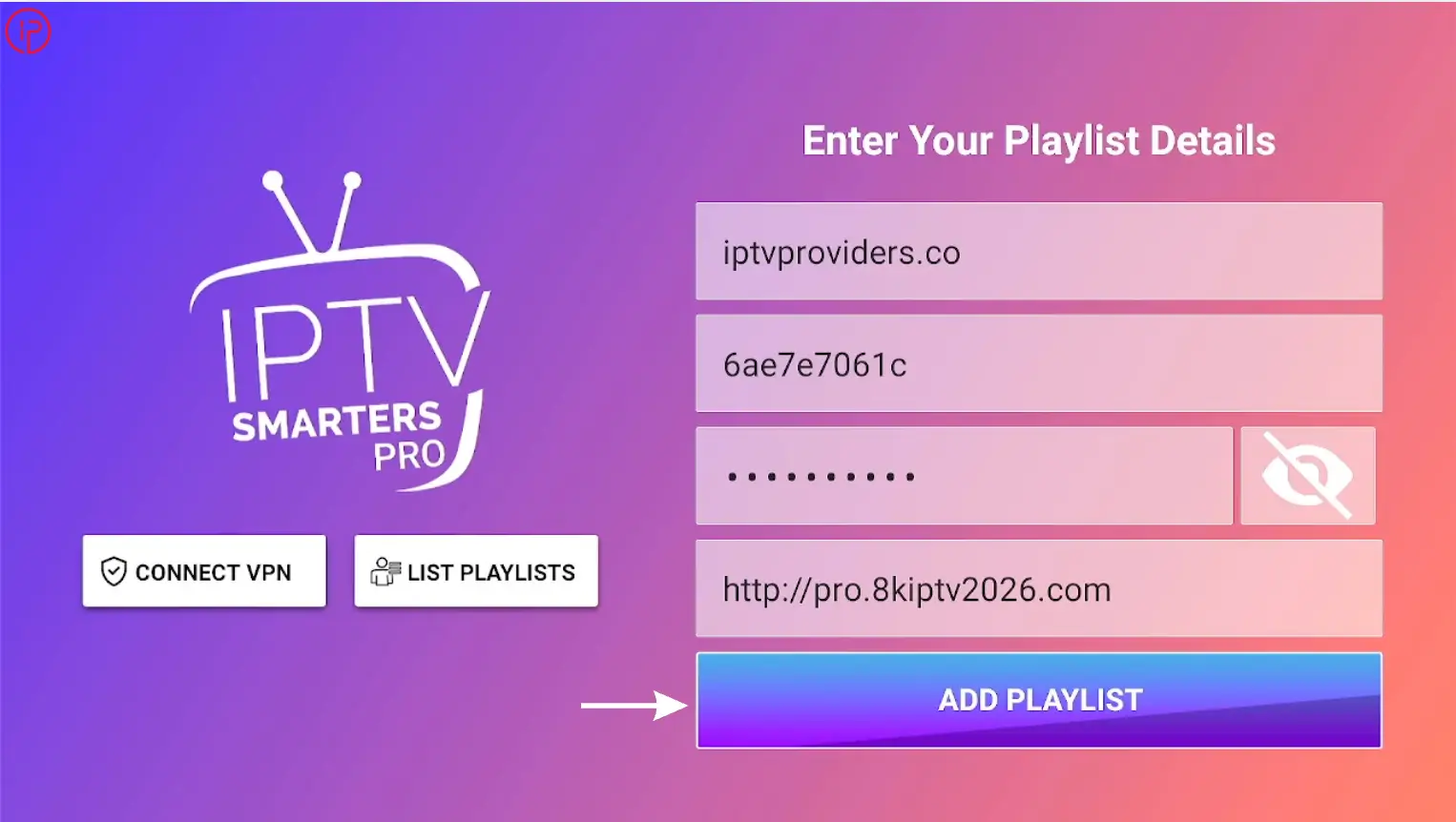
5. Once the download is complete, start watching.
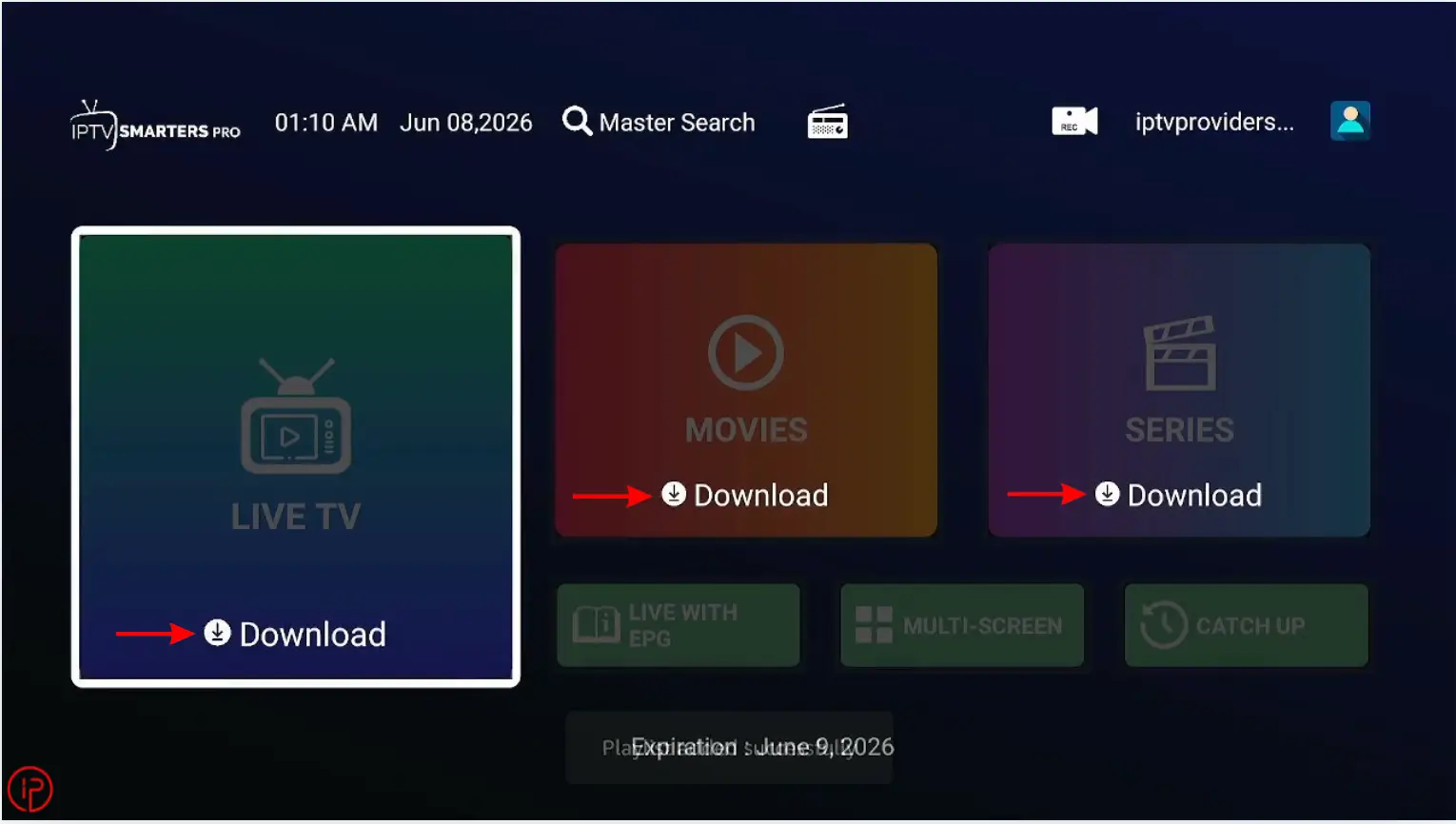
6. Your IPTV Smarters Pro setup is complete.
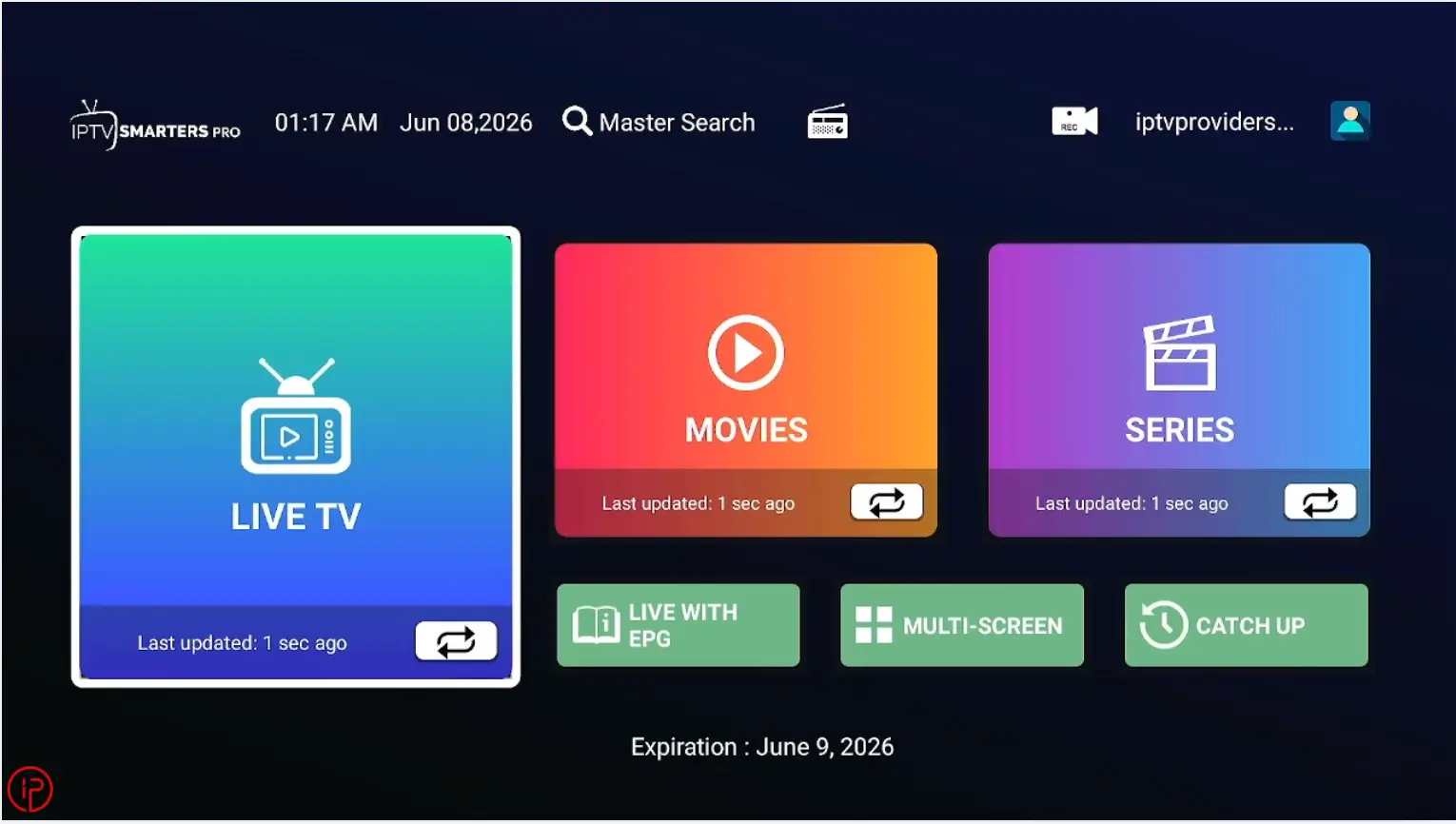
7. Start streaming your favorite live channels, movies, and TV series.
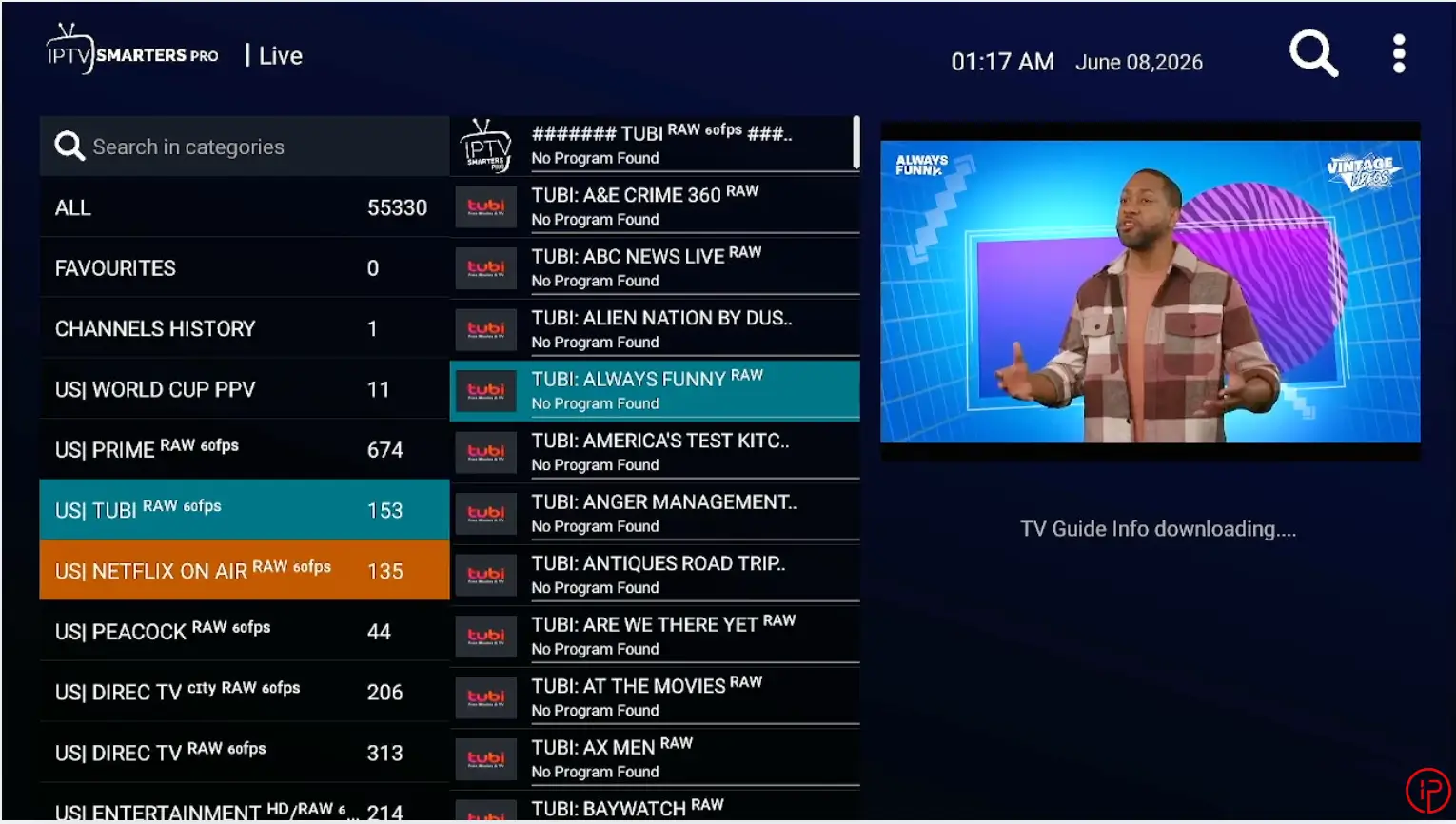
Watch Our Video Tutorials:
Step 1: How to Install Downloader on Firestick
Step 2: How to Install IPTV Smarters Pro on Firestick
Step 3: How to Get Free Xtream Code Instantly
Step 4: How to Add Xtream Code on IPTV Smarters Pro
Alternatives to IPTV Smarters Pro
If you’re looking for alternatives to IPTV Smarters Pro, popular options include TiviMate, IBO Player, and 8K Player. These IPTV players offer features such as playlist integration, live TV streaming, EPG support, and a user-friendly interface, making them excellent choices for FireStick, Smart TVs, and Android devices.
8K App
8K App is a feature-rich IPTV player that offers a smooth streaming experience for live TV, movies, and series. It supports high-quality playback, easy playlist integration, and a user-friendly interface across multiple devices.
IBO Player
IBO Player is a popular IPTV player known for its clean interface and smooth performance across multiple devices. The app supports M3U playlists, portal login integration, EPG support, customizable channel management, and a seamless streaming experience for live TV, movies, and series.
TiviMate
TiviMate is another powerful IPTV player known for its modern interface and smooth streaming performance. It supports live TV, movies, series, EPG integration, and customizable playlists, making it one of the top choices for IPTV users on FireStick and Android TV devices.
Learn More
If you’d like to learn more about IPTV Smarters Pro, including installation guides, setup tutorials, updates, and troubleshooting tips, visit the official IPTV Smarters Pro website. You’ll find useful resources for installing the app, configuring IPTV playlists or Xtream Codes, fixing common issues, and getting the best streaming experience.
Frequently Asked Questions
Yes, the application can be downloaded and used for free. However, you will need valid IPTV subscription credentials from a service provider to access live TV channels, movies, and series.
Xtream Codes credentials consist of a username, password, and server URL provided by your IPTV service. These details are used to connect your subscription and load content.
You can update it by downloading and installing the latest APK version through Downloader, which will replace the existing version while keeping your settings intact.
Yes, IPTV Smarters Pro works on FireStick, Android TV, Android phones, iPhones, Windows PCs, and many Smart TVs.
Yes, you can access movies and TV series if they are included in your IPTV subscription. Many IPTV providers offer extensive video-on-demand libraries containing thousands of movies, TV shows, documentaries, and complete series collections. Once your playlist is added, this content will appear automatically within the app.