
Install & Activate TiviMate on FireStick 2026
TiviMate has become one of the most popular IPTV player apps for Amazon FireStick devices thanks to its sleek interface, advanced features, and smooth streaming experience. If you want to organize IPTV playlists, manage channels, and enjoy a premium TV-like experience on your FireStick, TiviMate is one of the best choices available.
What Is TiviMate?
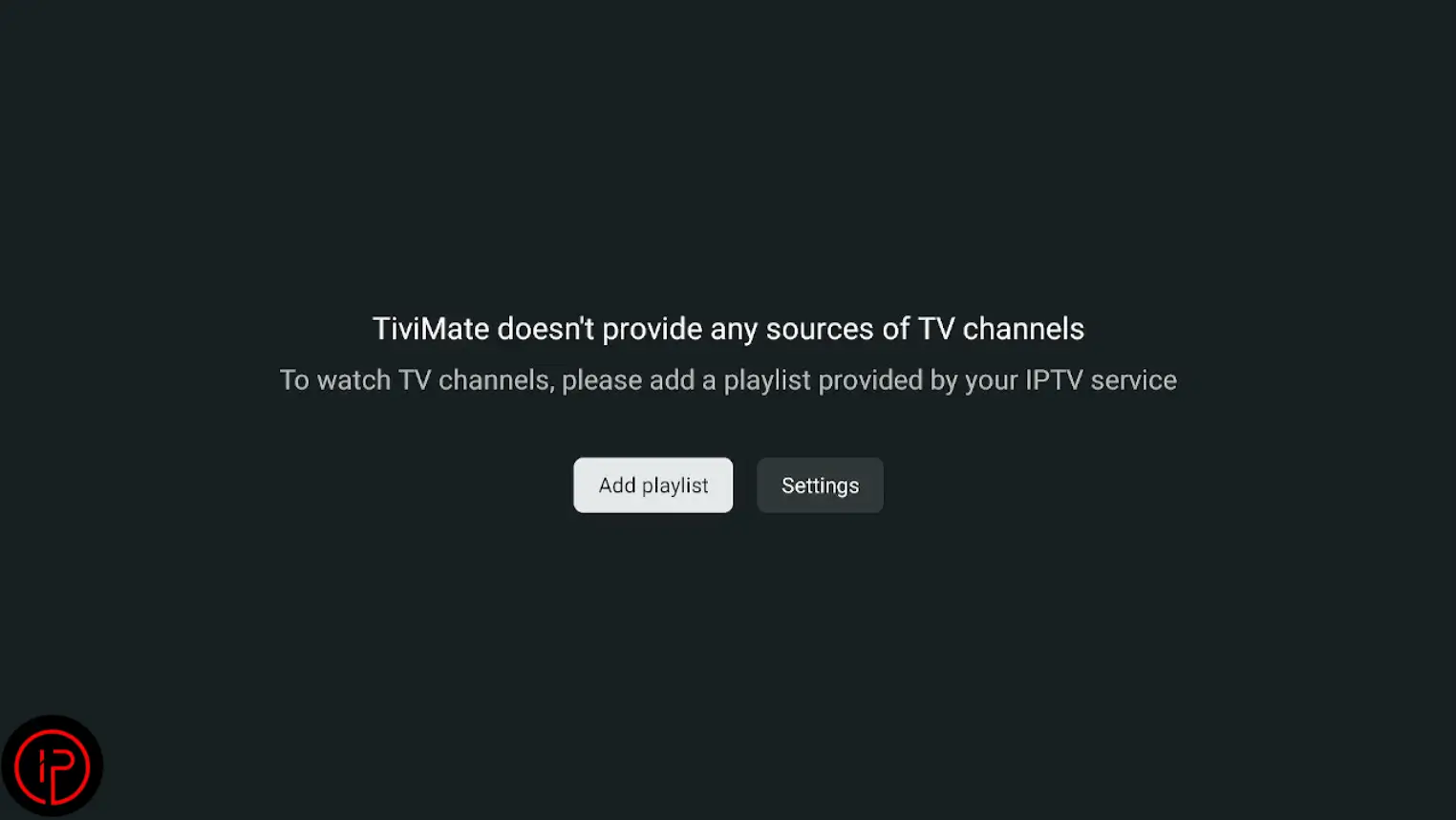
This IPTV player is designed specifically for Android TV devices and Amazon FireStick. It does not provide IPTV channels or content by itself. Instead, it allows users to load IPTV playlists from IPTV service providers.
- Modern TV-style interface
- Multi-playlist support
- Recording features
- Electronic Program Guide (EPG)
- Smooth navigation with FireStick remote
Step 1: Install Downloader on FireStick
If you haven’t installed the Downloader app on your FireStick yet, please visit this post for a complete step-by-step guide. You’ll learn how to download, install, and set up the app so you can easily install APK files and access additional content on your device.
Step 2: Install TiviMate via Downloader
Use the Downloader app to download and install the TiviMate APK file directly on your FireStick in just a few simple steps.
1. Open the Downloader app and click the search bar.
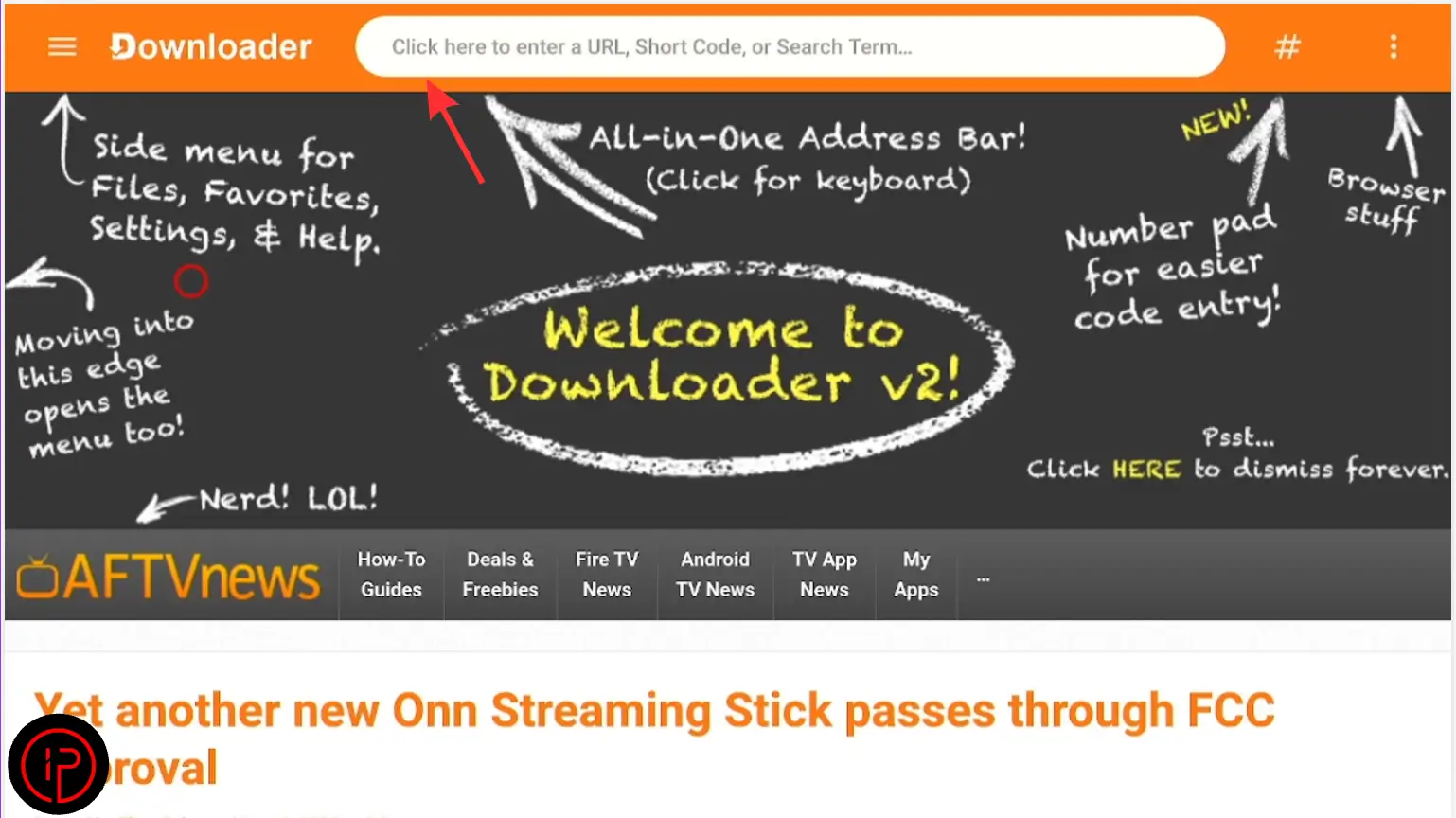
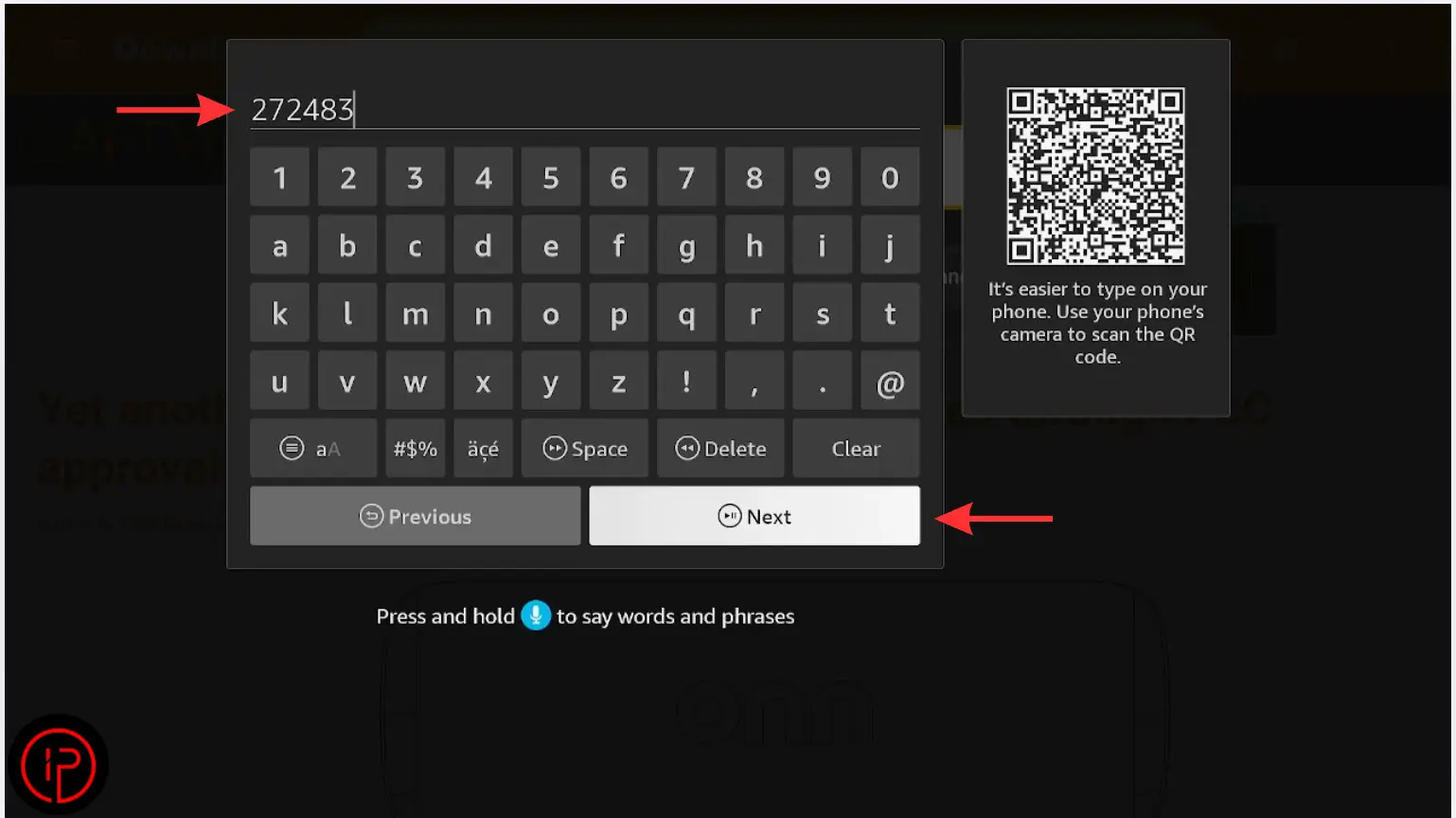
3. Wait a few moments for the download to complete.
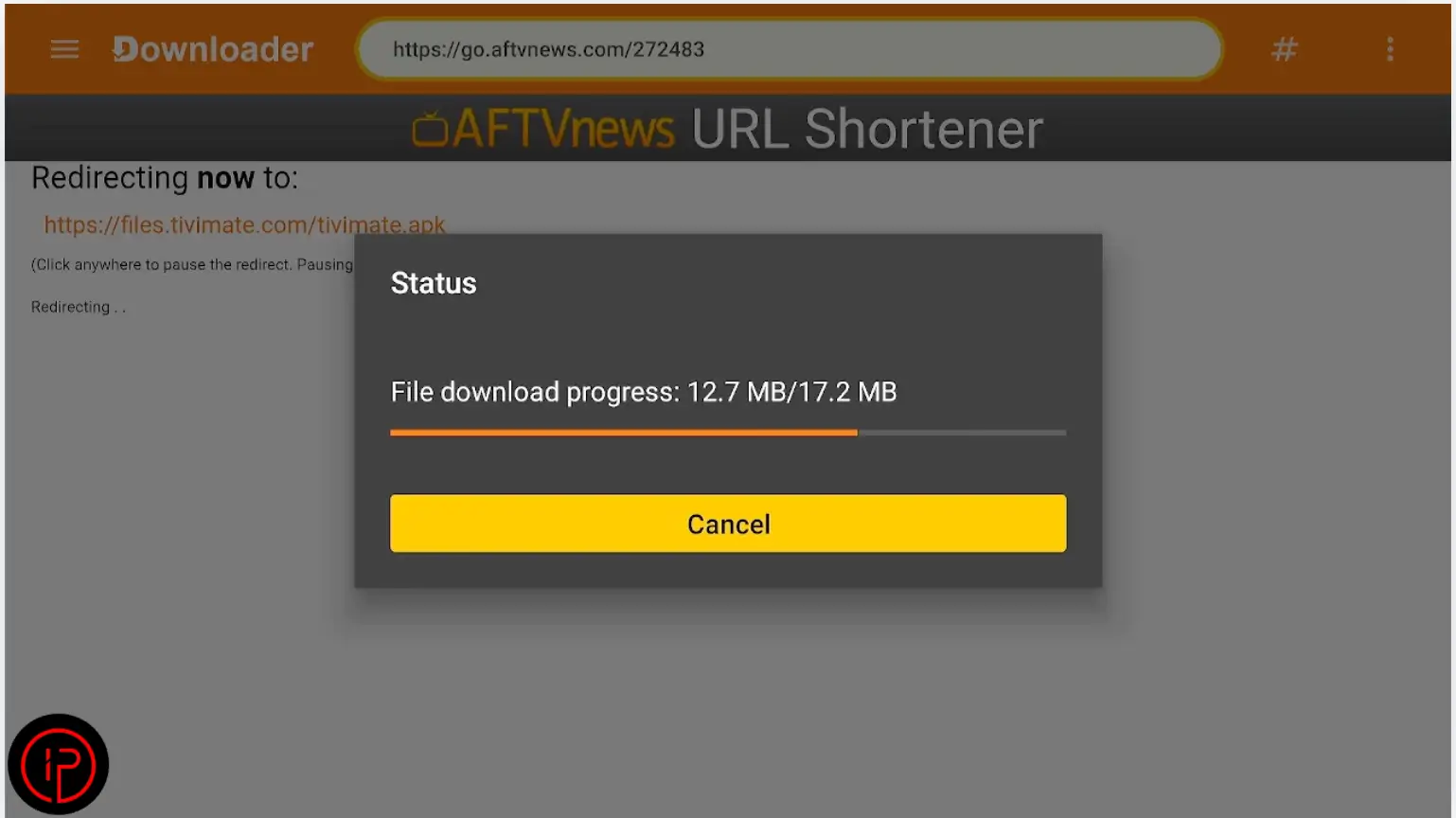
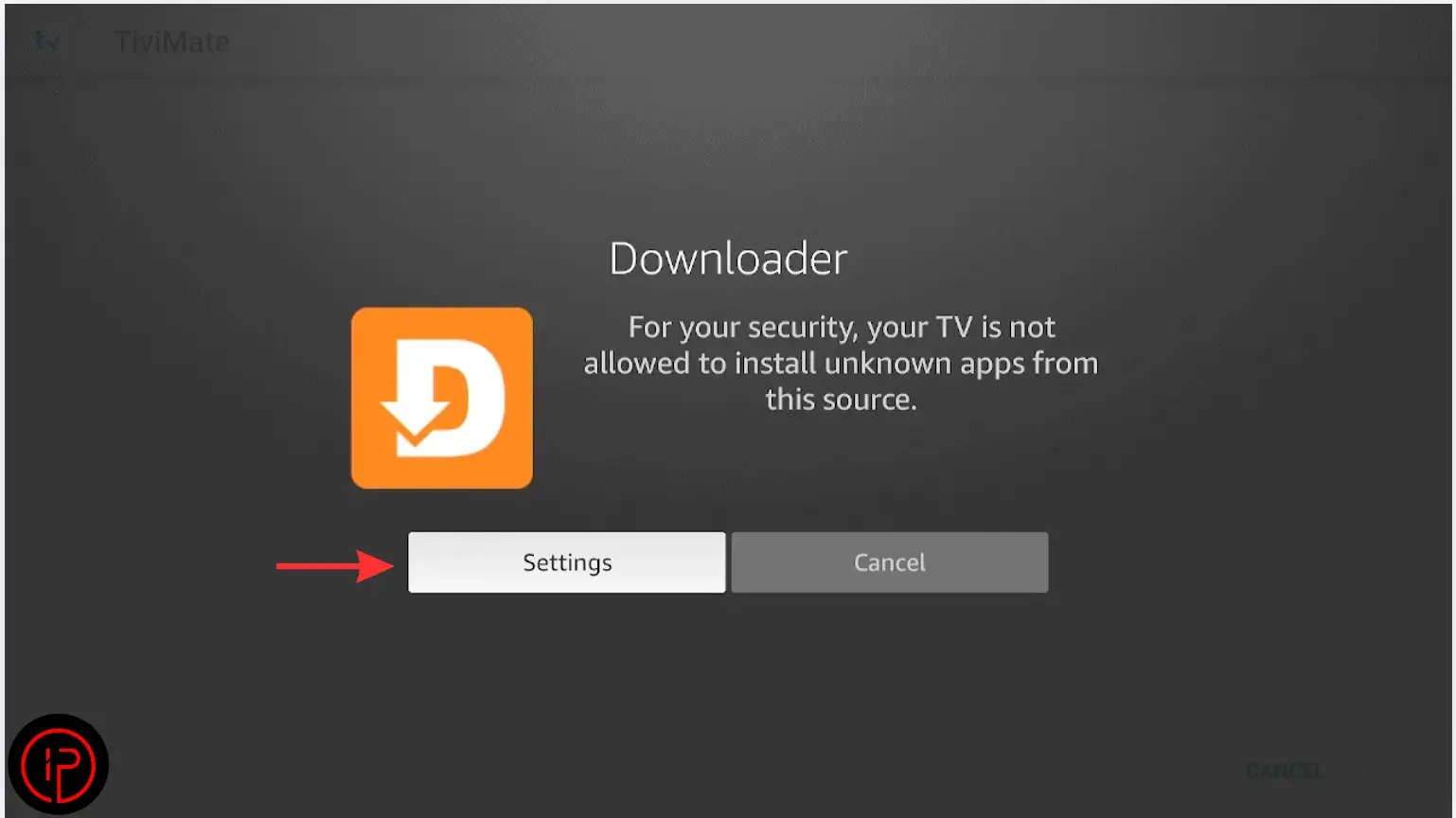
4. Then press Settings.
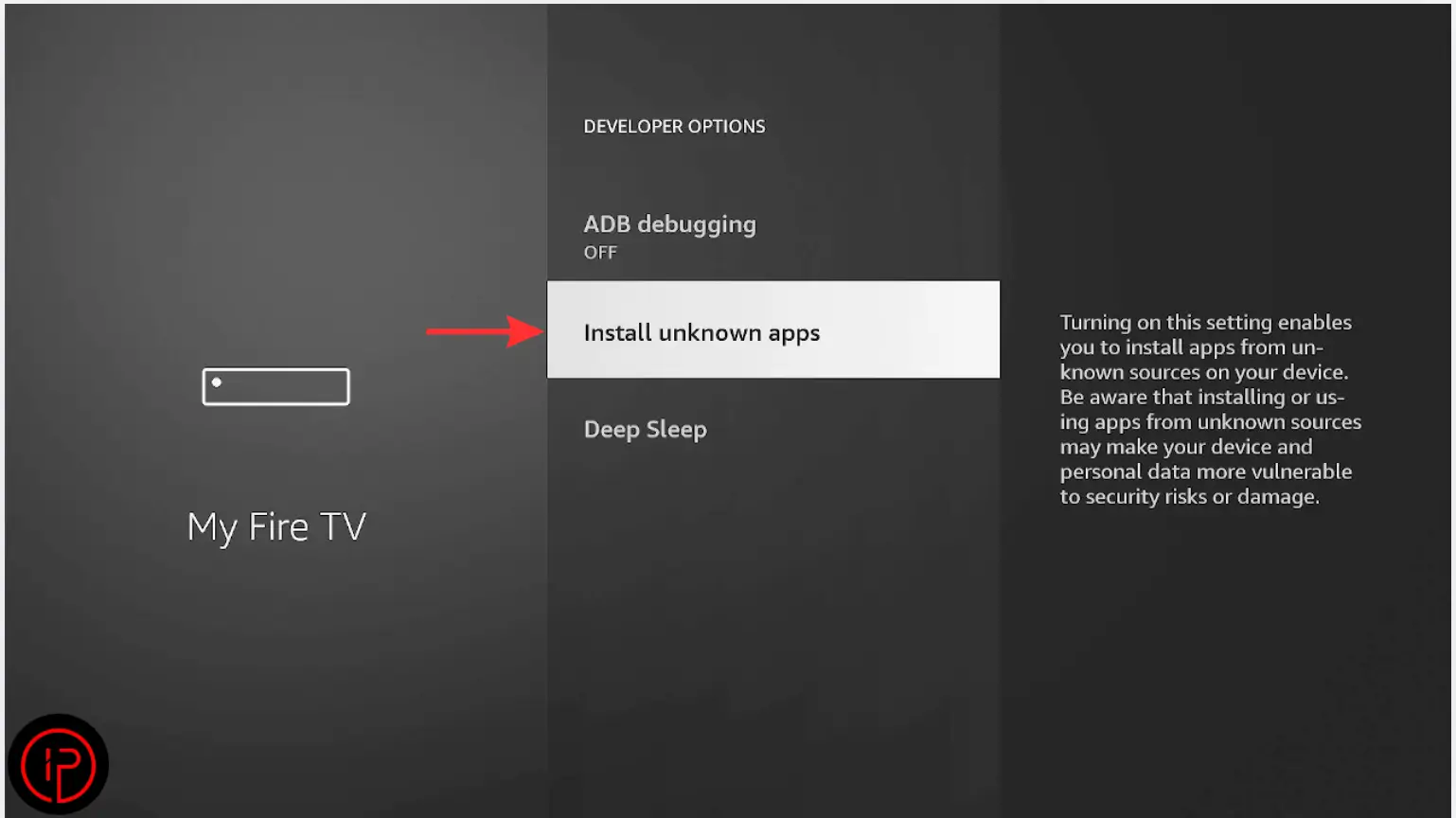
5. Press Install Unknown Apps.
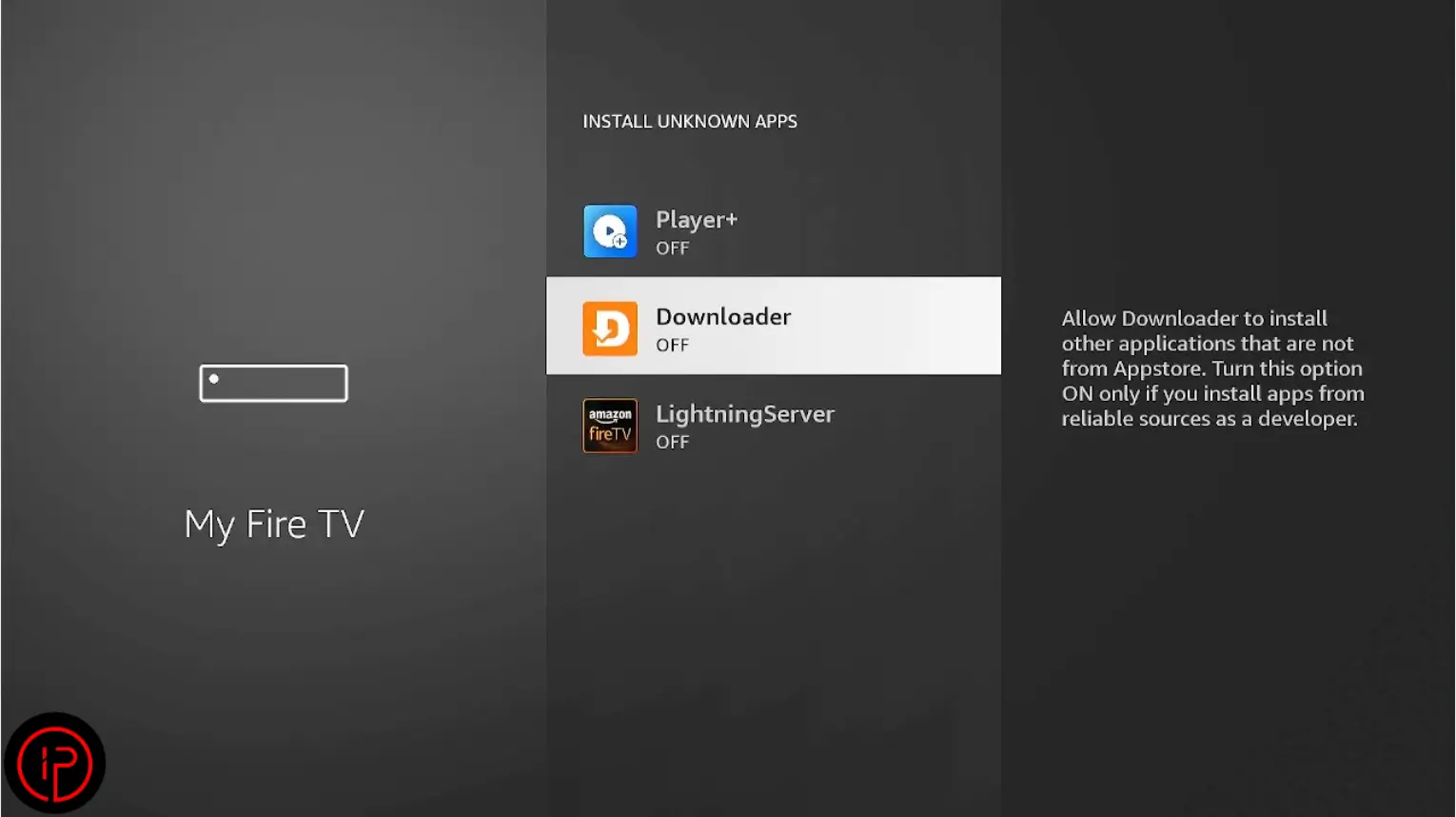
6. Find the Downloader app.
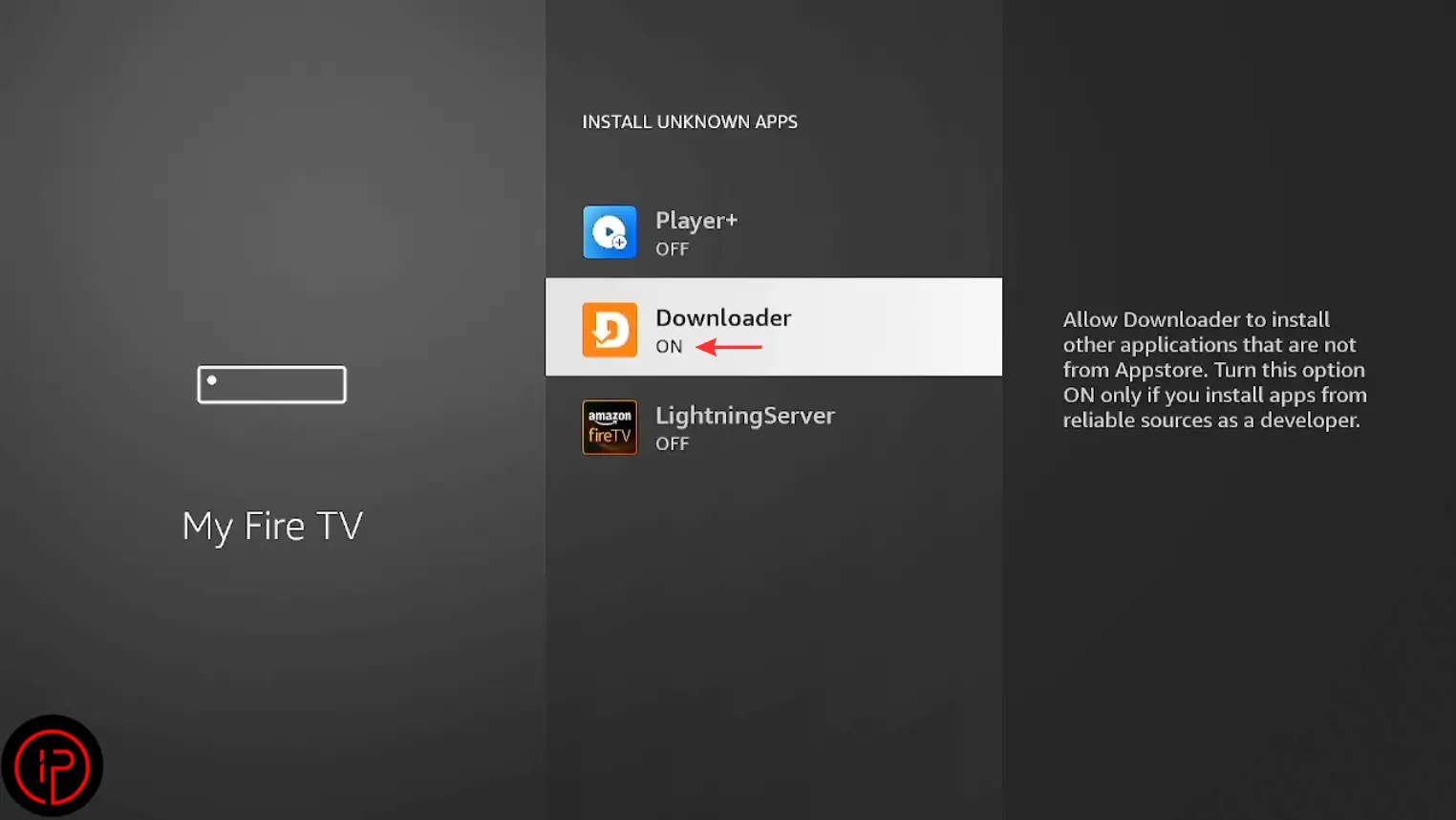
7. Change it from Off to On.
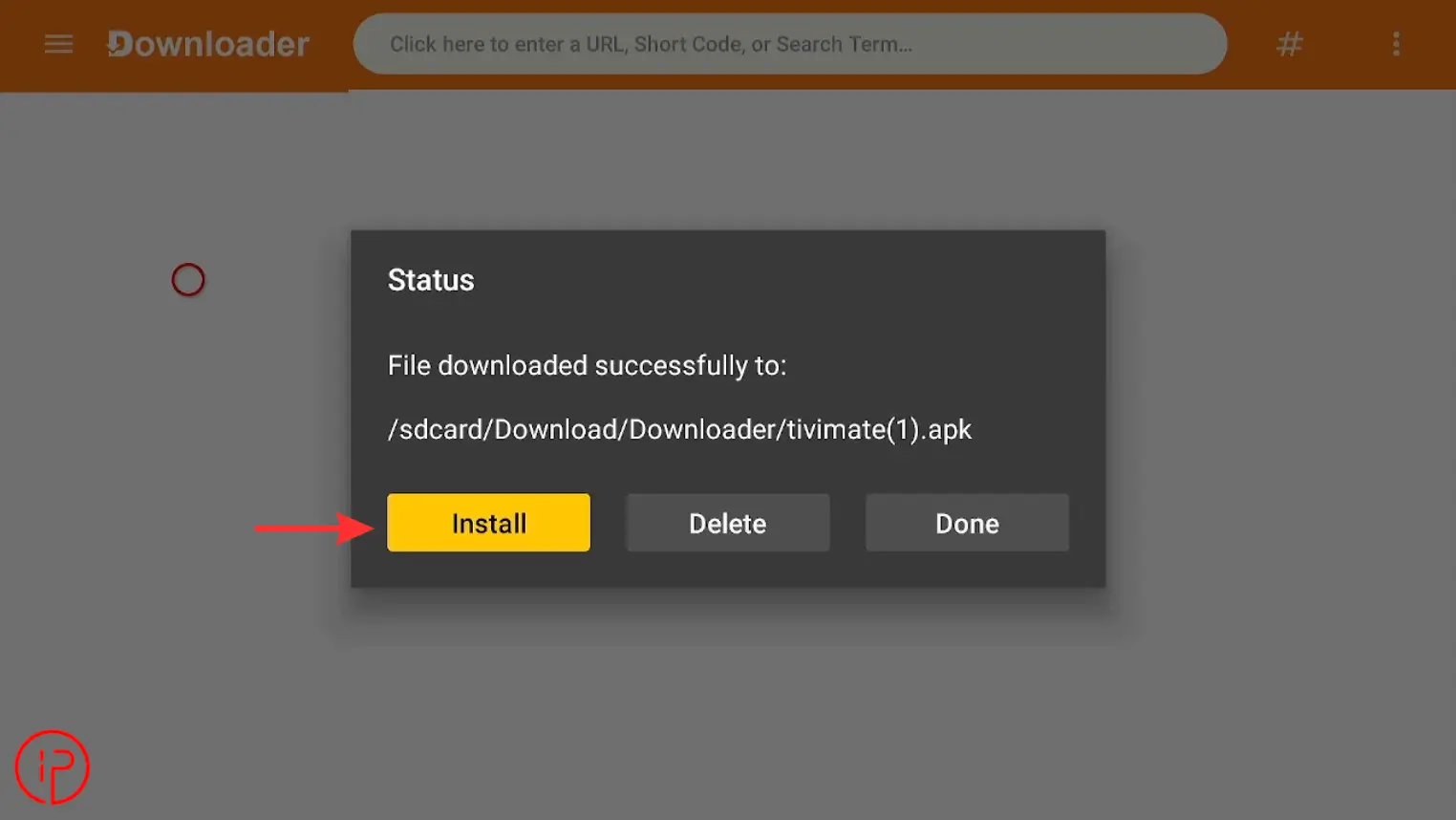
8. Press Install to begin the TiviMate installation.
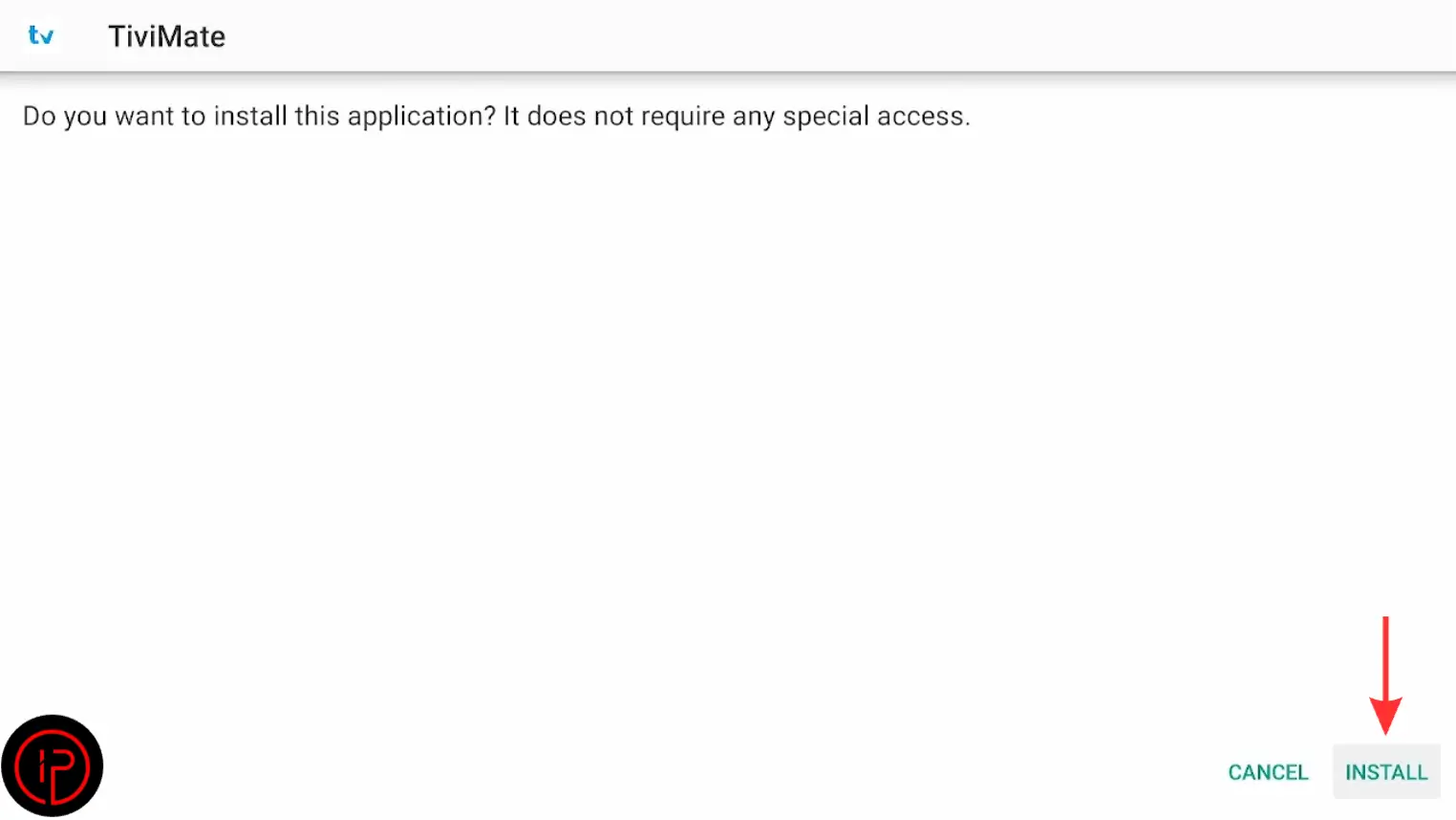
9. Press Install again to continue.
Step 3: How to Get an Free Xtream Code Instantly
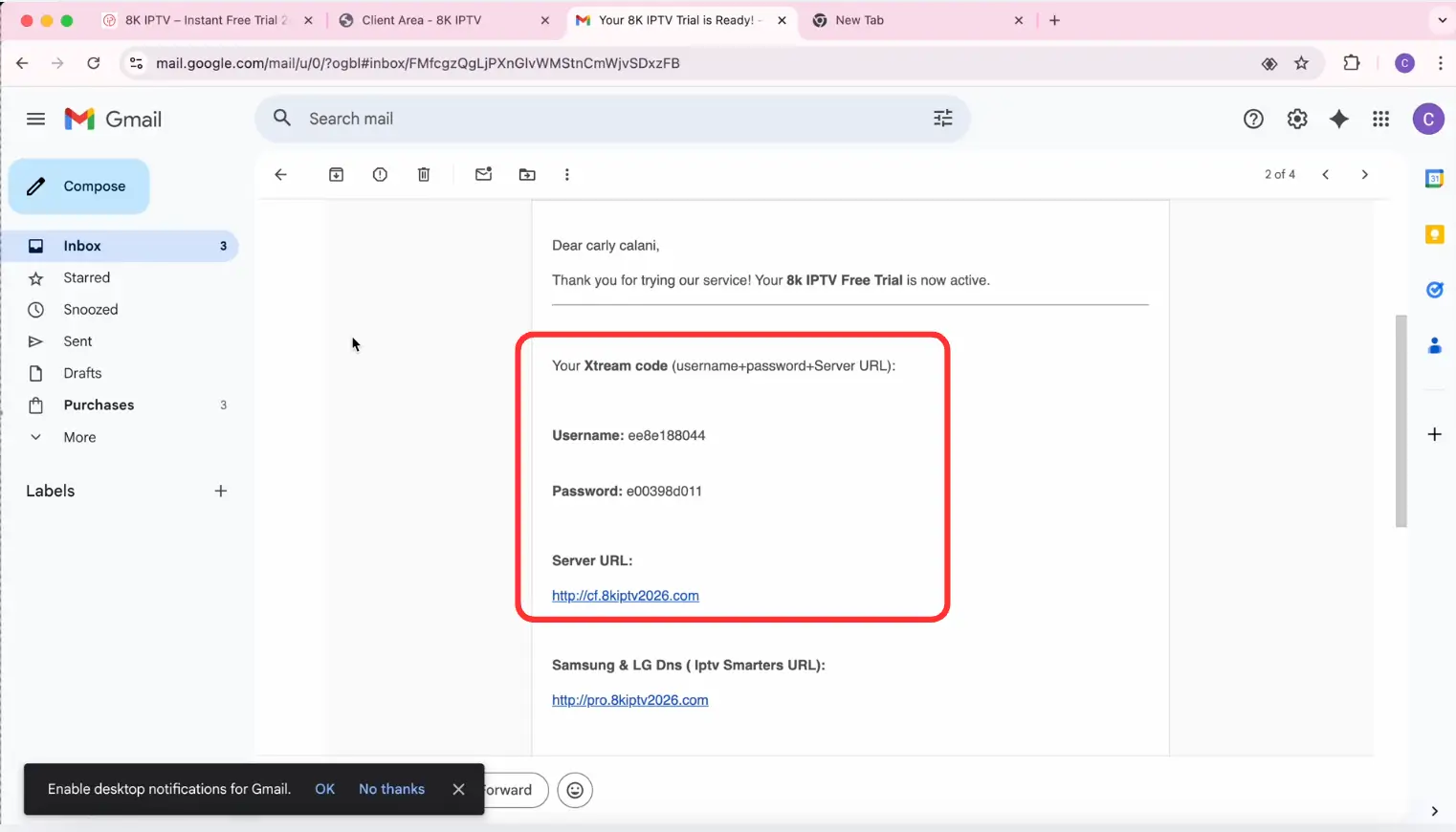
Get your Xtream Codes login details instantly from the best IPTV providers and watch the video tutorial to add your playlist to TiviMate.
Step 4: Add Xtream Codes Playlist
After getting your Xtream Codes login details, you can add your IPTV playlist to TiviMate and start streaming instantly.
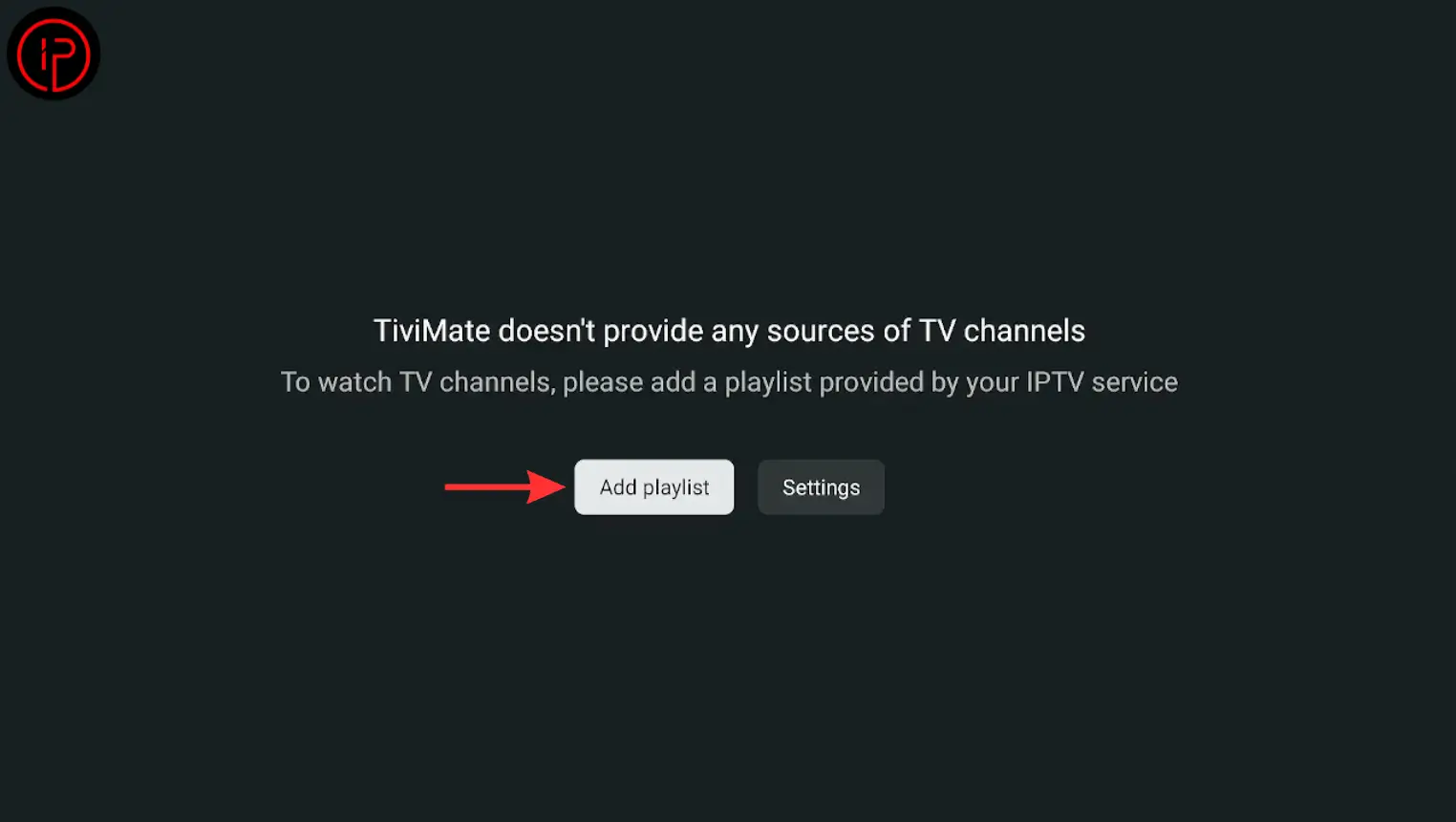
1. Open the TiviMate app and press the Add Playlist button.
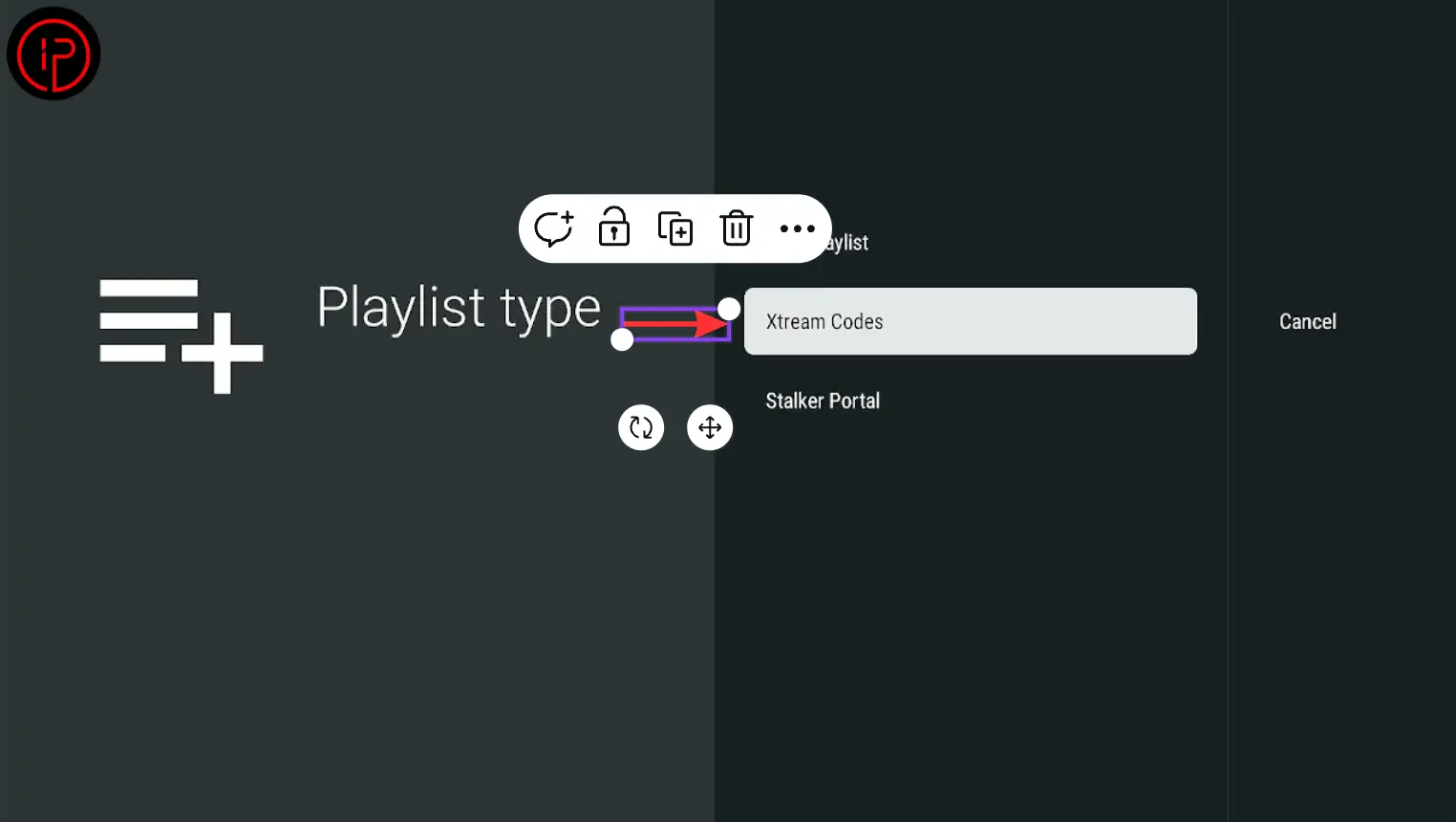
2. Then choose Xtream Codes.
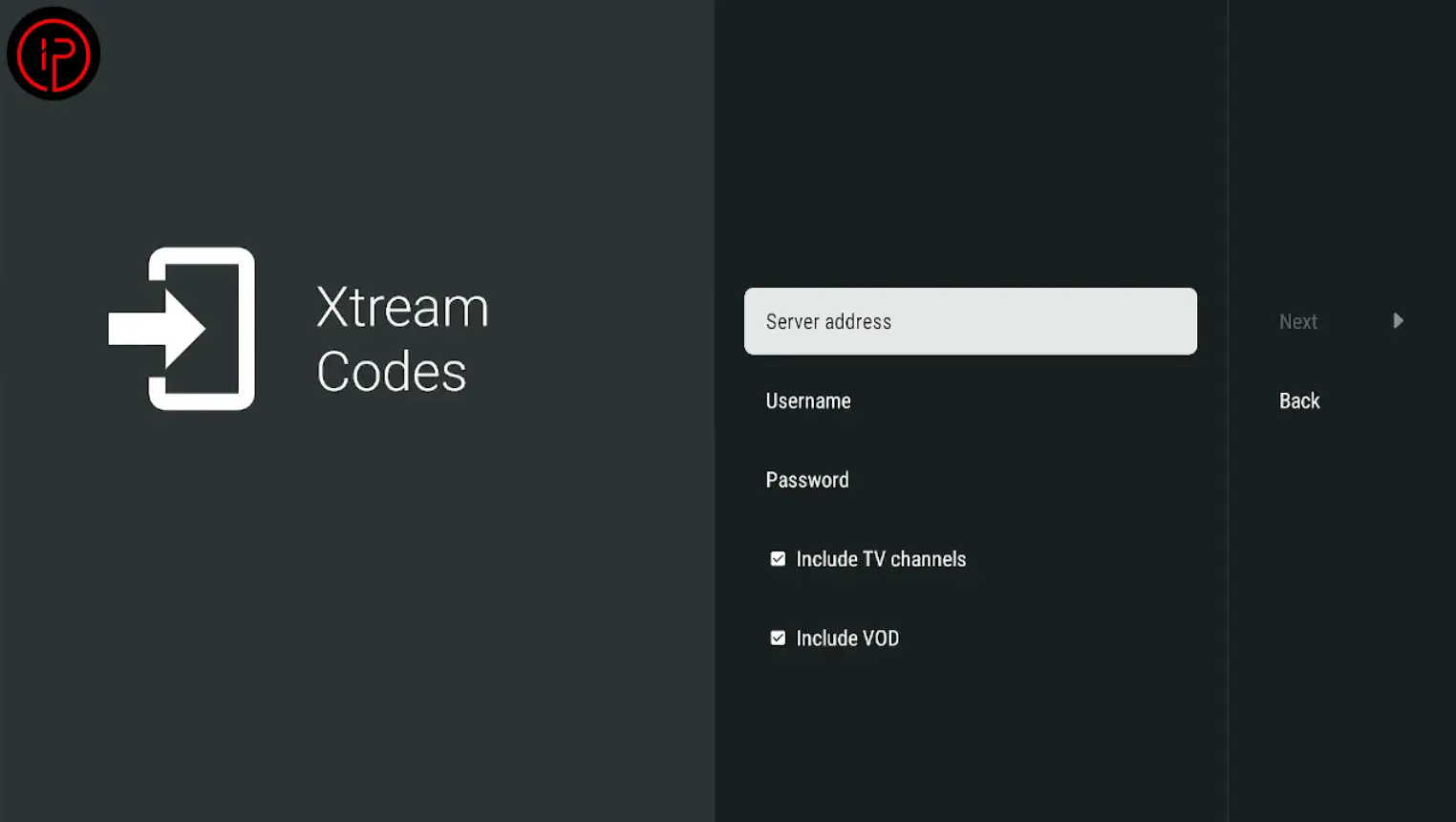
3. Enter your Xtream Code details, including the username, password, and server URL.
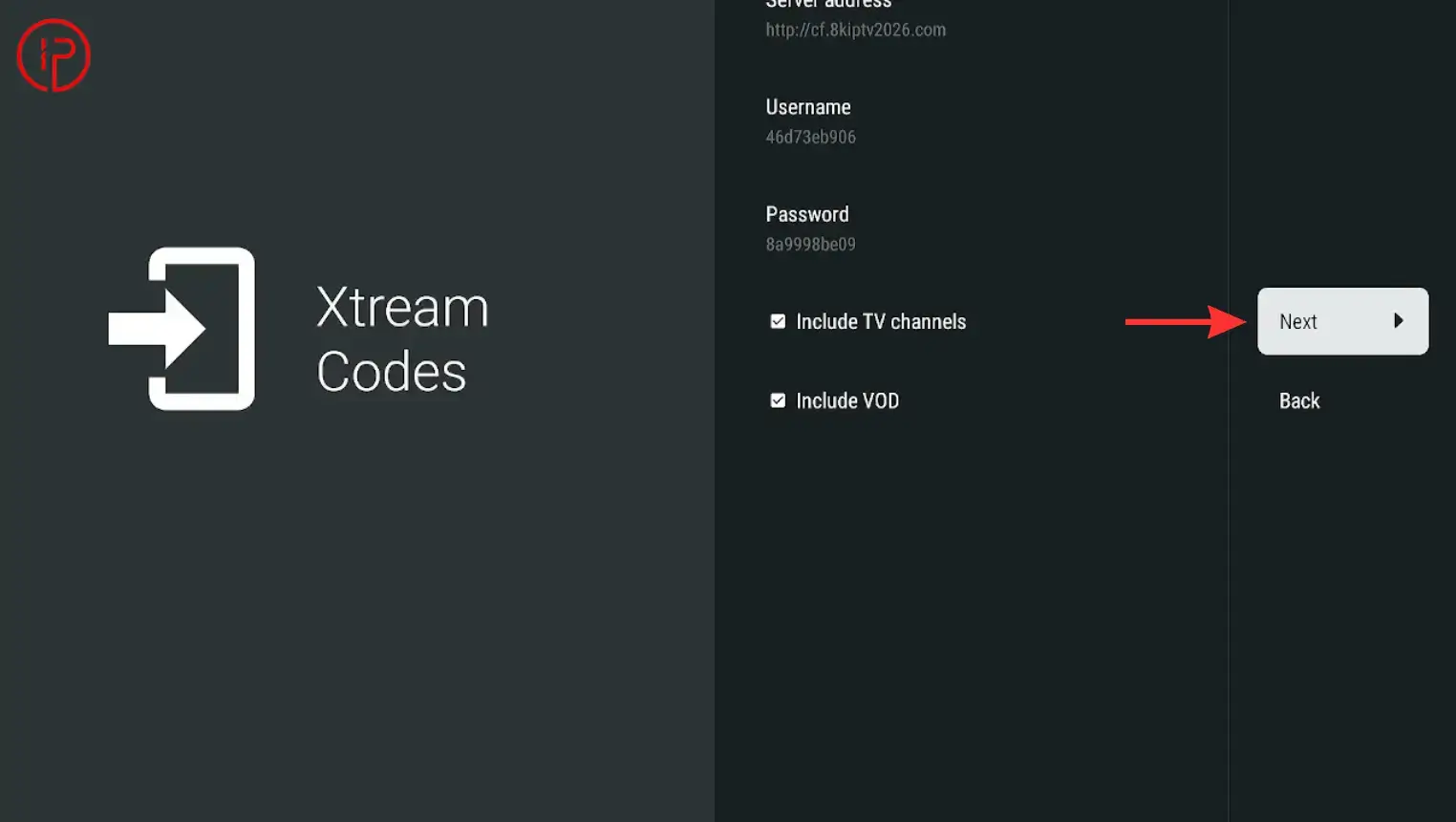
4. Press Next to continue.
5. Wait for the playlist to load, then press Done.
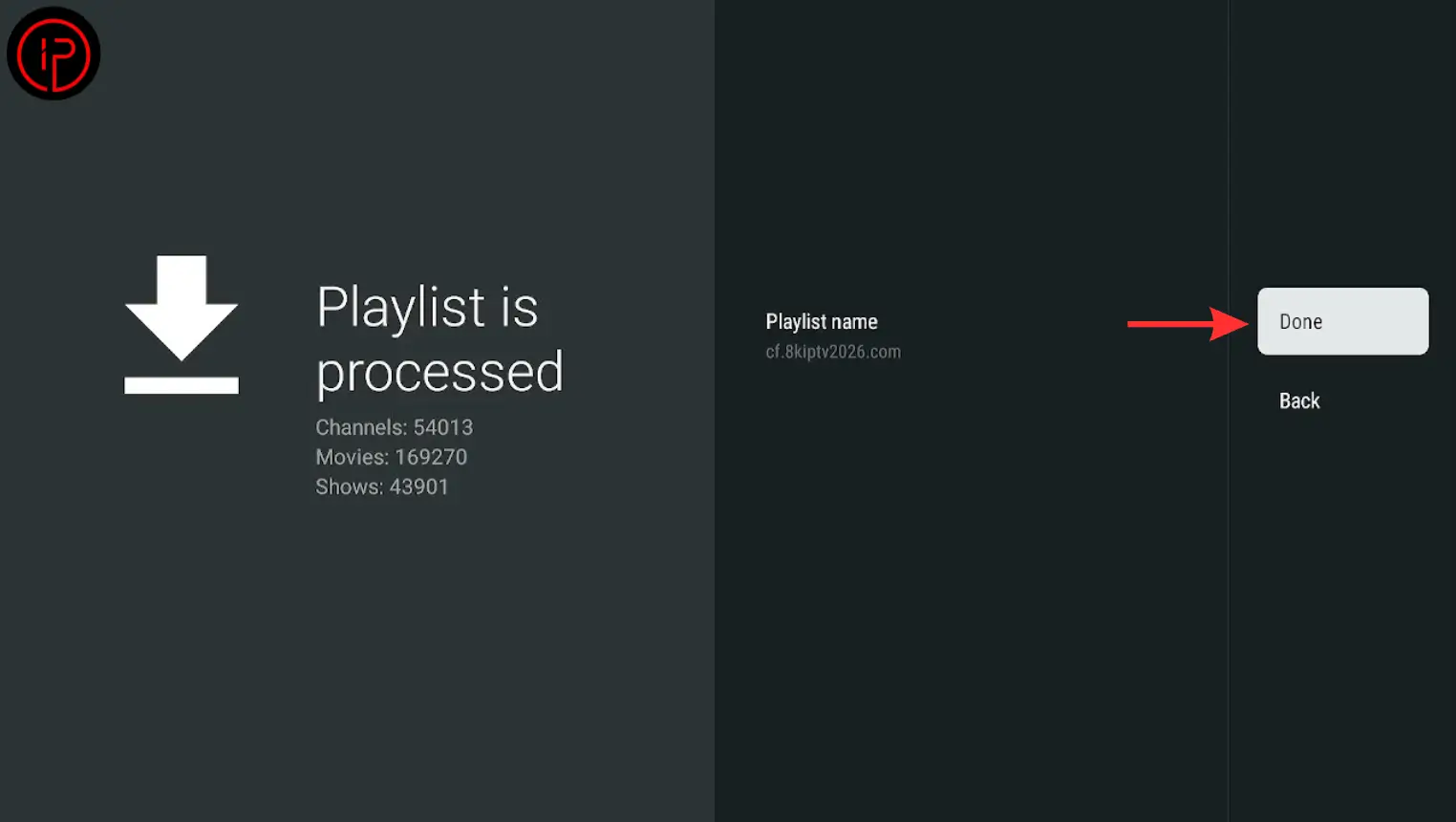
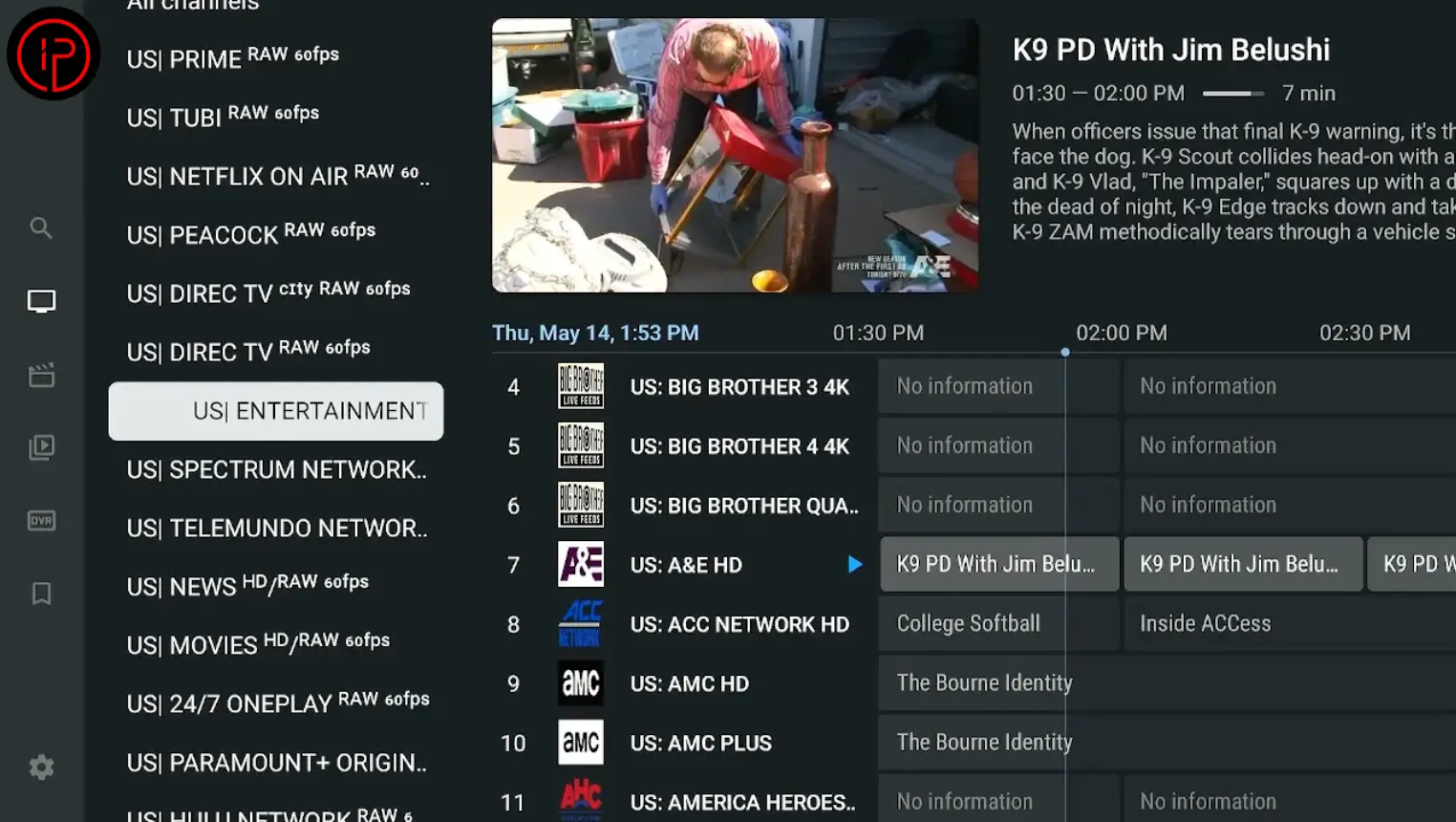
6. Setup complete! You can now stream live TV, movies, and series.
Watch Our Video Tutorials:
Step 1: How to Install Downloader on Firestick
Step 2: How to Install Tivimate App on Firestick
Step 3: How to Get a Free Xtream Code Playlist
Step 4: How to Add Xtream Code on Tivimate
Alternatives to TiviMate
While TiviMate is one of the most popular IPTV players for FireStick and Android TV devices, it may not be the perfect choice for every user. Some users prefer a simpler interface, different features, or broader device compatibility. Fortunately, there are several excellent IPTV player alternatives available that offer smooth streaming, playlist support, and advanced customization options.
Ibo Player
8K App
8K App is a feature-rich IPTV player that offers a smooth streaming experience for live TV, movies, and series. It supports high-quality playback, easy playlist integration, and a user-friendly interface across multiple devices.
IPTV Smarters Pro
Learn More
If you want to explore more features, setup guides, updates, and troubleshooting tips, visit the Official Website. You can find detailed tutorials about installing the app on FireStick, adding IPTV playlists, activating Premium, fixing streaming issues, and optimizing your IPTV experience for smoother performance.
Frequently Asked Questions
You can get an IPTV playlist from the best IPTV providers we recommended. Visit this page: IPTV Providers