
How to Get Free Xtream Code in 1 Minute
You can request a free 24-hour Xtream Code trial before subscribing. This gives you the opportunity to test the service, browse the available live channels, movies, and series, and evaluate the overall streaming quality before making a purchase.
In this guide, you’ll learn how to get IPTV login credentials in 1 minute from a legitimate provider, how they work, and how to use them safely.
What Is an Xtream Code?
Xtream Code is a login method used by many IPTV applications. Instead of entering a long M3U playlist URL, users simply enter:
- Server URL
- Username
- Password
Watch Our Video Tutorial:
How to Get Xtream Code Instantly
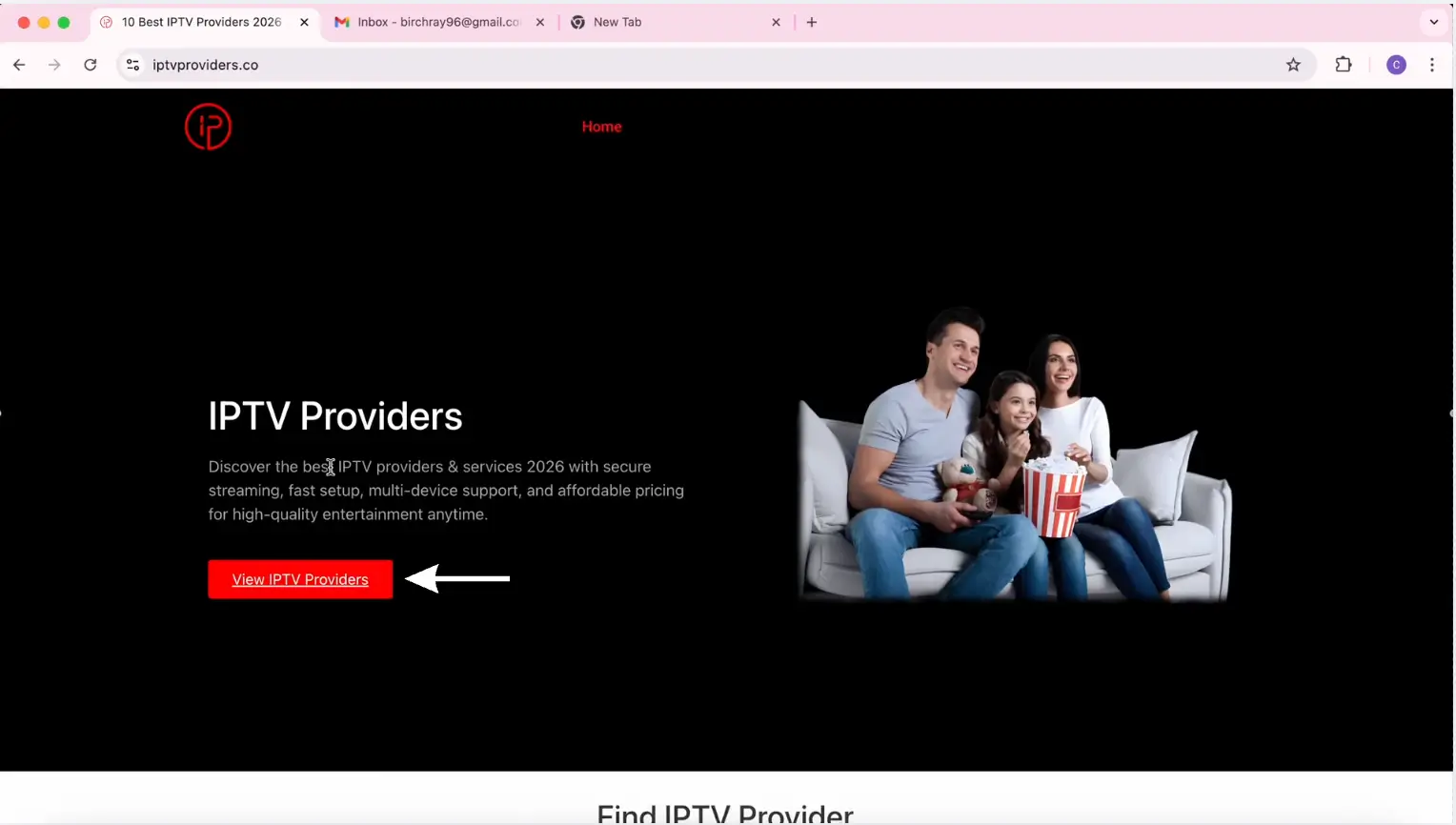
Step 2: Choose a provider from the Providers List.
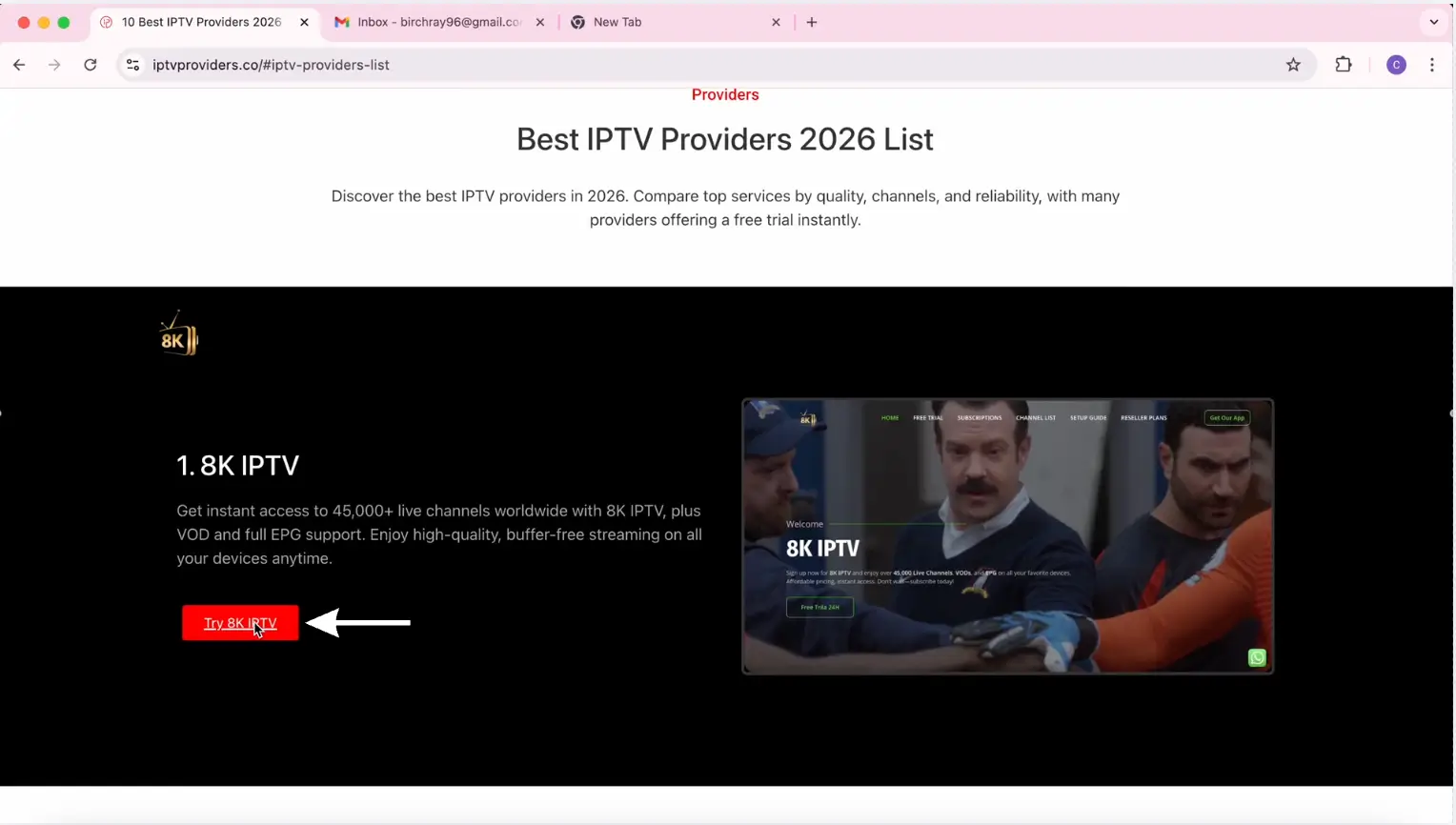
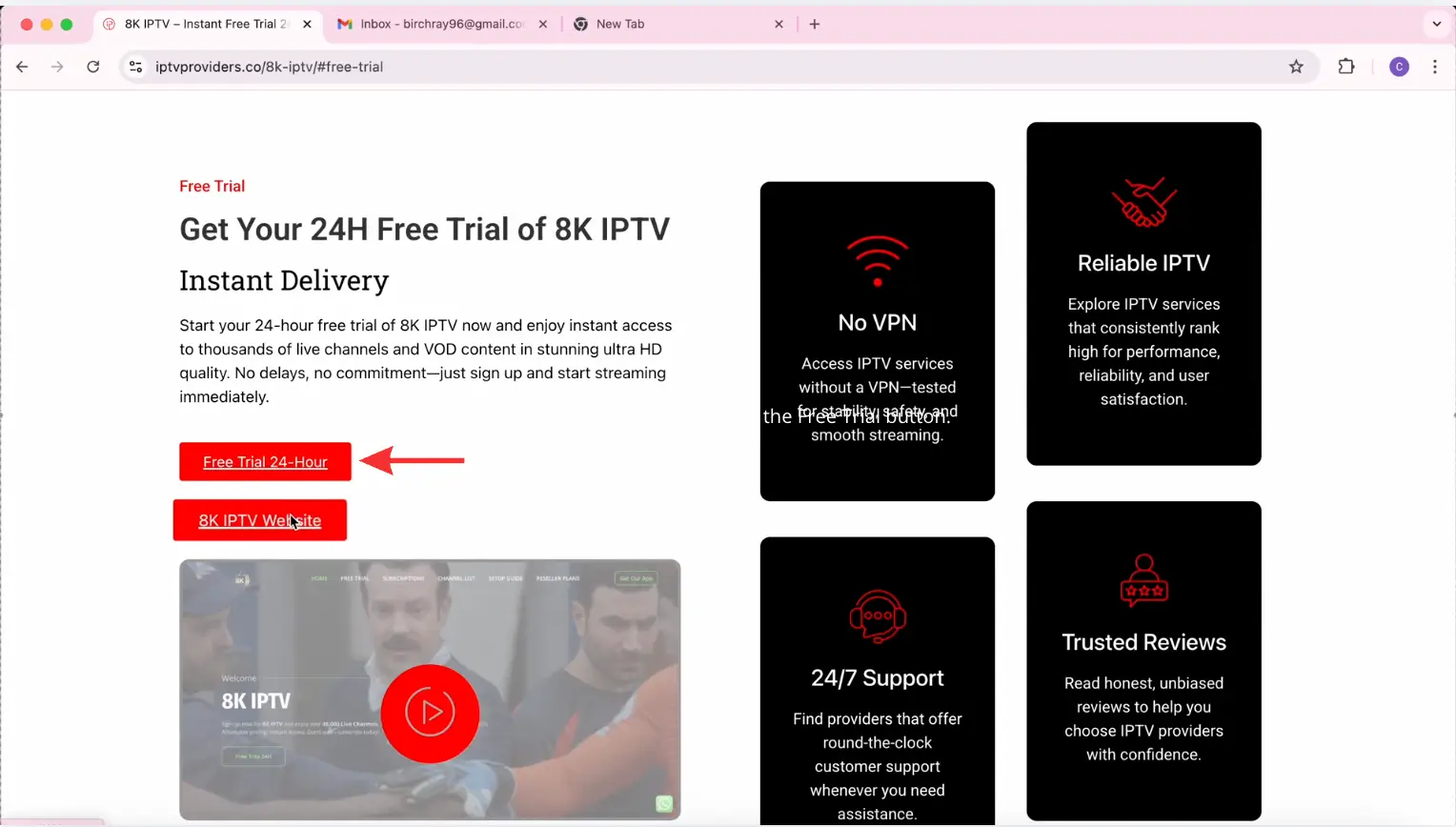
Step 3: Scroll down and click the “Free Trial” button.
Step 4: Click the Checkout button.
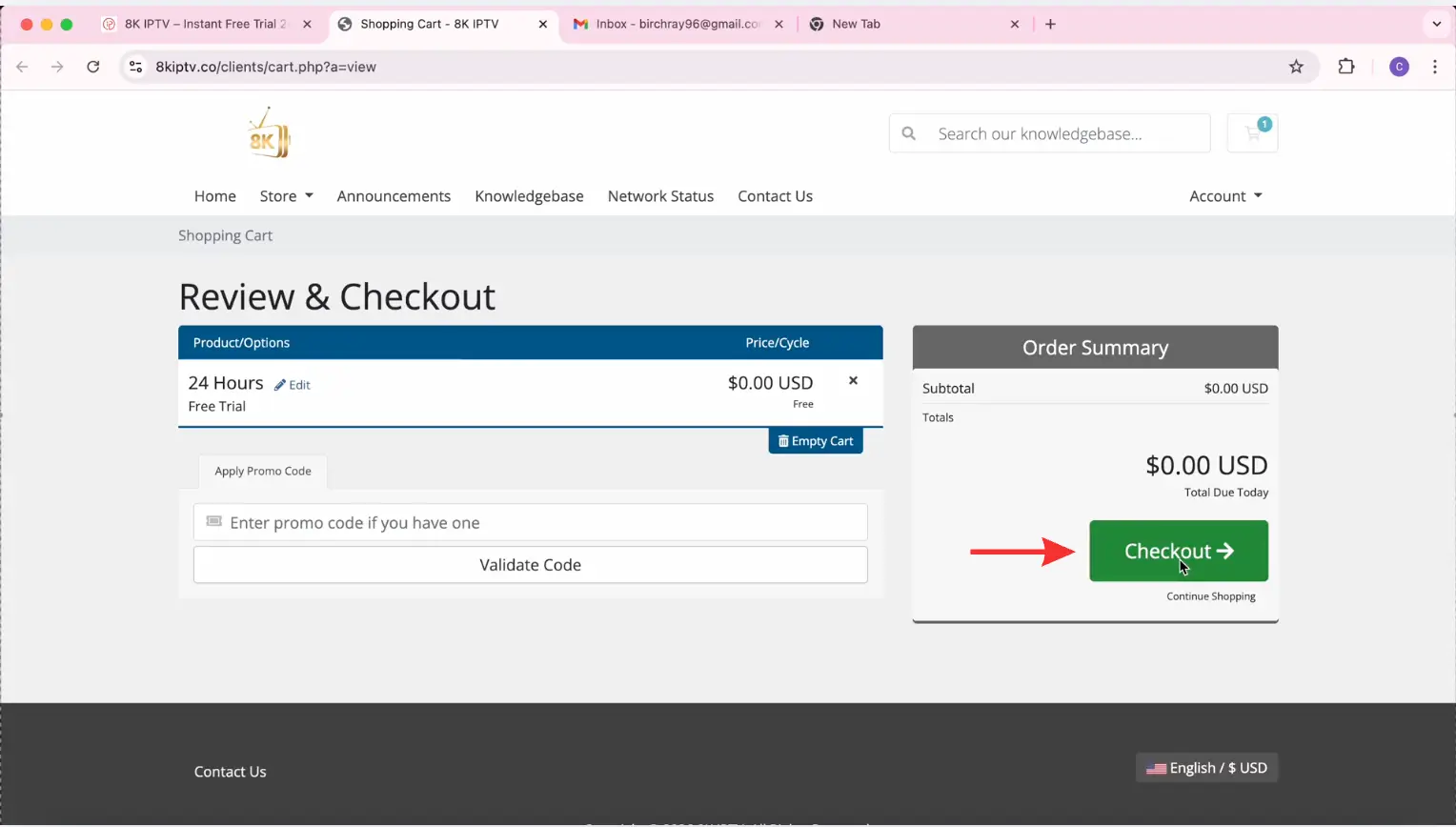
Step 5: Sign up for an account, then click Generate Password.
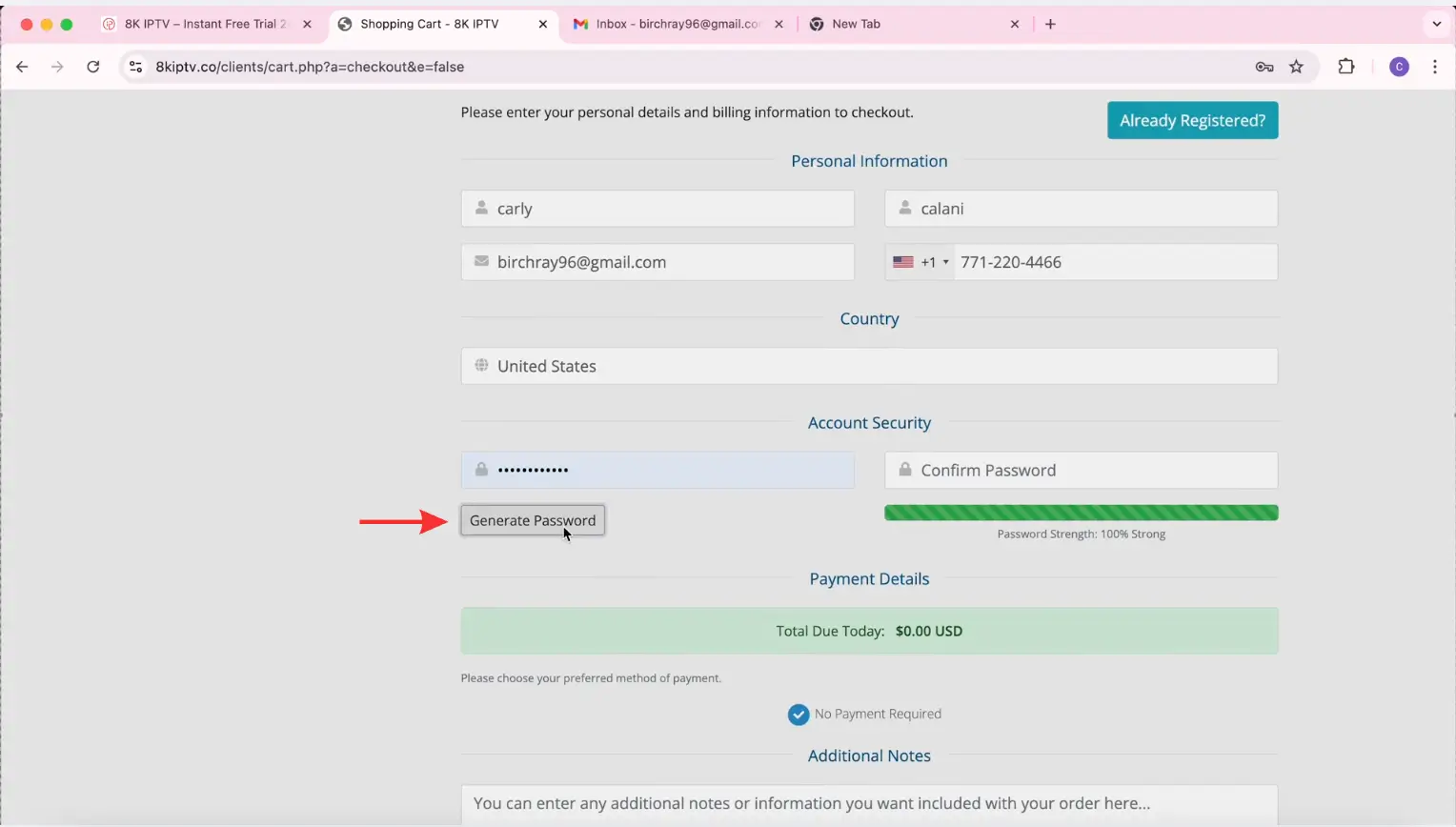
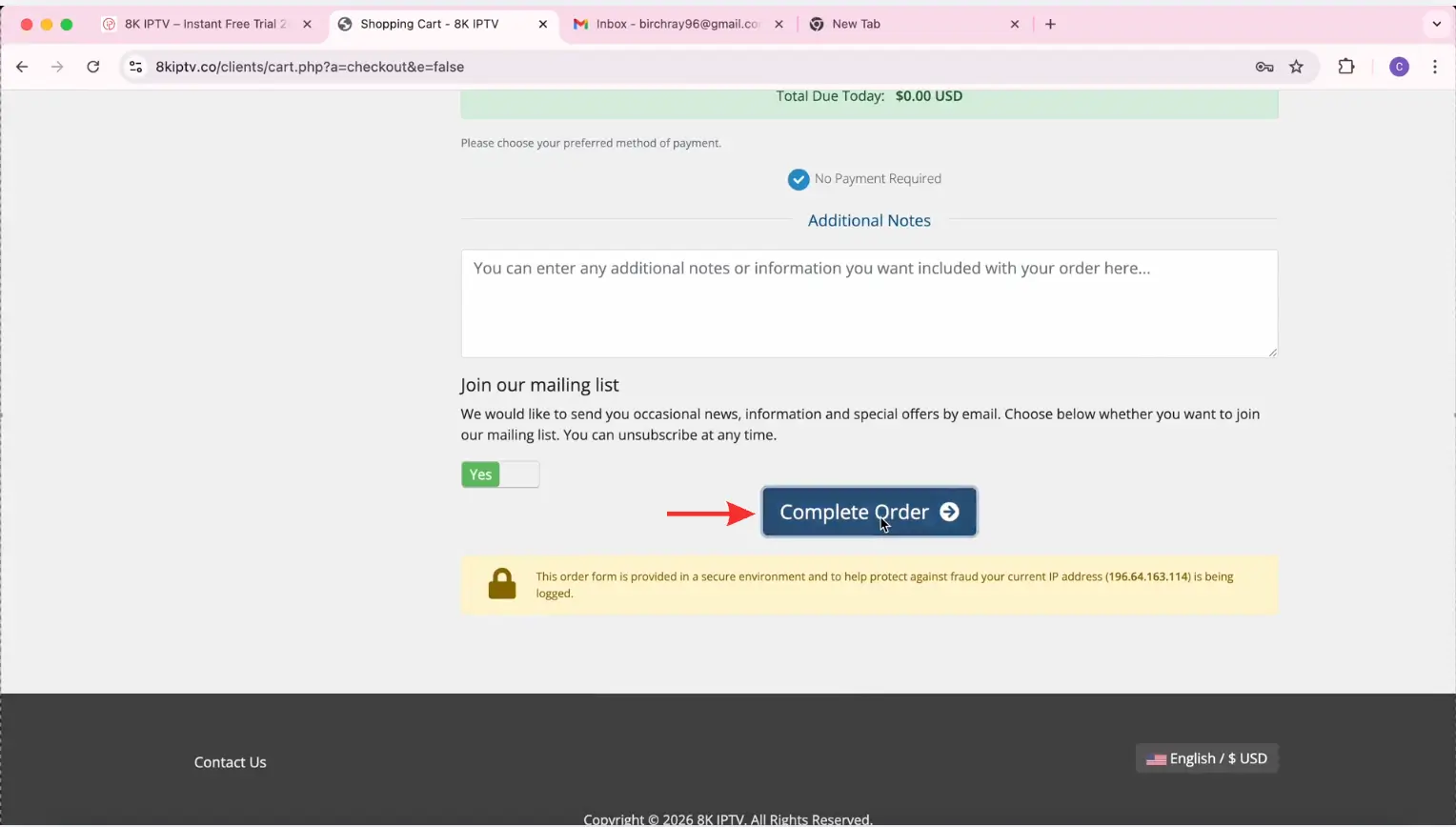
Step 6: Scroll down and click Complete Order.
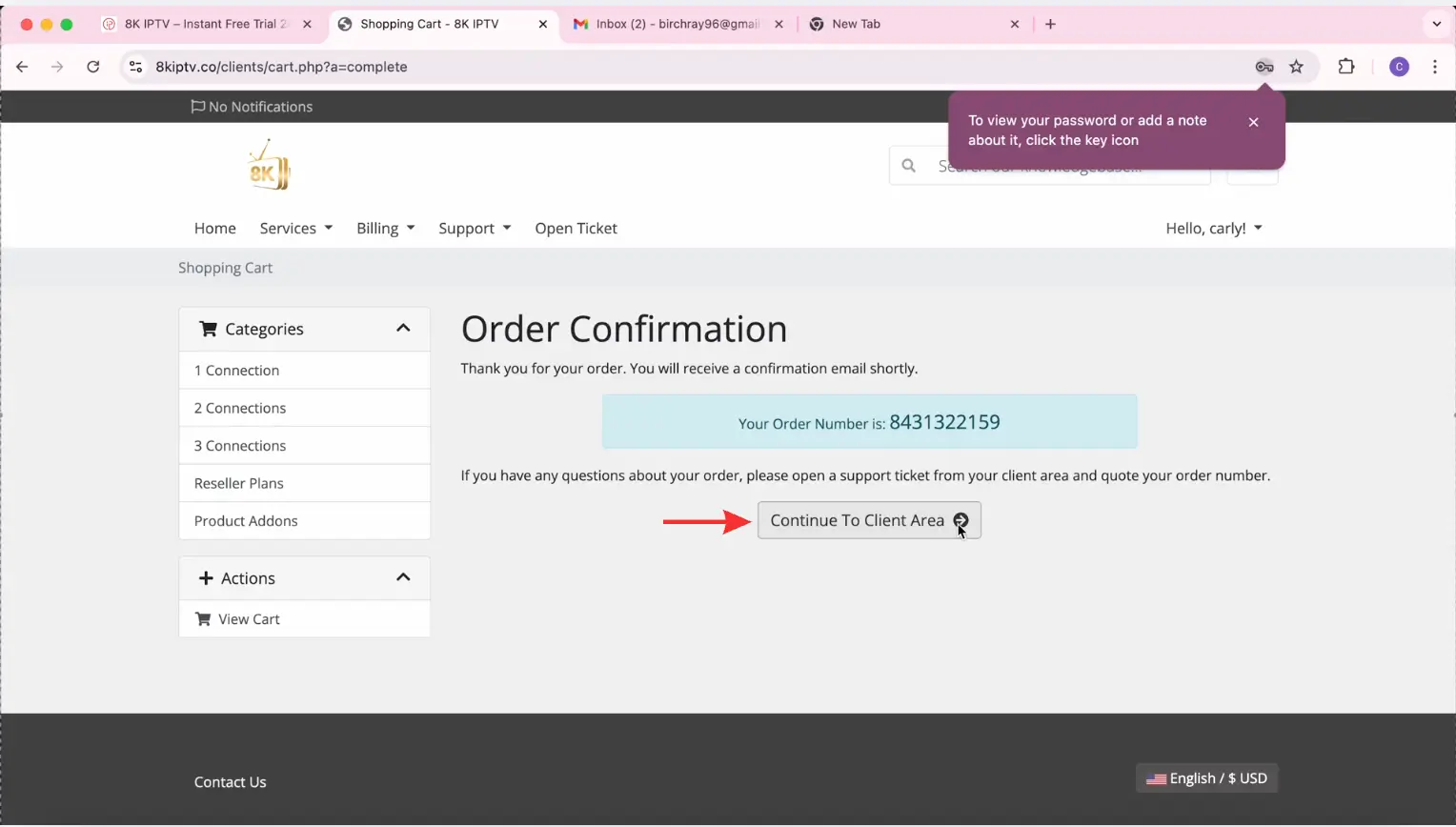
Step 7: Click Continue to Client Area.
Step 8: Select View Details.
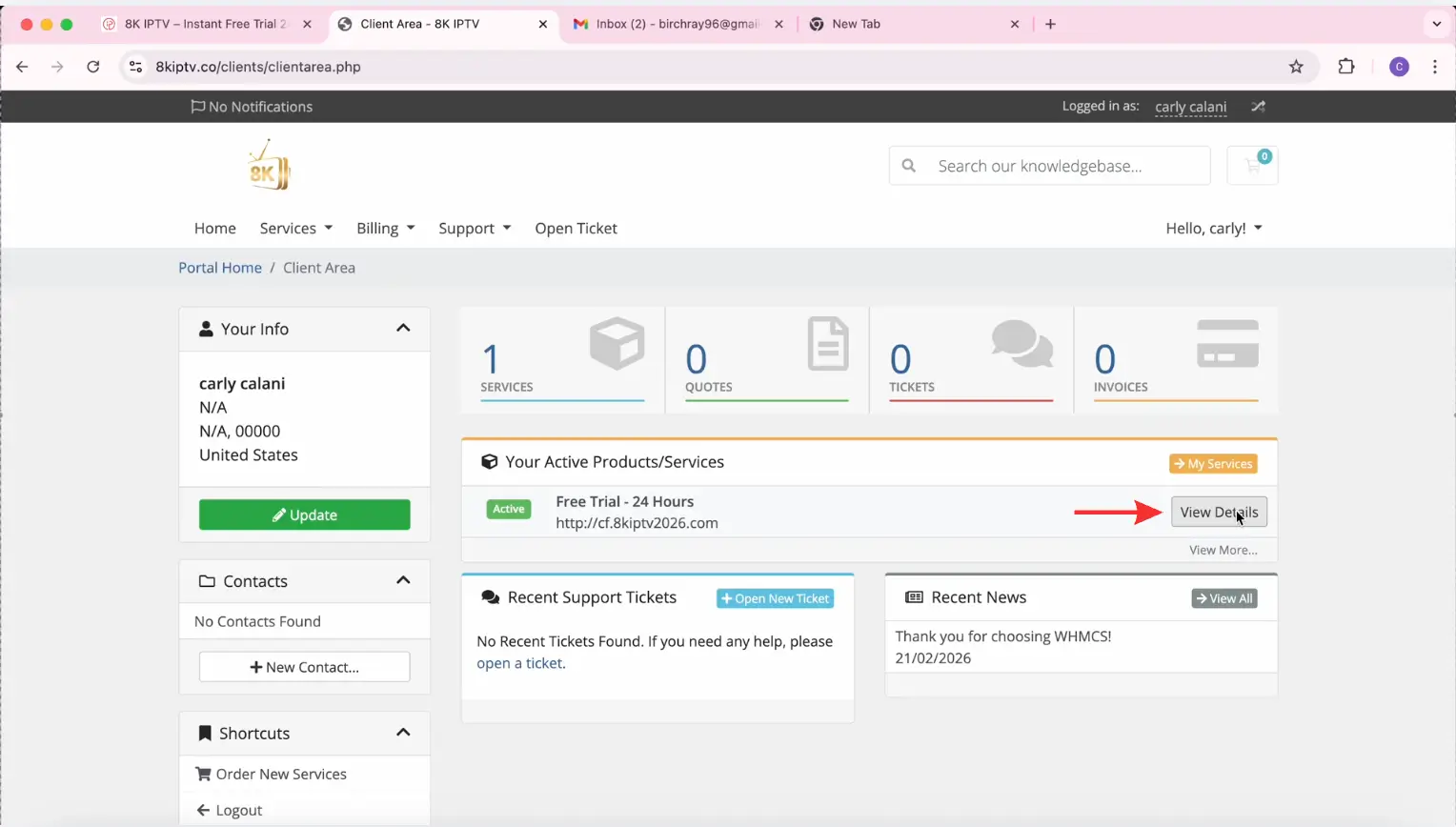
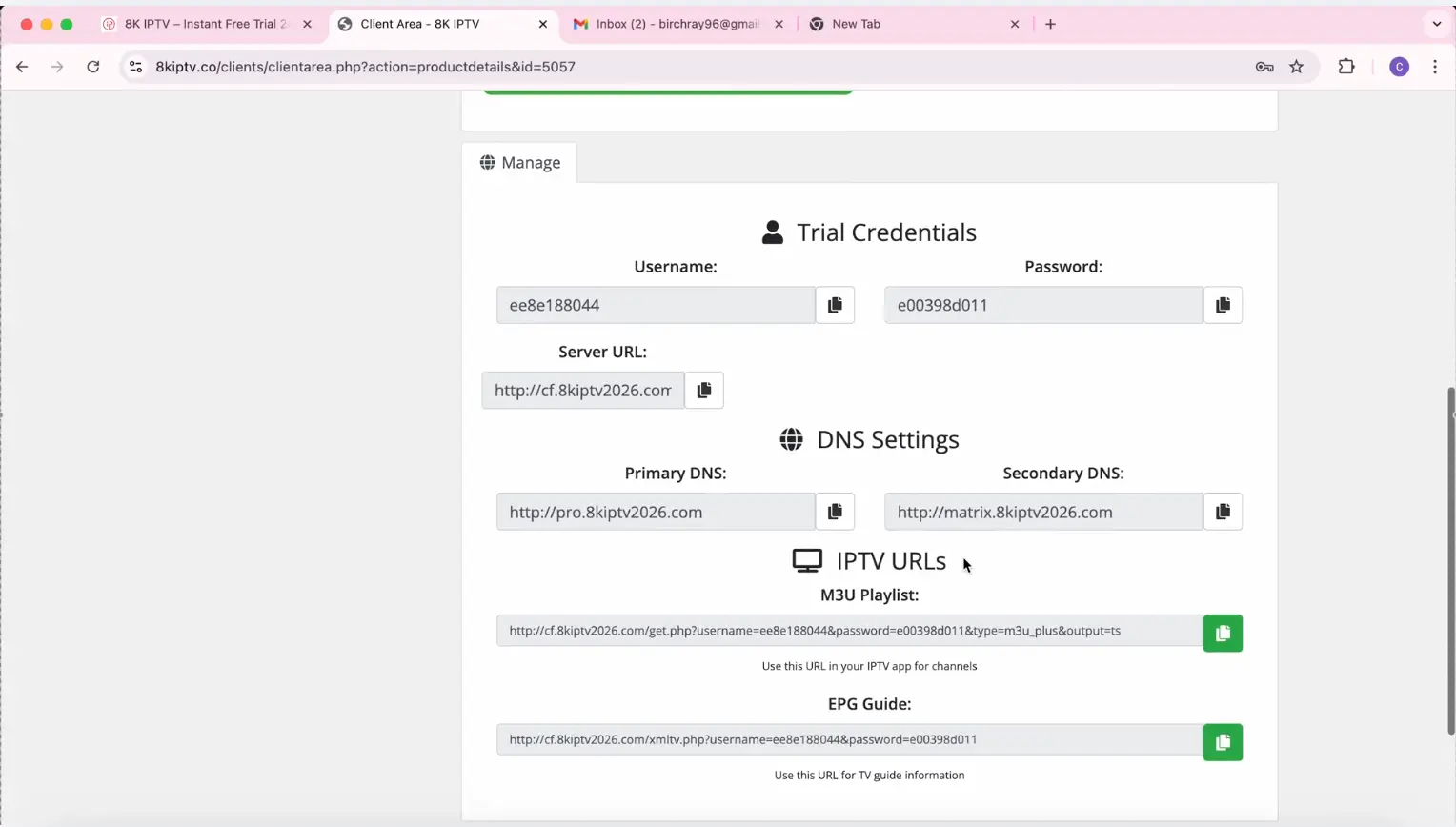
Congratulations! You now have your IPTV login details.
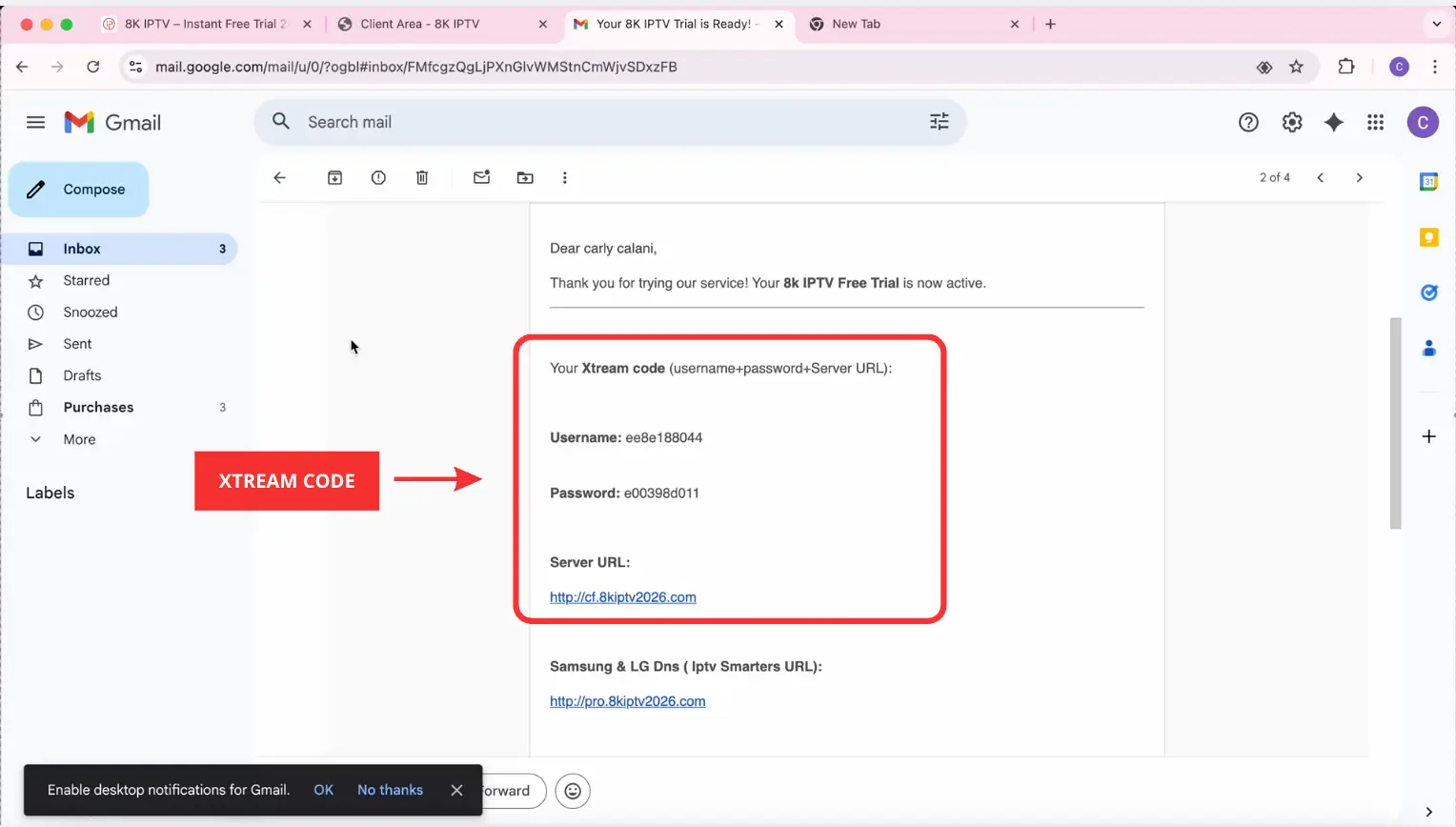
Your login details have also been sent to your email. ( Xteam Code)
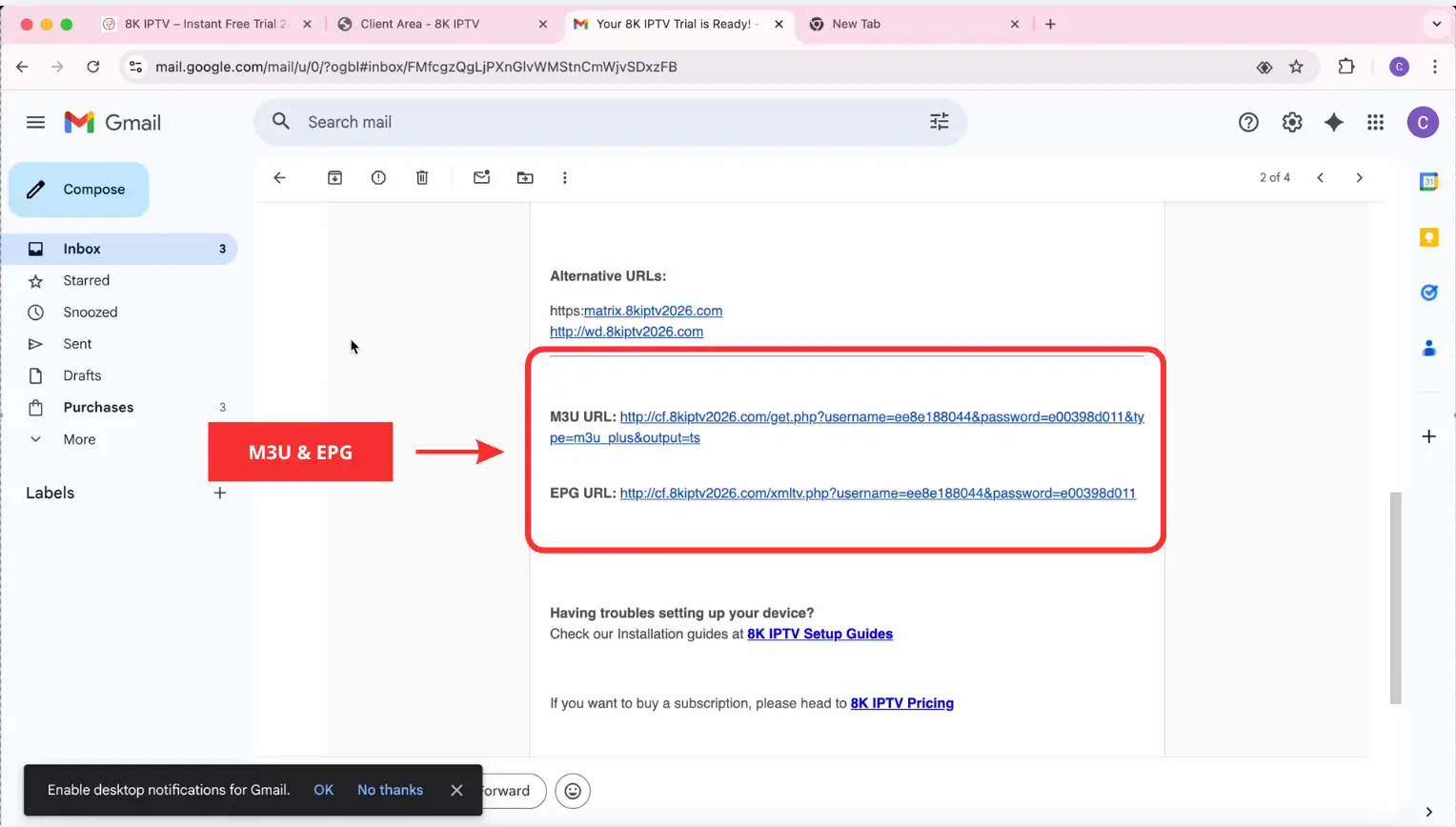
(M3U URL and EPG URL)
IPTV Apps That Support Xtream Code
Xtream Codes and M3U are two of the most widely used IPTV access methods. While Xtream Codes allows users to log in using a server URL, username, and password, M3U provides access through a single playlist link. Both formats are supported by many popular IPTV applications, making it easy to stream live TV channels, movies, and series across a wide range of devices. Below are four leading IPTV apps that support these IPTV formats.
IBO Player
IBO Player is a versatile IPTV player designed for smart TVs and streaming devices. With Xtream Code support, users can quickly add IPTV subscriptions and enjoy a smooth viewing experience. The app is known for its clean interface, playlist management options, and compatibility with various IPTV formats.
IPTV Smarters Pro
IPTV Smarters Pro is a popular IPTV player that supports Xtream Code API login, M3U playlists, and multiple user profiles. It provides a user-friendly interface with features such as live TV, video-on-demand (VOD), catch-up TV, and parental controls, making it a preferred choice for many IPTV users.
TiviMate
TiviMate is widely regarded as one of the best IPTV players for Android TV devices. It supports Xtream Code playlists and provides advanced features such as customizable TV guides, channel grouping, recording options, and a premium television-like viewing experience. Its polished interface and performance make it a favorite among IPTV enthusiasts.
8K App
8K Player supports Xtream Code login and is optimized for high-quality streaming. It offers an intuitive layout, fast channel loading, and support for live TV and VOD content. The application is suitable for users seeking a reliable IPTV player with modern streaming capabilities.
Conclusion
Xtream Code remains one of the most popular and convenient IPTV login methods available today. By allowing users to connect to IPTV services using a server URL, username, and password, it simplifies the setup process across a wide range of IPTV applications. Whether you use IPTV Smarters Pro, IBO Player, 8K Player, or TiviMate, compatibility with this login method provides a fast and user-friendly way to access live TV, movies, and on-demand content.
Frequently Asked Questions
It connects IPTV players to a provider's server using login credentials, automatically loading channels, movies, series, and electronic program guide (EPG) data.
Most IPTV apps require three details: the server URL, username, and password provided by your IPTV service provider.
The login feature is often included in compatible IPTV applications, but access to streaming content usually requires an active subscription.
Many users find this method more convenient because content is organized automatically and playlist updates are handled without manual uploads.
Common causes include incorrect credentials, an invalid server address, an expired subscription, or temporary server issues.