
How to Set Up IPTV on Firestick and Fire TV
DevicesUpdated October 31, 20265 min read
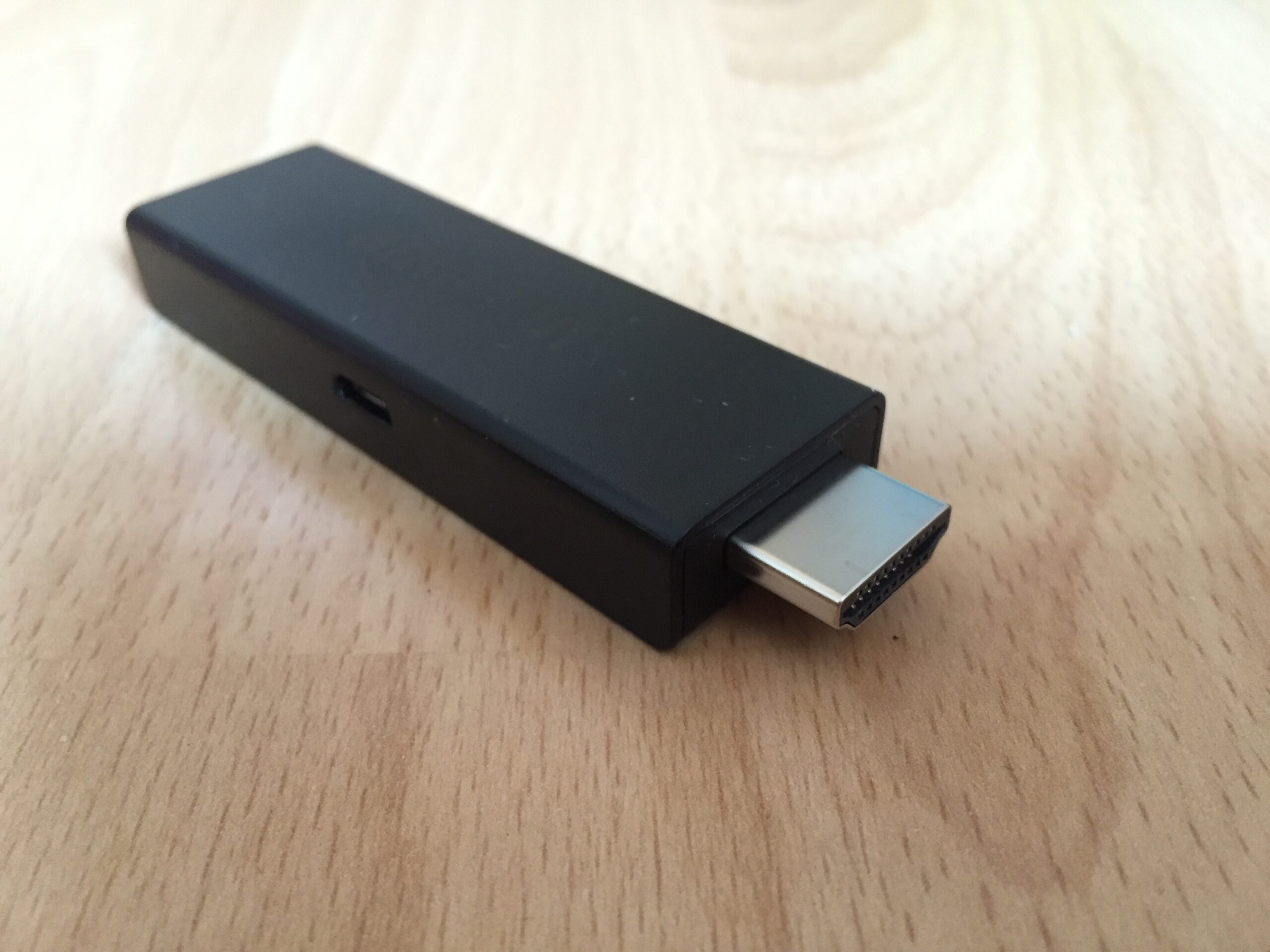
Amazon’s Fire TV Stick is the most popular device for IPTV because it’s cheap, plugs into any TV, and runs most Android player apps. Setup takes about 15 minutes: you allow apps from outside the Appstore, install a player app, and sign in with the details your service gave you.
This guide covers every Fire TV Stick and Fire TV Cube that runs Fire OS, plus tips to keep playback smooth.
What You Need Before You Start
- A Fire TV Stick, Fire TV Stick 4K / 4K Max, or Fire TV Cube, updated to the latest software (Settings > My Fire TV > About > Check for Updates).
- An internet connection of at least 10 Mbps for HD or 25 Mbps for 4K.
- Your login details from your IPTV service: either an Xtream Codes login (server URL, username, password) or an M3U playlist link.
- About 1 GB of free storage. Check under Settings > My Fire TV > About > Storage.
Check Your Fire TV Model First
Most Fire TV devices run Fire OS, which is based on Android and can install player apps from outside the Amazon Appstore. Some newer Amazon models run Vega OS instead, which does not support Android app files (APKs). To check, open Settings > My Fire TV > About. If your device runs Vega OS, use only apps from the Amazon Appstore, or use an Android TV or Google TV device instead.
Step 1: Enable Developer Options and Unknown Apps
- Go to Settings > My Fire TV > About.
- Highlight your device name (for example “Fire TV Stick 4K”) and press the select button 7 times until you see “You are now a developer”.
- Press Back. Developer Options now appears under My Fire TV.
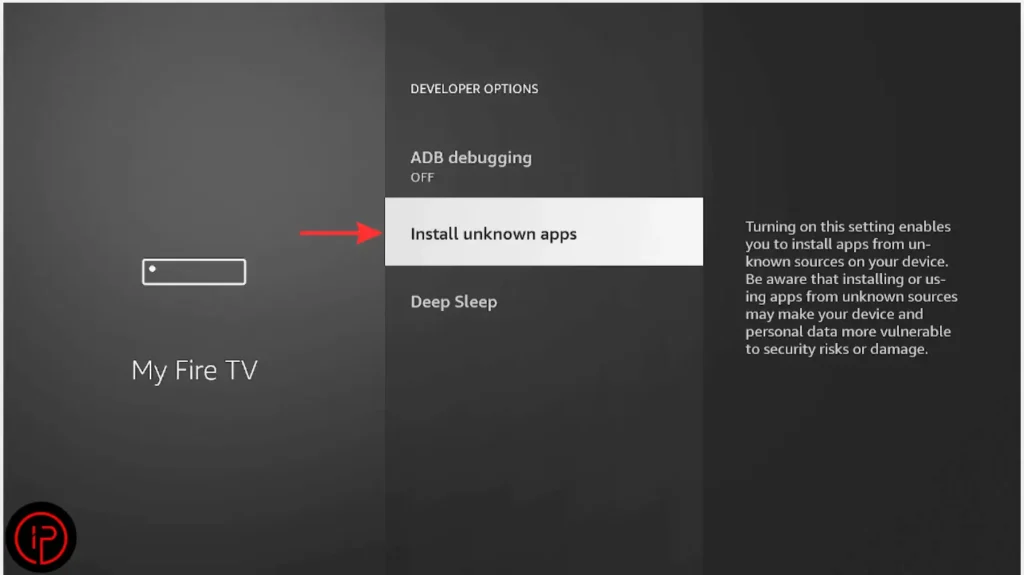
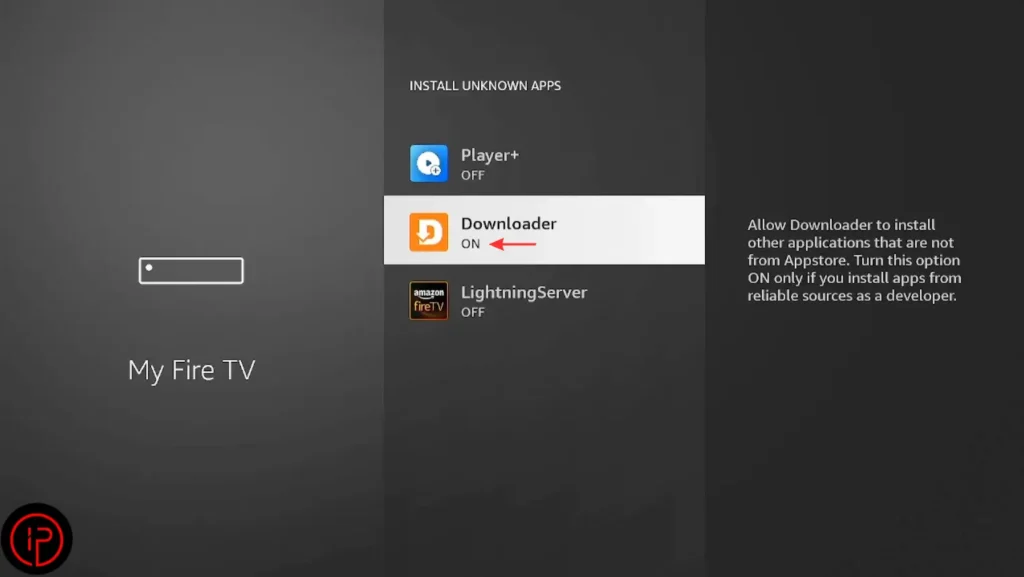
- Open Developer Options > Install unknown apps.
- Turn it on for the app you will install from, usually Downloader. You only need to do this once.
Only allow unknown apps for tools you trust, and turn the setting off again if you stop sideloading.
Step 2: Install a Player App
Option A: From the Amazon Appstore
Search for the app by name from the Find menu. If it’s listed in your region, select Get or Download and it installs like any other app. This is the safest route.
Option B: With the Downloader app
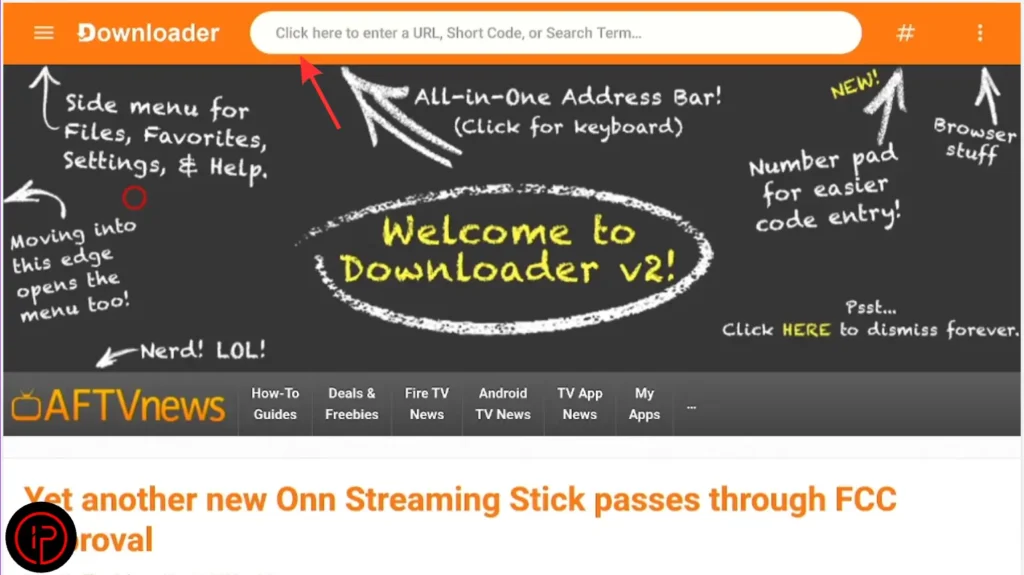
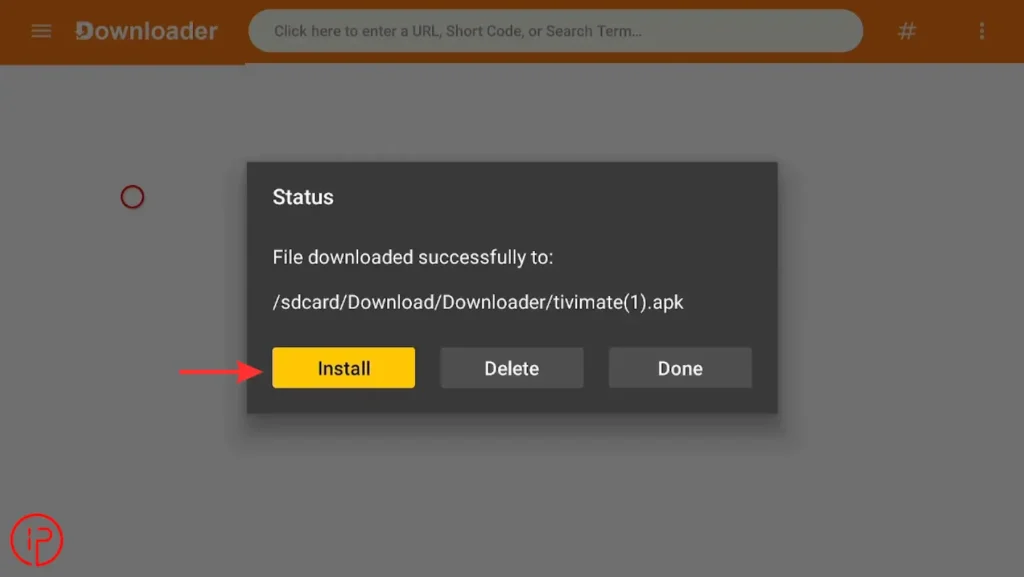
Many player apps aren’t in the Appstore. Install Downloader from the Appstore, open it, and enter the download link from the app developer’s official website. Avoid APK files from forums or unknown sites, which can carry malware.
Step-by-step guides with screenshots: TiviMate, IBO Player and IPTV Smarters Pro.
Step 3: Sign In With Xtream Codes or M3U
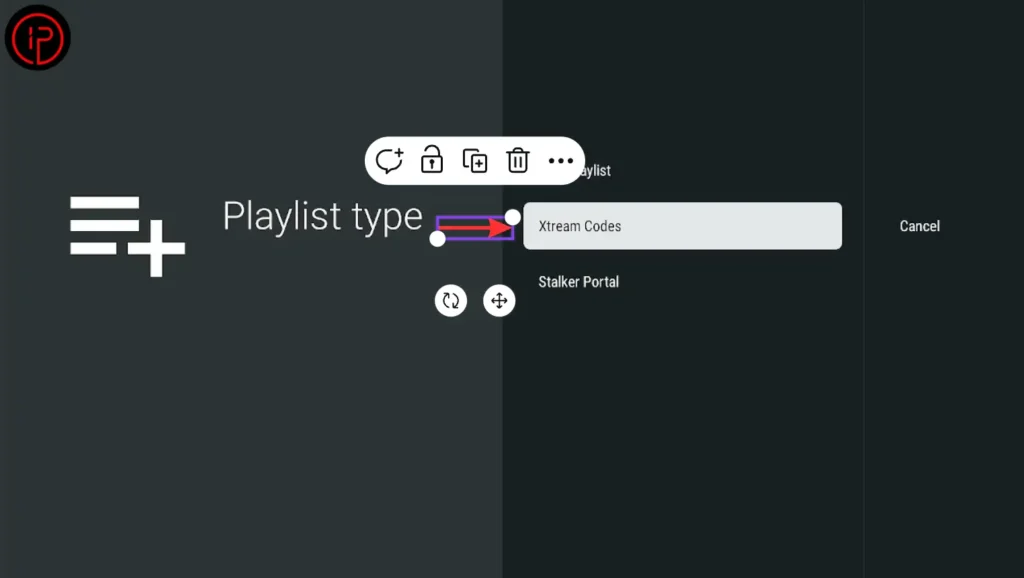
- Open the player app and choose Add playlist, Add user or Login.
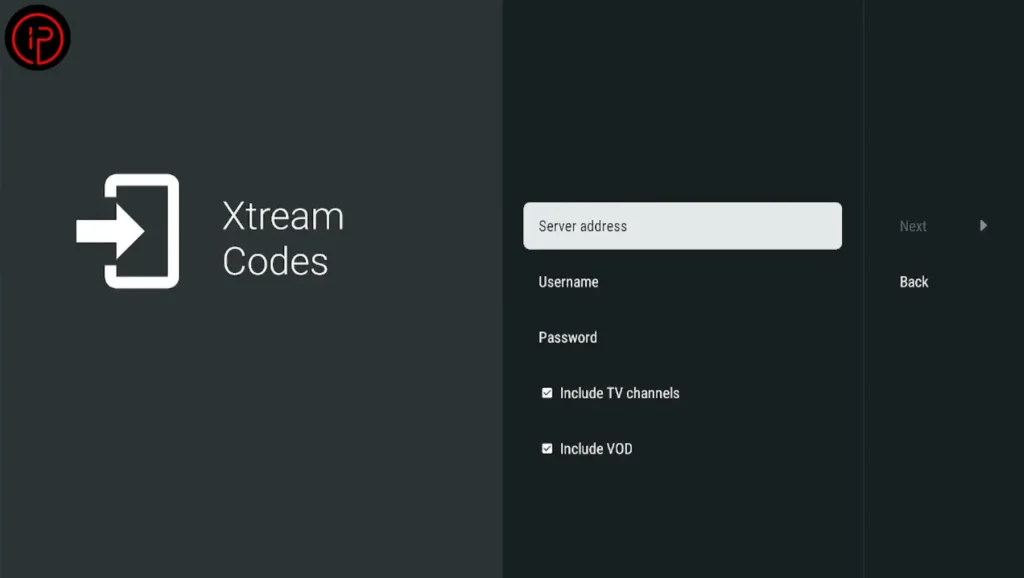
- Select Xtream Codes if you have a server URL, username and password, or M3U if you have a playlist link.
- Enter the details exactly as your service sent them. Typing long M3U links with the remote is slow, so many apps let you send the link from a phone instead.
- Wait while channels, movies and the TV guide load.
Step 4: Optimize Your Firestick for IPTV
- Use a wired connection with an Amazon Ethernet Adapter, or connect to 5 GHz Wi-Fi close to the router.
- Turn off data monitoring in Settings > Preferences > Data Monitoring so the device doesn’t warn about or limit usage.
- Turn off featured video and audio autoplay in Settings > Preferences > Featured Content to save memory.
- Clear the player app’s cache occasionally under Settings > Applications > Manage Installed Applications.
- Restart weekly by holding Select and Play/Pause for 5 seconds.
Best IPTV Apps for Firestick
| App | Best for | Cost |
|---|---|---|
| TiviMate | Cable-style guide, recording, many channels | Free version; Premium is paid |
| IPTV Smarters Pro | Simple setup, movies and series | Free |
| IBO Player | Same app across TV and Firestick | Free trial, then one-time activation |
Compare them in detail in our best IPTV player apps guide.
If Something Goes Wrong
If channels buffer, read how to fix IPTV buffering. If the app won’t connect, see IPTV not working. For an empty or wrong guide, see EPG not working.
Frequently Asked Questions
Installing a player app on a Firestick is legal. Whether watching is legal depends on the service: it must have the rights to the channels it offers.
The Fire TV Stick 4K Max or Fire TV Cube, which have more memory and Wi-Fi 6 support. The Fire TV Stick Lite works but struggles with large playlists.
Amazon hides it by default. Go to Settings > My Fire TV > About and press select on your device name 7 times.
Not for setup. A VPN can help if your internet provider slows streaming, but it can also reduce speed and doesn’t make an unlicensed service legal.