
How to Set Up IPTV on Android TV, Google TV and Android Phones
DevicesUpdated October 31, 20263 min read
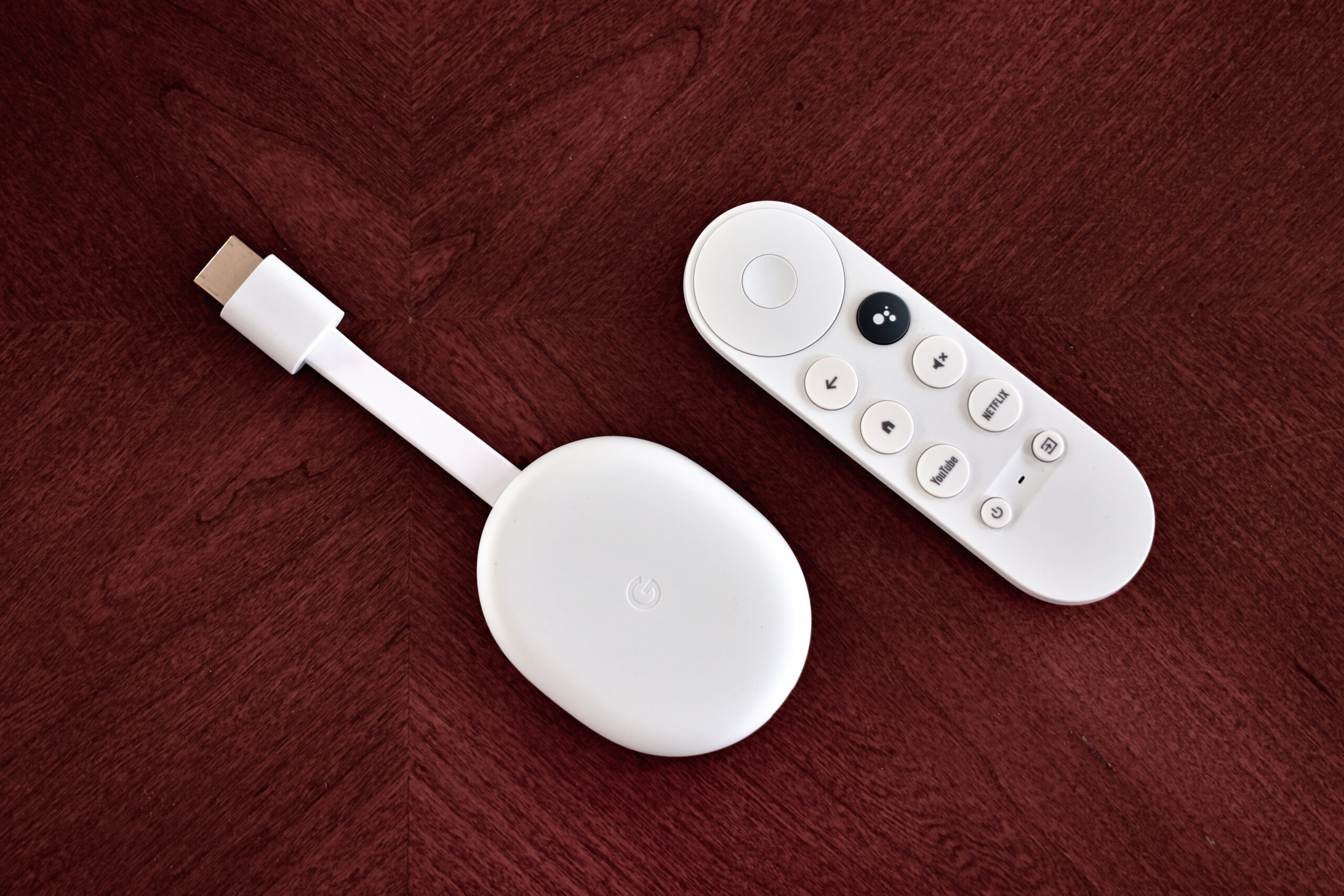
Android gives you the widest choice of IPTV player apps. The same steps work on Android phones and tablets, Android TV boxes such as the NVIDIA Shield, and TVs or streaming devices running Google TV.
Which Android Device Are You Using?
- Phones and tablets: touch-friendly apps such as IPTV Smarters Pro or IBO Player.
- Android TV and Google TV: remote-friendly apps such as TiviMate, which is built for TV screens.
- Low-storage devices (some Google TV sticks have 8 GB): keep only one player installed and clear its cache regularly.
Step 1: Install From Google Play
- Open the Google Play Store.
- Search for the player app by name.
- Select Install and open the app when it finishes.
Google Play is the safest source because apps are scanned for malware. Availability differs by country and device type.
Step 2: If the App Isn’t on Google Play
On a phone or tablet
- Download the APK only from the developer’s official website.
- When prompted, allow your browser to install apps (Settings > Apps > Special app access > Install unknown apps).
- Open the downloaded file and tap Install.
On Android TV or Google TV
- Go to Settings > System > About and press select on Android TV OS build 7 times to enable developer mode.
- Install the Downloader app from Google Play.
- In Settings > Apps > Security & restrictions > Unknown sources, allow Downloader.
- Open Downloader and enter the developer’s official download URL.
Menu names vary slightly by manufacturer.
Step 3: Sign In
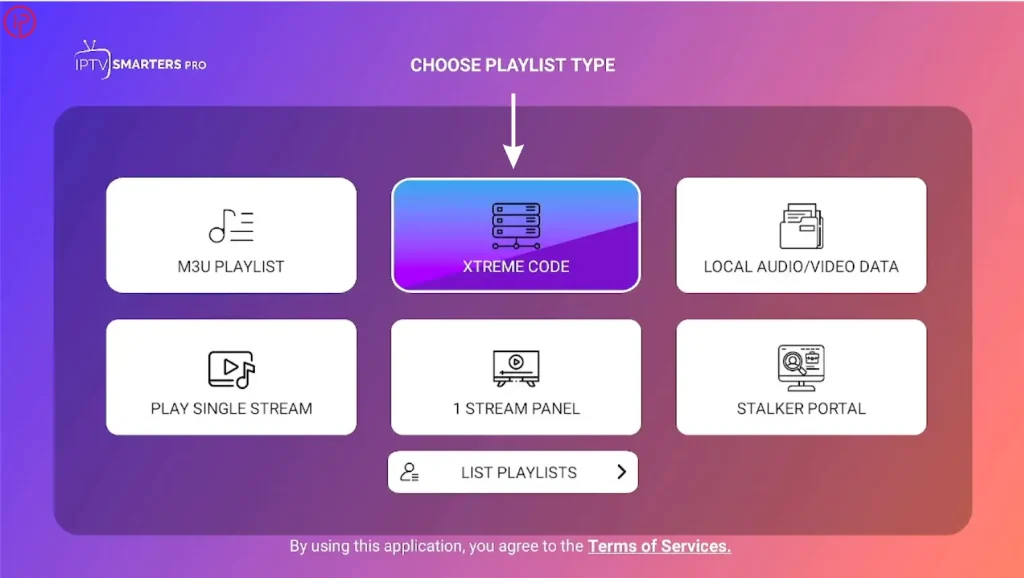
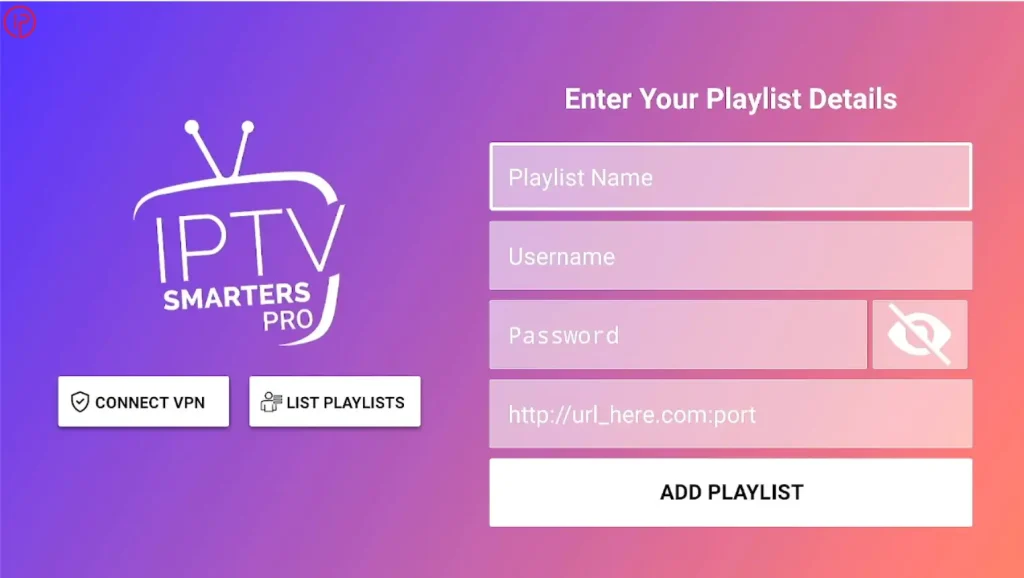
Open the app and add a playlist using your Xtream Codes details or M3U link. On a phone you can copy the details from your email and paste them, which avoids typing errors.
Step 4: Tune Android for Smooth Playback
- Phones: turn off battery optimization for the player app (Settings > Apps > [app] > Battery) so streams don’t stop in the background.
- Codec problems: if a channel has sound but no picture, switch the app’s video decoder between hardware and software, or choose an external player such as VLC.
- Storage: keep at least 1 GB free and clear the app cache under Settings > Apps.
- Network: use 5 GHz Wi-Fi or Ethernet on TV boxes.
Best IPTV Apps for Android
| App | Device | Notes |
|---|---|---|
| TiviMate | Android TV, Google TV | TV-style guide; Premium adds recording |
| IPTV Smarters Pro | Phones, tablets, TV | Free; Xtream Codes and M3U |
| IBO Player | Phones, TV | Trial, then activation fee |
| VLC | All | Free; no TV guide |
| Kodi | All | Free; full guide via add-on |
Frequently Asked Questions
TiviMate is designed for Android TV and Google TV. For phones and tablets, IPTV Smarters Pro or IBO Player are better suited.
Only if the file comes from the app developer’s official website. APKs from forums or file-sharing sites can contain malware.
Roughly 1–3 GB per hour depending on quality. Use Wi-Fi where possible or lower the stream quality on mobile data.